Top SEO Software Reviews in 2026: 10 Tools Compared
Read our top SEO software reviews for 2026, comparing Semrush, Ahrefs, Moz Pro and more on price, features and who each tool suits best for your site.

- Editor's choice
 Semrush
All-in-one SEO and content research
Starts at$139 per monthVisit semrush.comFull review - Great alternative
 Ahrefs
Backlink and competitor research
Starts at$29 per monthVisit ahrefs.comFull review - Also consider
 Moz Pro
Beginners and authority metrics
Starts at$49 per monthVisit moz.comFull review
TL;DR:
- Semrush at $139 per month and Ahrefs from $29 per month are the two most complete suites, with different strengths in research and backlinks.
- Moz Pro from $49 per month and Mangools are easier entry points for small sites that need core keyword and rank data.
- SE Ranking at $129 per month suits agencies that need audits, rank tracking and client reports in one place.
- Screaming Frog, Surfer and Google Search Console fill gaps the suites miss, such as technical crawls, content scoring and real click data.
- The right suite depends on how many sites you track, how often you need fresh data, and whether you need content tools as well as research.
Quick comparison
| Tool | Best for | Starts at | Free plan? | |
|---|---|---|---|---|
| Semrush | All-in-one SEO and content research | $139 per month | Free trial | Visit |
| Ahrefs | Backlink and competitor research | $29 per month | Yes | Visit |
| Moz Pro | Beginners and authority metrics | $49 per month | Free trial | Visit |
 SE Ranking | Agencies needing reports and tracking | $129 per month | Free trial | Visit |
 Mangools | Simple keyword research for small sites | See website | Free trial | Visit |
 Surfer | Content optimisation scoring | See website | Free trial | Visit |
 Screaming Frog SEO Spider | Technical site crawls | See website | Yes | Visit |
 SpyFu | Competitor keyword and PPC history | $39 per month | Yes | Visit |
 Serpstat | Lower cost all-in-one research | See website | Free trial | Visit |
 Google Search Console | Real clicks and indexing data | Free | Yes | Visit |
The best top SEO software reviews
SEO software reviews often list features without saying who should actually pay. The tools below are grouped by job: research suites, content help, technical crawls and free data. Read the fit first, then the price, since a cheap tool you never open costs more than a dearer tool you use weekly.
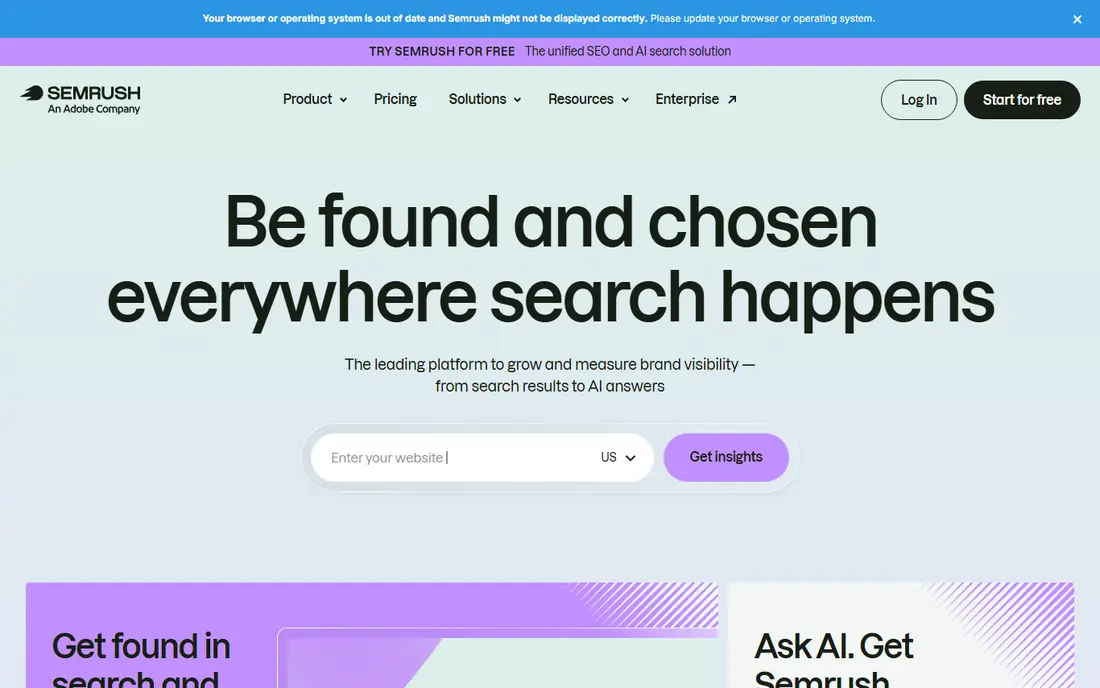
Semrush is our pick for most teams that want one suite. Keyword research, site audits, rank tracking and competitor analysis sit in the same account, so you can move from finding a keyword to checking a rival page to auditing your own site without switching tools. Content tools and AI visibility features add to that breadth on current plans.
The price is the main check. At $139 per month, Semrush is a serious subscription, and extra users and reports cost more. Small sites that only need keyword data may find a cheaper tool enough. Teams that run SEO, content and paid search together will get more from the combined data.
- Broad keyword, audit and competitor tools
- Useful content and PPC data
- Clear project dashboards
- Entry plan limits keywords and projects
- Add-ons raise the bill
- Learning curve for new users

Ahrefs is the strongest choice when backlinks and competitor research matter most. Site Explorer shows which pages earn links, which keywords rivals rank for, and where content gaps sit. Keyword Explorer adds volume, difficulty and click data that help you judge whether a keyword is worth chasing.
Ahrefs also offers a free tier through Webmaster Tools for sites you verify, which is useful for a site owner who only needs data on their own pages. Paid plans start lower than Semrush, but credit limits and extra-user fees need a check before you commit to a higher tier.
- Large backlink index
- Strong keyword explorer
- Free Webmaster Tools for verified sites
- Higher plans use credits and limits
- Rank tracking updates vary by plan
- Content tools are thinner than Semrush
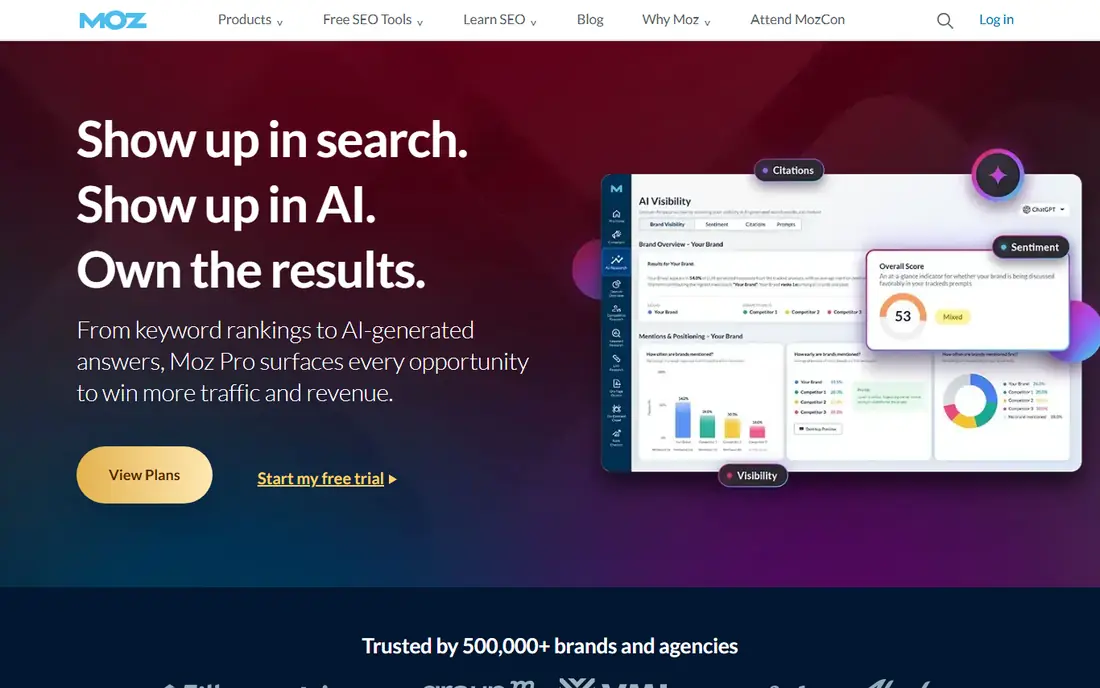
Moz Pro suits small teams that want a classic suite without a steep learning curve. Research, rank tracking and site audits cover the core jobs, and Domain Authority gives a simple way to compare sites at a glance. Moz learning guides help new users understand what each metric means.
The trade is depth. Moz does not match Semrush on breadth or Ahrefs on backlink depth, and lower plans cap campaigns and tracked keywords. For a beginner or a small business that needs solid core data and clear guidance, that trade is often fine.
- Clear interface for beginners
- Domain Authority for benchmarking
- Useful learning resources
- Smaller index than Ahrefs in some areas
- Campaign and keyword limits on lower plans
- No built-in content drafting
SE Ranking is a strong agency pick. It bundles research, rank tracking, audits and reporting, and its white-label reports suit teams that send monthly updates to clients. Current plans include AI search tracking, which helps teams watch how their pages appear in AI-driven answers as well as classic results.
Check project counts, seats and add-ons before you buy. The headline price covers a set allowance, and a growing agency can hit limits quickly. For a single site, a cheaper tool may be enough. For several client sites, SE Ranking earns its place.
- Rank tracking, audits and research in one suite
- Strong client reporting
- AI search tracking on current plans
- Project and seat limits matter
- Add-ons can raise costs
- Interface takes time to learn
Mangools is for bloggers and small site owners who want keyword data without a large suite. KWFinder finds related keywords with volume and difficulty, while SERPChecker shows who ranks for a term and how strong those pages look. The interface stays calm, which helps when you only check keywords a few times a week.
Mangools will not replace a technical audit tool or a deep backlink suite. Pair it with Google Search Console and Screaming Frog for technical checks, and it covers the research job well at a lower cost than the big suites.
- Clean, simple interface
- KWFinder for keyword ideas
- SERPChecker for result pages
- Limited technical auditing
- Lower-tier tracking frequency
- Smaller feature set than large suites
Surfer answers a different question from Semrush or Ahrefs: is this draft well optimised for its target keyword. It compares your text with top-ranking pages and suggests terms, headings and length ranges. Writers can use the score as a checklist, not as a rule, and editors can audit old pages the same way.
Surfer does not replace keyword research or technical audits. Budget for it alongside a research tool if content is your main SEO work. If you rarely publish, a research suite alone may be enough.
- Clear content scores and term suggestions
- Useful briefs for writers
- Audit of existing pages
- Not a full SEO suite
- Needs a research tool alongside it
- Credit limits on some plans
Screaming Frog SEO Spider crawls your site the way a search engine does and lists status codes, titles, meta data, redirects and duplicate content. That detail is hard to get from a cloud suite alone, and it is essential after a redesign, a migration or a large content change.
The free version covers small sites, while paid use covers larger crawls and more features. It is a technical tool, so beginners may need time to learn what each report means. For any serious SEO work, though, a crawl tool belongs in the stack.
- Deep technical crawl data
- Finds broken links and redirect chains
- Free version for small sites
- Desktop software, not a cloud suite
- No keyword research
- Interface suits technical users
SpyFu stands out on history. You can see which keywords a rival has bought or ranked for over time, and how their ad copy changed. That history helps you spot seasonal patterns and gaps, and it is useful when SEO and paid search sit in the same team.
SpyFu is not a full technical suite. Use it for competitor research, then use a suite or a crawl tool for audits and tracking. For teams that watch rivals closely, the history alone can justify the price.
- Long competitor keyword and ad history
- Useful for PPC and SEO overlap
- Limited free searches
- Less depth on technical audits
- Data quality varies by market
- Interface feels dated
Serpstat offers a middle path between a single-purpose tool and a large suite. Keyword research, rank tracking and site audits sit in one account, at a lower headline cost than Semrush or SE Ranking. Small agencies and in-house teams often use it as their main suite.
Check daily allowances before you buy. Search and position-check limits can bind a busy team, and data depth varies by country and niche. For a single site or a small portfolio, Serpstat covers the core jobs well.
- Research, rank tracking and audit in one plan
- Lower cost than large suites
- Useful for small agencies
- Daily search and position allowances
- Smaller index in some markets
- Interface needs learning
Google Search Console is not a suite, and that is its strength. It shows the real queries, clicks and impressions for your own site, which no paid tool can see directly. It also shows indexing status, sitemap results and mobile and Core Web Vitals issues.
Every site owner should connect Search Console, whatever paid tool they choose. Paid suites estimate traffic, while Search Console reports what Google actually recorded. Use both together: Search Console for truth on your own site, and a suite for competitor and keyword research.
- Free and official
- Real clicks, impressions and queries for your own site
- Indexing and coverage reports
- Only your own verified sites
- No competitor data
- Some data is sampled or delayed
How we picked these
We compared official pricing pages, feature lists and public reviews in October 2026. We kept tools that exist and work today, that cover a clear SEO job, and that suit a stated audience, from beginners to agencies. We excluded tools that only promise rankings, tools with no clear pricing or ownership, and tools that duplicate a listed product without a distinct strength.
How to choose the right SEO tool
Start with the job you do most. If you research keywords and rivals daily, pick Semrush or Ahrefs. If you mainly publish content, add Surfer to a research tool. If you manage several client sites, weigh SE Ranking or Serpstat on reporting and project limits.
Next, count your sites, keywords and users. Entry plans look cheap until you hit a keyword cap or pay for extra seats. Trial the tool on a real project, not on a demo site, and check whether the data updates often enough for your work.
Finally, keep Search Console connected from day one. It costs nothing and gives you the baseline every paid tool should be checked against. If a suite and Search Console disagree, trust Search Console for your own site and use the suite for competitor context.
FAQ
What is the best SEO software overall?
Semrush and Ahrefs are the strongest all-round suites, with Semrush broader on content and PPC and Ahrefs stronger on backlinks. For a small site, Moz Pro or Mangools may be enough. The best tool is the one whose data you use weekly, not the one with the longest feature list.
Is free SEO software enough?
Google Search Console is essential and free, and Screaming Frog has a free version for small sites. Free plans from Ahrefs and SpyFu add useful data. Most teams still need a paid suite for competitor research and large-scale tracking, but a small site can start free and upgrade later.
How much should I pay for SEO software?
Small sites often manage on plans from $29 to $49 per month, while agencies and larger teams commonly pay $129 to $139 per month for a main suite. Add content or crawl tools only if you use them regularly. Check keyword, project and seat limits, since those decide the real cost.
Do SEO tools guarantee higher rankings?
No. Tools provide data, audits and content guidance, but rankings depend on content quality, site health, links and search intent. A tool can show you what to fix and what to write, but it cannot rank a thin or irrelevant page on its own.
Should I use more than one SEO tool?
Most teams do. A research suite plus Search Console plus a crawl tool covers research, real data and technical health. Add a content scorer only if you publish often. Avoid paying for three suites that do the same job.
What should beginners check first in an SEO tool?
Check keyword volume and difficulty, your site audit errors, and your top pages in Search Console. Fix crawl errors and thin pages first, then build content around keywords with clear intent and realistic difficulty for your site.
Sources
- https://www.semrush.com/pricing/
- https://ahrefs.com/pricing
- https://moz.com/products/pro/pricing
- https://www.seranking.com/pricing.html
- https://mangools.com/pricing
- https://surferseo.com/pricing/
- https://www.screamingfrog.co.uk/seo-spider/pricing/
- https://www.spyfu.com/pricing/
- https://serpstat.com/pricing/
- https://search.google.com/search-console/about