Best Loom Alternatives in 2026: 9 Tools Compared
Compare the best Loom alternatives for 2026, from Vidyard and Tella to ScreenPal and Descript, with recording quality, editing, pricing, and best uses.
- Editor's choice
 Vidyard
Sales and marketing video
Starts atFreeVisit vidyard.comFull review - Great alternative
 Tella
Polished screen recordings
Starts at$15 per monthVisit tella.comFull review - Also consider
 ScreenPal
Budget recording and teaching
Starts atSee websiteVisit screenpal.comFull review
TL;DR:
- Vidyard is our pick for sales and marketing teams, thanks to viewer analytics, calls to action, and CRM connections.
- Tella is the best choice for polished videos, with transcript editing, auto zoom, and clean layouts.
- ScreenPal is the best budget option, with a free recorder and low cost paid plans for teachers and small teams.
- Descript is the best pick if you want to edit video by editing text, especially for podcasts and tutorials.
- Most Loom alternatives offer a free tier or trial, so test recording quality and sharing before you pay.
Quick comparison
| Tool | Best for | Starts at | Free plan? | |
|---|---|---|---|---|
| Vidyard | Sales and marketing video | Free | Yes | Visit |
| Tella | Polished screen recordings | $15 per month | Free trial | Visit |
| ScreenPal | Budget recording and teaching | See website | Yes | Visit |
 Zight | Fast sharing and annotation | See website | Yes | Visit |
 Descript | Text based video editing | See website | Yes | Visit |
 Hippo Video | Sales and support videos | See website | Free trial | Visit |
 Droplr | Quick screenshots and recordings | See website | Free trial | Visit |
 Guidde | Step by step how to videos | See website | Yes | Visit |
 VEED | Browser based video editing | See website | Yes | Visit |
The best Loom alternatives
Loom made async video simple: record your screen and camera, share a link, and let people watch on their own time. The alternatives below differ in editing depth, analytics, price, and audience. We compared official feature pages, pricing pages, and help pages, focusing on recording quality, editing, sharing, viewer analytics, and limits on free plans.
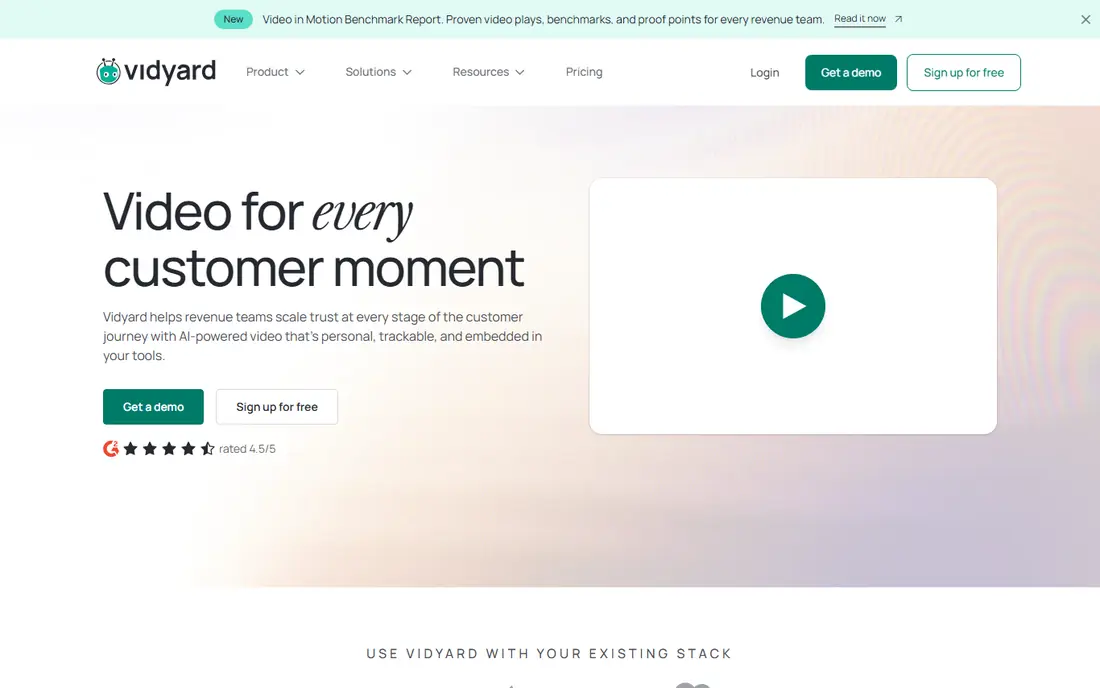
Vidyard is the best Loom alternative for sales and marketing teams, because it treats a video as a measurable step in a pipeline, not just a link. You can see who watched, for how long, and whether they clicked a call to action, and that data can sync to a CRM to trigger follow up. That visibility matters when a prospecting video or a demo is meant to start a conversation, not just explain a feature.
The free plan is useful for testing, but it caps the number of videos and recording length, so check current limits on the vendor site. Pro starts at about $19 per month billed annually for unlimited recording and basic analytics, with higher tiers for full CRM and branding features. The editor covers trimming and captions, but it is not a full production tool, so pair it with Tella or Descript if editing matters more than analytics.
- Viewer analytics by person and watch time
- Calls to action and CRM connections
- Good hosting and sharing options
- Free plan caps videos and recording length
- Editor is basic compared with Tella or Descript
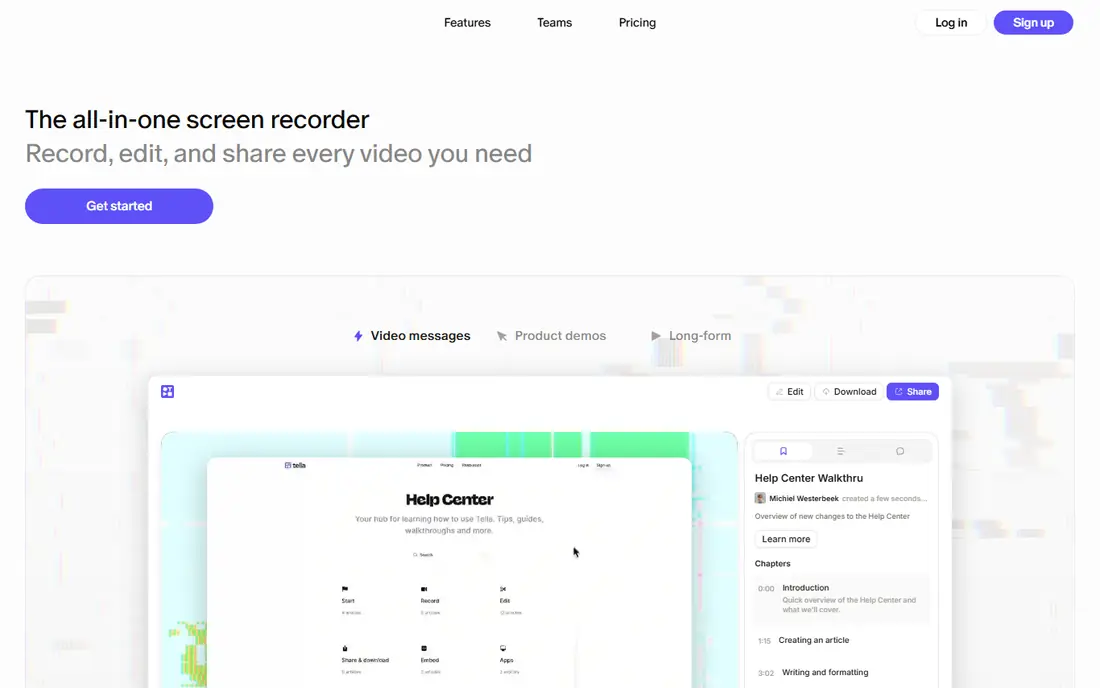
Tella is our pick if you want recordings that look edited without spending hours in a timeline. You can edit by editing the transcript, remove silences and filler words, and let auto zoom focus on the part of the screen that matters. Auto layouts keep your camera, screen, and background tidy, which makes a product demo or tutorial feel professional with far less manual work.
Pricing starts at $15 per month billed annually for a personal plan, with a 7 day trial and no permanent free tier. A team plan adds a workspace, custom logo, and single sign on, but it requires at least three users. If you record demos, courses, or customer onboarding videos often, Tella is worth the price. If you only send occasional quick updates, a free tool such as ScreenPal may be enough.
- Transcript editing and filler word removal
- Auto zoom and auto layouts
- 4K export and custom branding
- No permanent free tier
- Team plan needs at least three users

ScreenPal, formerly Screencast-O-Matic, is the best budget Loom alternative for teachers, trainers, and small teams. The free recorder covers screen and webcam capture with hosting, and paid plans start at a low monthly price for the full editor, captions, and branding. Quizzes and polls embedded in a video make it a strong fit for flipped classrooms and training, where you want to check understanding, not just share a clip.
The free tier limits recording length and adds a watermark, so it is best for short updates and testing rather than polished course content. Paid plans remove those limits and add stock media, secure hosting, and team features. If price is your main constraint and you need a dependable recorder that works in a browser and on desktop, ScreenPal is a sensible first choice.
- Free recorder with hosting
- Low cost paid plans
- Quizzes and polls for teaching
- Free videos carry a watermark
- Editing and branding need a paid plan
Zight is built for speed. You capture a screen recording or screenshot, annotate it, and share a link in seconds, which makes it ideal for bug reports, design feedback, and quick explanations to a teammate. The annotation tools help you point at the exact button or error message, so the viewer does not have to guess what you mean. That clarity saves a round of follow up messages.
Editing is lighter than a full video editor, so Zight is not the best pick for a polished course or a marketing video. Check current pricing on the vendor site, since free and paid limits have changed over time. If your main job is fast, clear async communication inside a team, Zight does that job with less friction than a heavier tool.
- Fast capture and link sharing
- Annotation and markup tools
- Good for bug reports and feedback
- Editing is lighter than Tella or Descript
- Advanced features need a paid plan
Descript is the best Loom alternative if editing is your bottleneck. Instead of scrubbing a timeline, you edit the transcript: delete a sentence in text and the matching video and audio disappear. Studio sound cleans up noisy recordings, filler word removal tightens rambling takes, and overdub style tools help fix small mistakes without re-recording a whole video. That workflow is a major time saver for podcasts, tutorials, and course lessons.
The trade-off is complexity. Descript is a full editor, not just a recorder, so it takes longer to learn than Loom or Zight. A free plan lets you test the workflow, but longer projects and full features need a paid plan, so check current pricing on the vendor site. If you record often and hate timeline editing, Descript is the most productive pick here.
- Edit video by editing the transcript
- Studio sound and filler word removal
- Good for podcasts and tutorials
- Learning curve for full editing features
- Paid plans needed for longer projects
Hippo Video is a strong choice for sales, marketing, and support teams that send personalized videos at scale. You can record with a teleprompter, personalize a video page for a prospect, and track who watched and what they did next. Support teams can also use it for help videos and ticket replies, where a short screen recording explains a fix faster than a written guide.
The platform packs many features into one dashboard, so new users may find it busy at first. A trial lets you test recording and sharing, but check current pricing on the vendor site, since plans and limits vary by use case. If your goal is personalized outreach with tracking, Hippo Video is a credible alternative to Vidyard. If you only need simple internal updates, a lighter tool will feel faster.
- Personalized sales videos and pages
- Screen, webcam, and teleprompter recording
- Analytics and CRM connections
- Interface can feel busy
- Pricing needs a sales or pricing page check
Droplr is best for teams that share visuals all day and want the fastest path from capture to link. Screenshots, screen recordings, and files get a short link you can paste into chat, email, or a ticket, and boards help organize shared items by project. That speed suits support, design, and QA teams, where a visual answer beats a paragraph of description.
Video editing is minimal, so Droplr is not a replacement for Tella or Descript if you need polished lessons. A trial lets you test the workflow, and paid plans cover higher limits and team features, so check current pricing on the vendor site. If your async video habit is mostly quick, visual explanations, Droplr keeps that habit light and fast.
- Very fast screenshot and recording sharing
- Short links and organized boards
- Good for teams that share visuals daily
- Video editing is minimal
- Not a full course or marketing platform
Guidde is the best pick here for documentation, onboarding, and standard operating procedures. It captures your screen steps and turns them into a guided how to video with voiceover, captions, and visual highlights, so a new hire or customer can follow a process without a live walkthrough. That structure is more useful than a raw recording when the goal is to teach a repeatable task.
The free plan covers a limited number of how to videos, which is enough to test whether the format fits your docs. Paid plans add unlimited videos, branding, and advanced privacy controls, so check current pricing on the vendor site. If your main need is sales outreach or casual updates, Vidyard or Zight fits better. If your main need is clear, repeatable instructions, Guidde is a strong choice.
- Turns recordings into step by step guides
- AI voiceover and captions
- Good for documentation and onboarding
- Less suited to freeform sales videos
- Advanced features need a paid plan
VEED is a good Loom alternative if you want to record and then edit in the same browser tool, without installing desktop software. It offers captions, templates, trimming, and stock media, which makes it useful for social clips, training videos, and polished internal updates. You can record, clean up, add captions, and share from one workspace, which shortens the path from raw recording to finished video.
The free plan includes a watermark and limits on export quality and storage, so serious use needs a paid plan, and long projects may feel slower in a browser than in a desktop editor. Check current pricing on the vendor site. If you work across devices and want an all in one browser editor, VEED is a flexible pick. If you need deep desktop editing, pair a recorder with Descript instead.
- Full editor in the browser, no install needed
- Captions, templates, and stock media
- Good for social and training clips
- Browser editing can be slower for long projects
- Watermark and limits on the free plan
How we picked these
We compared official feature pages, pricing pages, and help pages, and favored tools that are actively maintained, offer screen and webcam recording, and provide a usable free tier or trial. We included sales, polished production, budget, fast sharing, text editing, documentation, and browser editing options, so the list fits different async video jobs. We did not claim hands on testing, and prices reflect vendor pages and recent pricing guides checked in October 2026, so confirm the checkout page before you pay.
How to choose the right async video tool
Start with the job, not the feature list. Sales teams need analytics and calls to action, teachers need quizzes and captions, and product teams need fast sharing and annotation. A tool that excels at one of those jobs may be mediocre at the others, so pick the job you do most often and let it decide the shortlist.
Test recording quality on your actual setup before you pay. Record in a quiet room, check microphone clarity, and watch the video on a phone as well as a desktop, since many viewers will watch on mobile. A tool that looks good on your monitor but sounds muffled on a phone will hurt every video you send.
Keep async videos short and useful
A good async video answers one question, shows one process, or makes one ask, and it ends with a clear next step. Add a short written summary under the video for people who prefer to skim, and use chapters or timestamps for anything over five minutes. That habit matters more than the tool, because even a polished video loses viewers if it rambles.
FAQ
What is the best Loom alternative overall?
Vidyard is our pick for sales and marketing, Tella for polished recordings, and ScreenPal for budget use. The best overall choice depends on whether you need analytics, editing, or low cost recording most, so shortlist by your main job and test the free tier first.
Is there a free Loom alternative?
Yes. ScreenPal, Vidyard, Zight, Guidde, and VEED all offer free tiers or trials, with limits on length, watermarking, or video count. For occasional short updates, a free tier is often enough. For regular polished videos, a paid plan is usually worth it.
Can I edit a Loom style video by editing text?
Yes, with Descript. You edit the transcript and the video follows, which is much faster than timeline editing for podcasts, tutorials, and course lessons. Tella also offers transcript editing with auto zoom and filler word removal for screen recordings.
Do Loom alternatives track who watched my video?
Vidyard and Hippo Video offer viewer level analytics, including who watched and for how long, especially on paid plans. Simpler tools such as Zight and Droplr focus on sharing speed rather than detailed analytics, so check the analytics page before you choose if tracking matters.
How long should an async video be?
Keep most async videos under five minutes, and under two minutes for a simple update or feedback note. For training or demos, use chapters and a written summary so viewers can jump to the part they need without watching the whole video.