10 Keyword.com Alternatives for Rank Tracking and AI Visibility in 2026
Find the best keyword.com alternatives for rank tracking, local search and AI visibility, with pricing, free plans and honest trade-offs compared for 2026.

- Editor's choice
 Ahrefs
All-round SEO research and rank tracking
Starts atSee websiteVisit ahrefs.comFull review - Great alternative
 Semrush
Full SEO, content and competitor research
Starts atSee websiteVisit semrush.comFull review - Also consider
 SE Ranking
Affordable full SEO suite for small teams
Starts atSee websiteVisit seranking.comFull review
TL;DR:
- Daily rank tracking is the core job, so check update frequency, location detail and device split before price.
- A full suite can save a second subscription, but a focused tracker is often cheaper and clearer for client work.
- AI visibility is now a separate check in many tools, so confirm which AI platforms and prompts are included.
- White-label reports matter for agencies, while solo owners can usually skip that feature and save money.
Quick comparison
| Tool | Best for | Starts at | Free plan? | |
|---|---|---|---|---|
| Ahrefs | All-round SEO research and rank tracking | See website | No | Visit |
| Semrush | Full SEO, content and competitor research | See website | No | Visit |
| SE Ranking | Affordable full SEO suite for small teams | See website | No | Visit |
 AccuRanker | Fast, precise rank tracking for agencies | See website | No | Visit |
 Wincher | Simple rank tracking for small websites | See website | Yes | Visit |
 Serpstat | Budget-friendly SEO suite with tracking | See website | No | Visit |
 SERPWatcher by Mangools | Easy daily tracking for freelancers | See website | No | Visit |
 ProRankTracker | Client reporting and multi-engine tracking | See website | No | Visit |
 Moz Pro | Beginner-friendly SEO with tracking | See website | No | Visit |
 Advanced Web Ranking | High-volume tracking for agencies | See website | No | Visit |
The best keyword.com alternatives for most readers
Keyword.com is a focused rank tracker with AI visibility checks, so a good replacement depends on how you track. Some readers need a full SEO suite, while others only need daily positions, local detail and client reports. We compared official feature pages, pricing pages, app store listings, privacy policies and public reviews to build this list, and we did not claim hands-on testing we did not do.
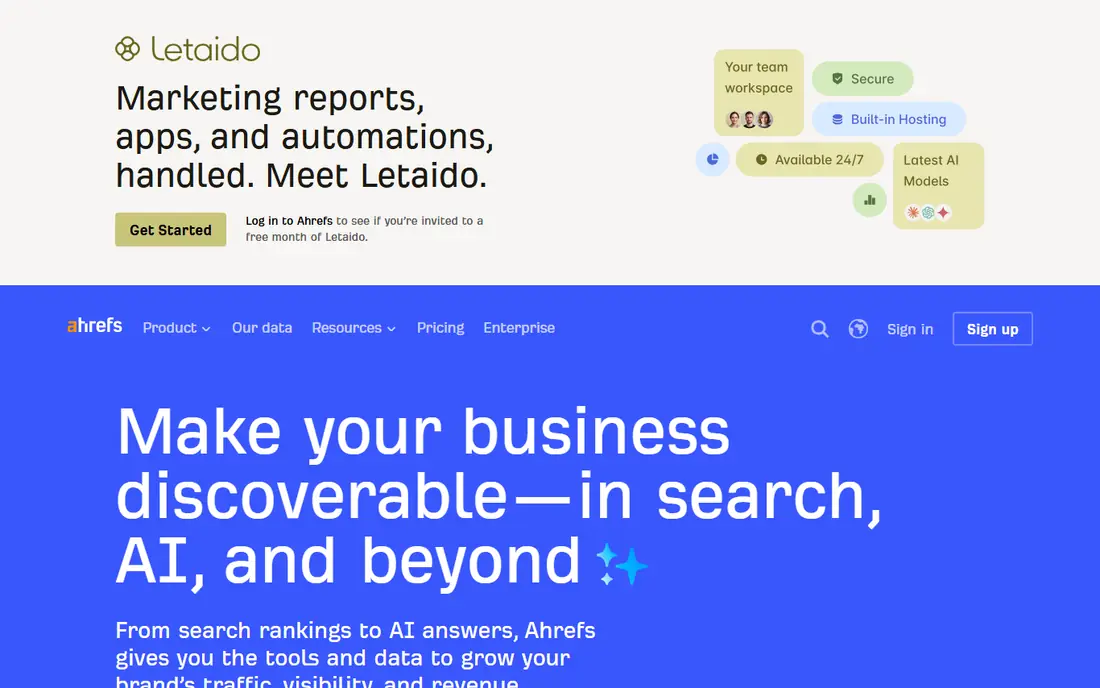
Start here if you want a clear replacement without a long setup process. Ahrefs is built for All-round SEO research and rank tracking. Its rank tracker sits inside a much larger research tool, so you can move from a ranking change to the page, keyword and competitor behind it without switching tools. That breadth helps when one person handles research, content and reporting. The price rises fast when you add seats or larger keyword limits, and beginners can feel lost in the many reports at first. Start with the smallest plan that covers your keyword count, then check the rank history view before you add extra seats. That balance makes it a safe shortlist pick for most readers in this group.
- Large backlink and keyword data, clear rank history
- Higher cost for small sites, no free plan

Choose this one when your main need is a lower monthly bill for the same core job. Semrush is built for Full SEO, content and competitor research. Semrush pairs position tracking with site audits, keyword research and competitor data, which makes it useful when rankings are only one part of a wider marketing job. Agencies often use it to explain a drop with audit and competitor context in the same dashboard. The interface has many menus, and the entry price is high if you only need daily positions. Use the position tracking project for your main site first, and ignore the extra tools until the core tracking proves useful. For that reason, it belongs on a short trial list rather than a long research list.
- Very wide toolset, strong position tracking and audits
- Can feel costly and busy for tracking only

This option suits readers who want more depth than a basic tool can offer. SE Ranking is built for Affordable full SEO suite for small teams. SE Ranking gives you daily tracking, a site audit, keyword research and backlink checks in one account, which keeps costs down for a small agency or in-house team. The dashboard is easier to read than many larger suites, and scheduled reports help with regular client updates. White-label reporting and some API features need a higher plan or an add-on, so check that cost before you promise branded reports. Map your keyword count and report needs to a plan first, then test the audit and tracking views together during the trial. If that matches your daily work, the trial period will tell you quickly if it fits.
- Good balance of tracking, audits and reporting for the price
- Some advanced limits sit on higher tiers
Pick this service when you need a tool that your whole team can use from day one. AccuRanker is built for Fast, precise rank tracking for agencies. AccuRanker focuses on ranking accuracy and speed, with on-demand refreshes that help when a client asks about a sudden change. Its reports are clean and easy to share, and location tracking works well for multi-location work. It does not try to replace a full suite, so you will still need other tools for audits, content and backlinks. Use it when tracking accuracy is the main reason for switching, and budget for a separate audit tool if you need one. That trade-off is worth accepting if the main strength matches your top need.
- On-demand refresh, precise local tracking, clean reports
- Premium price, no broader SEO suite
Consider this choice if you already use a related product and want a smoother switch. Wincher is built for Simple rank tracking for small websites. Wincher keeps rank tracking simple, with daily positions, competitor tracking and a clear overview that a small business owner can read in minutes. Setup takes little time, and the limited free tier lets you test the basic view before paying. It lacks the deep research, audit and content tools found in larger suites, so growing teams may outgrow it. Start on the free tier with your most important keywords, then move up only when you need more keywords or reports. On balance, it is a solid pick when that one strength matters more than the limits.
- Simple setup, clear daily positions, low entry cost
- Limited research and audit depth
A practical fit for small teams that need useful reports without hiring a specialist. Serpstat is built for Budget-friendly SEO suite with tracking. Serpstat combines rank tracking with keyword research, audits and competitor checks at a price that suits smaller teams and freelancers. It works well when you need more than a tracker but cannot justify the cost of the largest suites. The layout is less polished than some rivals, and data depth can vary by market, so check your own keywords during a trial. Test your main market and language first, since that is where data quality matters most for your work. That mix of strengths and limits is typical in this category, so compare it on price and fit.
- Wide keyword data, rank tracking and audits at a lower price
- Interface takes time to learn, some data depth varies by region
This platform stands out for readers who care most about accuracy and clean reporting. SERPWatcher by Mangools is built for Easy daily tracking for freelancers. SERPWatcher shows daily positions with a simple visibility score, so you can see progress without reading a long report. It is part of Mangools, so you can add keyword research and link checks when you need them. It is not the best pick for very large agency portfolios, and white-label options are limited compared with dedicated agency trackers. Use it for a handful of sites where clarity matters more than a long list of extra features. If you value that strength, put it near the top of your shortlist.
- Clean interface, daily updates, visibility score
- Smaller suite than full SEO platforms
Try this first when you want to test the core features before paying for a larger plan. ProRankTracker is built for Client reporting and multi-engine tracking. ProRankTracker is built around reports, with many engines, devices and locations, plus scheduled reports that agencies can send to clients. Its mobile and local views help when clients operate in several cities or countries. Costs climb as keyword counts grow, so a large portfolio needs careful plan math before you commit. List your clients, locations and devices first, then pick the plan that covers that total, not just one site. That profile suits buyers who want a dependable daily tool, not a long feature list.
- Detailed reports, many search engines and locations
- Entry price rises with keyword volume
This choice makes sense for larger workloads where limits and seats start to matter. Moz Pro is built for Beginner-friendly SEO with tracking. Moz Pro pairs rank tracking with keyword research and site crawls in a format that suits newer SEO teams. Its explanations and learning material help a small team understand why a ranking moved, not just that it moved. Rank updates are less frequent than dedicated trackers in some plans, and the toolset is narrower than the largest suites. Use it when guidance and ease of use matter more than on-demand refreshes for every keyword. For many readers, that combination will be enough to make a decision after a trial.
- Clear guidance, keyword research and rank tracking
- Tracking updates are less frequent than dedicated trackers
Look at this option when you want a familiar workflow with a few useful extras added. Advanced Web Ranking is built for High-volume tracking for agencies. Advanced Web Ranking handles large keyword sets, many locations and detailed reports, with an API for custom dashboards. Agencies like the unlimited users on paid plans, since clients and staff can view reports without extra seat fees. The entry cost is higher than simple trackers, and setup takes more time for a new user. Plan your keyword total and report formats before the trial, so you can test the exact views your clients will see. That is why it works well as a second option if your first choice feels too costly or complex.
- Unlimited users on paid plans, strong reporting and API
- Higher entry cost, steeper learning curve
How we picked these
We looked for tools that track Google rankings daily or on demand, with location and device detail, and we checked pricing pages for the starting plan and free tier. We gave extra weight to tools with clear reporting, API or export options, and AI visibility where that was listed. We left out tools that only offer a one-time audit or a browser extension with no ongoing tracking, since they do not replace Keyword.com.
What to check before you pay
Count keywords by site, location and device, because most trackers bill on that total, not on the number of websites. A tool that looks cheap for 100 keywords can cost far more for 1,000 keywords across five cities and two devices. Check update frequency and history next. Daily updates suit most client work, while on-demand refreshes help when you need to confirm a drop the same day. Long history matters when you report trends, not just this week.
Reports and AI visibility
Ask for a sample report before you buy, and check if white-label branding needs an add-on. For AI visibility, confirm the named platforms, the number of prompts, and whether you see citations and sentiment, not just a single score.
Suites versus focused trackers
A suite can replace several tools, but it can also add cost and clutter. A focused tracker is often the better pick when your main job is accurate positions and client reports, and you already have separate tools for audits and content.
FAQ
What is the closest Keyword.com alternative for agencies?
AccuRanker and ProRankTracker are close on tracking focus and reporting, while SE Ranking is a closer pick when you also want audits and research in one plan. The best choice depends on keyword volume and whether you need white-label reports.
Do I need AI visibility tracking as well as Google rankings?
You need it if clients ask how often your brand appears in AI answers, since a top Google rank does not guarantee a mention in an AI summary. If that question has not come up yet, start with Google tracking and add AI checks later.
Can I switch rank trackers without losing history?
You can usually export current rankings and reports, but full daily history often does not transfer in full. Keep an export from your old tool, and run both tools in parallel for a short period when history matters for a client.
How many keywords should I track?
Track the pages and terms that bring enquiries or sales, plus a small set of competitor terms, rather than every phrase you can think of. A focused list gives clearer reports and keeps the monthly cost under control.
Is a free rank tracker enough for a small site?
A free tier or a first-party tool can work for a very small site with few keywords. Once you need local detail, competitor tracking or regular client reports, a paid tracker usually saves enough time to justify the cost.
Sources
https://keyword.com/ https://ahrefs.com/ https://www.semrush.com/ https://seranking.com/ https://www.accuranker.com/ https://www.wincher.com/ https://serpstat.com/ https://mangools.com/ https://www.proranktracker.com/ https://moz.com/ https://www.advancedwebranking.com/