Best WordPress Hosting Companies in 2026: 9 Hosts Compared
Compare the best WordPress hosting companies in 2026, from Bluehost and SiteGround to WP Engine and Kinsta, with prices and performance compared in detail.

- Editor's choice
 Bluehost
Beginner WordPress sites
Starts at$3.99 per monthVisit bluehost.comFull review - Great alternative
 SiteGround
Beginners who want strong support
Starts at$3.99 per monthVisit siteground.comFull review - Also consider
 WP Engine
Growing and agency WordPress sites
Starts at$30 per monthVisit wpengine.comFull review
TL;DR:
- Hostinger and Bluehost offer the lowest entry prices, but renewal prices are higher, so read the second-year cost before you sign up.
- SiteGround suits beginners who want strong support and Google Cloud hosting, despite steep renewals.
- WP Engine and Kinsta suit growing sites that earn money from traffic, with managed updates, staging, and expert support.
- Cloudways suits users who want cloud scaling without a long contract, while DreamHost suits simple sites on a budget.
- Always check storage, visit limits, backup frequency, and support hours, since those limits matter more than headline speed claims.
Quick comparison
| Tool | Best for | Starts at | Free plan? | |
|---|---|---|---|---|
| Bluehost | Beginner WordPress sites | $3.99 per month | No | Visit |
| SiteGround | Beginners who want strong support | $3.99 per month | No | Visit |
| WP Engine | Growing and agency WordPress sites | $30 per month | No | Visit |
 Kinsta | Premium managed WordPress hosting | $30 per month | No | Visit |
 Hostinger | Budget WordPress sites | $2.99 per month | No | Visit |
 DreamHost | Simple sites and long-term value | See website | No | Visit |
 Cloudways | Cloud scaling without a long contract | $11 per month | Free trial | Visit |
 Pressable | Managed WordPress for businesses | See website | No | Visit |
 Rocket.net | Speed-focused managed WordPress | See website | No | Visit |
The best WordPress hosting companies
We compared official pricing pages, plan limits, and support options for WordPress hosts that serve US readers. We focused on WordPress-specific features such as one-click installs, staging, backups, caching, and migration help, rather than generic web hosting. Prices shown are entry prices from vendor pages and recent comparisons, and renewal terms are noted where they change the real cost.
Bluehost is a sensible first host for a new WordPress site, especially if you want a guided setup and phone support. As a host long recommended for WordPress, it offers one-click installs, a simple dashboard, and a free domain for the first year on many plans. Beginners who want to launch a blog, portfolio, or small business site without learning server settings will find the onboarding clear and forgiving.
The catch is the renewal. The entry price applies to a longer term, and the price rises when that term ends, so budget for year two before you buy. Weekly backups on the entry plan are also thinner than the daily backups offered by some rivals. Bluehost still earns its place for beginners, but compare the renewal and backup terms, not just the first-year price.
- WordPress recommended host
- Easy setup
- Free domain for the first year on many plans
- Renewal price is higher
- Weekly backups on the entry plan

SiteGround suits beginners and small businesses that value support and steady performance over the lowest possible price. Its WordPress plans run on Google Cloud, include daily backups, and bundle a content delivery network and email on many plans. Support staff are known for WordPress knowledge, which helps when a plugin breaks a site or a migration stalls, and the control panel is clear for non-technical owners.
Renewals are the weak point. SiteGround entry prices rise sharply at renewal, so a plan that looks cheap in year one can become a mid-priced plan in year two. Lower plans also cap visits and storage, which matters once a site grows. If you value support and are willing to pay the renewal, SiteGround is a strong pick. If price is the main driver, check the renewal first.
- Google Cloud hosting
- Daily backups
- Free CDN and email on many plans
- Steep renewal prices
- Visit and storage limits on lower plans
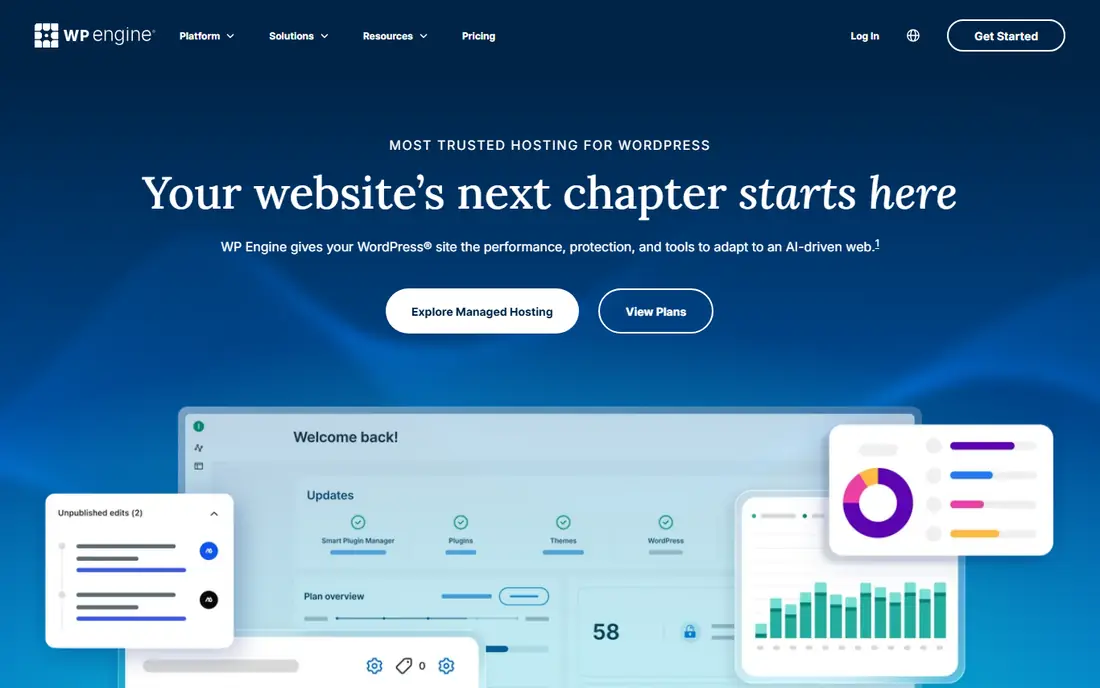
WP Engine is the managed host many growing sites choose when a site starts to earn money and downtime becomes costly. It handles core updates, caching, and security basics, and it offers staging sites so changes can be tested before they go live. Support staff know WordPress deeply, which shortens the time to fix a broken update or a slow page, and agency tools help teams manage many client sites.
The price is the barrier. WP Engine costs far more than shared hosting, and email hosting is not included, so you will need a separate email provider. Some plugins are also restricted for performance or security reasons. If your site is a hobby blog, WP Engine is overkill. If it drives sales or leads, the managed service can pay for itself in time saved and fewer outages.
- Fully managed WordPress
- Staging and expert support
- Strong performance tools
- Higher price
- No email hosting
- Plugin limits on some plans
Kinsta appeals to site owners who want premium managed hosting with a clean dashboard and fast support. Built on Google Cloud, it offers daily backups, staging, caching, and security monitoring as standard, and its support team is known for WordPress expertise. Developers like the clear analytics, staging workflow, and Git and staging tools, while business owners like the fact that updates and performance basics are handled for them.
The limits are price and storage. Kinsta is expensive for a small blog, and entry plans cap storage and visits, so a media-heavy site may need a higher tier sooner than expected. Email hosting is also separate. Kinsta is a strong choice for a business site that needs speed and support, but check visit and storage limits against your real traffic before you sign up.
- Google Cloud premium tier
- Expert support
- Daily backups and staging
- Costly for small sites
- Storage limits
- No email hosting
Hostinger is the value pick for beginners and small businesses that want a low entry price with useful tools. Its WordPress plans include an AI builder, free migration, and a free domain for the first year on many plans, and setup is quick even for first-time site owners. For a blog, portfolio, or starter business site, Hostinger gives you a working WordPress site at a price that is easy to justify.
The trade-offs are support and term length. There is no phone support, weekly backups apply on the entry plan, and the best price needs a long term, with a higher renewal after it. If you are comfortable with chat support and you read the renewal price, Hostinger is hard to beat on value. If you need phone help or daily backups from day one, a higher plan or a different host may fit better.
- Low entry price
- AI builder tools
- Free domain and migration on many plans
- No phone support
- Weekly backups on entry plan
- Long term for best price
DreamHost suits owners who want a straightforward WordPress host with a long track record and a clear control panel. As a host recommended for WordPress, it offers one-click installs, daily backups on many plans, and a custom panel that is easy to learn. It also offers a monthly billing option on some plans, which helps owners who do not want to lock into a multi-year term for a new idea.
The catch is the detail in the plans. The lowest headline price needs a long term, and email can become a paid add-on after an initial period on some plans. Read the plan page for backup, email, and renewal terms before you buy, and compare the monthly price if you value flexibility. DreamHost is a calm, dependable choice for simple sites, not a feature-packed managed host.
- WordPress recommended host
- Daily backups on many plans
- Clear panel
- Best price needs a long term
- Email is paid after a trial on some plans
Cloudways suits site owners and agencies that want cloud power without a long contract or a managed host price. You choose a cloud provider, scale server size as traffic grows, and host many sites on one server, paying monthly rather than locking into a multi-year term. That flexibility helps agencies and growing sites whose traffic changes by season, and it avoids the renewal shock of shared hosting.
The trade-off is technical skill. Cloudways does not include email or a domain, and server management, while guided, still needs more confidence than shared hosting. Beginners who want a fully guided setup may prefer Bluehost or SiteGround. If you are comfortable with basic server concepts, or you work with a developer, Cloudways offers strong value and control.
- Pay-as-you-go cloud hosting
- Choice of cloud providers
- Unlimited sites on a server
- No email or domain included
- More technical than shared hosting
Pressable is a managed WordPress host from Automattic, the company behind WordPress.com, which gives it deep WordPress knowledge. Its plans include managed updates, staging, backups, and support from staff who work with WordPress every day. That focus suits businesses and agencies that want a host to handle the technical side, so their team can focus on content, products, and customers.
The limit is price and entry range. Pressable costs more than shared hosting, and its plans are built for businesses rather than hobby blogs. If your site is small and your budget is tight, a shared host will serve you for less. If your site supports a business and you want managed care without the largest managed host price, Pressable is a credible alternative to WP Engine and Kinsta.
- Managed WordPress by Automattic
- Staging and backups
- WordPress expertise
- Higher price than shared hosting
- Fewer entry-level plans
Rocket.net suits site owners who care most about speed and managed care, and who want a built-in content delivery network without adding plugins. Its managed WordPress plans include staging, backups, and security basics, with a performance focus that helps content sites, stores, and membership sites load quickly for visitors in many regions. Support is WordPress-focused, which helps when a speed or plugin issue needs a knowledgeable answer.
The catch is price and scope. Rocket.net is a managed host, so it costs more than shared hosting, and email hosting is separate. It also suits owners who will use its speed tools, rather than owners who only need a basic blog. If speed and managed support are your top priorities, Rocket.net is a strong shortlist option. If budget is the priority, start with a shared host and upgrade later.
- Managed WordPress with built-in CDN
- Staging
- Strong performance focus
- Higher price than shared hosting
- No email hosting
How we picked these
We compared official plan pages and recent pricing comparisons, focusing on entry price, renewal price, storage, visit limits, backups, staging, and support. We favored hosts with clear WordPress features and honest plan pages, and we noted where email, domains, or backups are not included. We did not run live speed tests, since speed depends on theme, plugins, and visitor location as much as on the host.
We also weighed who each host serves best. A beginner needs guided setup and support, a growing business needs staging and backups, and an agency needs multi-site tools. A single ranking that ignores those needs would mislead readers, so this list groups hosts by fit and flags the renewal and limit details that change the real cost.
How to choose a WordPress host without overpaying
Start with your traffic and your income. A new blog with a few hundred visits a month does not need a managed host, while a store with daily orders does. Check the visit and storage limits on the plan you are considering, and leave headroom for growth, since upgrading mid-year is easier than migrating under pressure after a site slows down.
Next, read the renewal price and the backup terms. Many hosts advertise a low first-term price that rises sharply, and some entry plans back up weekly rather than daily. Write down the year-two price, the backup frequency, and whether email and a domain are included, then compare hosts on that full picture. A slightly higher first price can be cheaper over two years.
Finally, test support before you need it. Ask a pre-sales question by chat or ticket and note the speed and clarity of the answer. Good support saves hours when a plugin update breaks a site, and it matters more than a small speed difference for most owners. Choose the host whose support, limits, and renewal price you understand, not just the cheapest headline.
FAQ
What is the best WordPress hosting company overall?
For beginners, Bluehost and SiteGround are strong starting points, while WP Engine and Kinsta suit growing business sites. Hostinger offers the best value for a tight budget. The best choice depends on your traffic, income, and comfort with technical settings, so compare renewal prices and limits, not just entry prices.
Is managed WordPress hosting worth the extra cost?
It can be, once a site earns money or supports a business. Managed hosts handle updates, caching, staging, and backups, and their support teams know WordPress deeply. For a hobby blog, shared hosting is usually enough, and you can upgrade when traffic or income grows.
What is the difference between WordPress.com and WordPress hosting?
WordPress.com is a hosted service with its own plans and limits, while WordPress hosting means renting server space to run the free WordPress software yourself. Self-hosted WordPress gives more control over plugins, themes, and monetization, but you are responsible for updates and backups, or you pay a managed host to handle them.
Do I need email hosting from my WordPress host?
Not always. Many managed hosts do not include email, so owners use Google Workspace, Microsoft 365, or another email provider. Shared hosts often include email, which is convenient for a small site. Check whether email is included before you buy, so you do not face a surprise cost.
Can I move my WordPress site to another host later?
Yes. Most hosts offer free or assisted migration, and WordPress sites can be moved with a migration plugin or by your new host. Keep a full backup before you move, test the site on the new host before you change your domain settings, and allow time for domain changes to spread.