Best Website Platform for SEO in 2026: 8 Platforms Compared
We compared the best website platform for seo in 2026, checking technical control, speed, schema, redirects and pricing for WordPress, Wix and rivals.
- Editor's choice
 WordPress.org
Maximum SEO control
Starts atFreeVisit wordpress.orgFull review - Great alternative
 Webflow
Designer-built sites with clean code
Starts at$14 per monthVisit webflow.comFull review - Also consider
 Wix
Small businesses wanting an all-in-one editor
Starts at$17 per monthVisit wix.comFull review
TL;DR:
- WordPress.org is our pick for maximum SEO control, because it gives you full access to schema, redirects, site structure and plugins.
- Webflow is the closest hosted rival for technical SEO, with clean code output and built-in schema control, at a steeper learning curve.
- Wix and Squarespace can rank well for small business sites, but their limits show up when you need custom structured data or granular crawl rules.
- Shopify is the safe pick for product SEO, though its fixed URL structure for products and collections forces workarounds.
- Ghost is the standout for publishing, with fast pages and a strong blog out of the box, while Duda suits agencies building many client sites.
Quick comparison
| Tool | Best for | Starts at | Free plan? | |
|---|---|---|---|---|
| WordPress.org | Maximum SEO control | Free | Yes | Visit |
| Webflow | Designer-built sites with clean code | $14 per month | Yes | Visit |
| Wix | Small businesses wanting an all-in-one editor | $17 per month | Yes | Visit |
 Squarespace | Design-led brand and portfolio sites | $19 per month | Free trial | Visit |
 Shopify | Ecommerce product SEO | See website | Free trial | Visit |
 Ghost | Blogs and publishing-heavy sites | See website | No | Visit |
 Duda | Agencies building client sites at scale | $19 per month | Free trial | Visit |
 Framer | Fast, design-led marketing sites | See website | Yes | Visit |
The best website platform for seo
We compared official pricing pages, SEO feature docs and speed and structure options for the best website platform for seo, the best website seo tools and the best seo website platform choices. No platform ranks a site by itself. Content quality, internal links, page speed and backlinks still decide most results, but the platform decides how much of that work you can actually control without a developer on call.

WordPress.org, the self-hosted version, remains the benchmark for SEO control, and the reason is access. You can edit almost anything that affects search, from robots rules and redirect maps to schema types, canonical tags, sitemap settings and page templates, either directly or through a plugin. Rank Math and Yoast SEO cover the everyday work, while developers can go further with custom post types, structured data and server level caching. That depth is why so many SEO professionals still default to WordPress for content sites.
The price of that freedom is responsibility. WordPress.org software is free, but hosting, a domain, security and maintenance are on you, and a careless plugin choice can undo good SEO work with slow pages or duplicate content. A disciplined setup, with a good host, a light theme and only the plugins you need, will outperform most hosted rivals. If you want the most control and you can manage, or pay someone to manage, the technical side, start here.
- Full control over titles, schema, redirects, sitemaps and URL structure
- Huge plugin range including Rank Math and Yoast SEO
- Self-hosting lets you choose speed and server setup
- You manage hosting, updates and security yourself
- A bloated plugin stack can slow a site badly

Webflow is the hosted platform that comes closest to WordPress for technical SEO, and it does so without asking you to manage a server. You get control over meta titles and descriptions, Open Graph tags, redirects, sitemaps and custom schema, plus clean HTML output that helps pages load fast. The visual designer gives real control over layout and structure, which matters for SEO, because heading order, internal links and content hierarchy are easier to get right when you can see the page as you build it.
The learning curve is the main cost. Webflow is a design tool first, and a beginner who wants a quick brochure site may find Wix faster. Pricing is per site, and CMS collections, ecommerce and higher traffic limits push you to higher plans, with site plans starting at $14 per month on annual billing for a basic site. If design quality and technical SEO both matter, and you have time to learn the tool or hire a designer, Webflow is a strong pick.
- Clean code output and strong page speed
- Built-in schema, redirects and meta controls
- Visual design without template limits
- Steeper learning curve than Wix or Squarespace
- CMS and ecommerce features cost more on higher plans
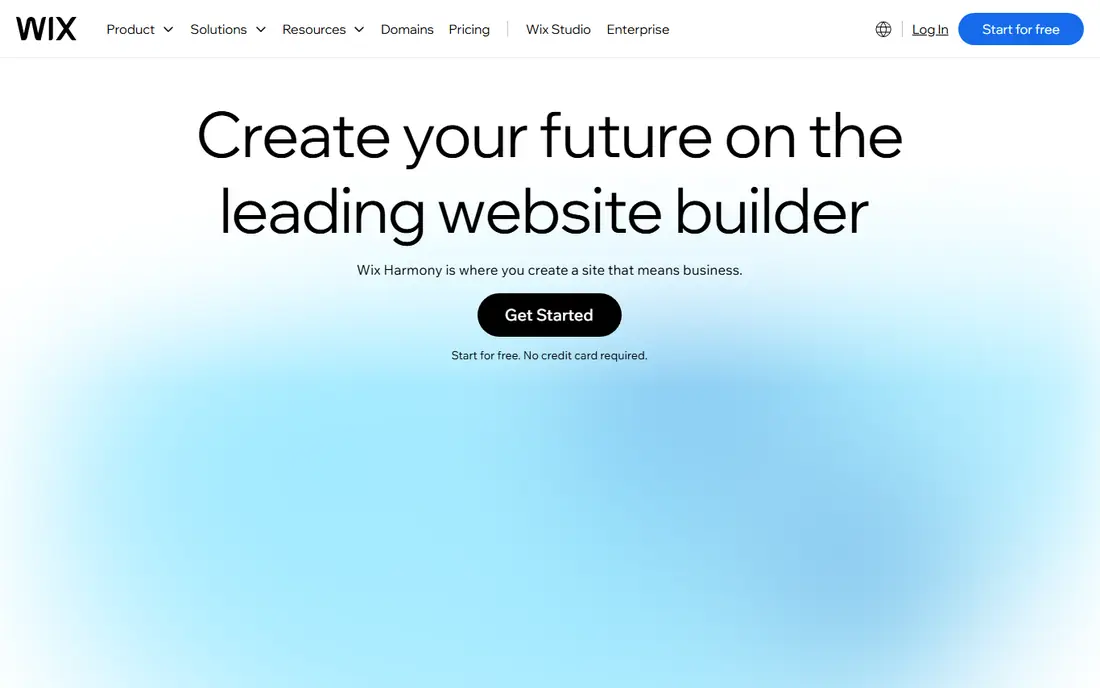
Wix has improved its SEO tools a great deal in recent years, and for a small business site it is now a credible choice. The editor includes meta titles and descriptions, URL customization, redirects, sitemap handling and an SEO setup checklist that walks a beginner through the basics. Paid plans start at $17 per month on annual billing for the Light plan, and the free plan lets you build and publish, though with Wix ads and a subdomain address.
The limits appear as a strategy grows. Custom schema and advanced crawl controls are harder to implement than on WordPress or Webflow, and some SEO professionals still find the code output heavier than they would like. Template switching is also awkward once a site is built, so choose carefully at the start. If you want a professional site live this week without hiring a developer, Wix is a sensible, low friction choice, and it can rank well for local and small business terms.
- Easy editor with built-in SEO settings and checklist
- Free plan to start
- Large template and app range
- Less granular control over schema and crawl rules
- Free sites show Wix branding and use a subdomain
Squarespace wins on design polish, and that polish helps SEO in indirect ways, because a site that looks good and loads well on mobile keeps visitors longer. The platform handles sitemaps, meta titles and descriptions, redirects and basic structured data automatically, and its templates are consistently strong for portfolios, restaurants, studios and small brands. Paid plans start at $19 per month on annual billing for the Basic plan, with a 14-day free trial instead of a permanent free tier.
The trade off is flexibility. There is no plugin store like WordPress, so a feature Squarespace does not offer usually needs code injection or a workaround, and advanced SEO work can hit a ceiling. Squarespace also suits content and brochure sites better than large, complex catalogs. If your site is a brand showcase with a blog and a contact form, and design matters as much as search, Squarespace is a strong, low maintenance pick.
- Polished templates with good mobile design
- Built-in SEO basics including sitemaps and meta controls
- Simple all-in-one billing
- No free plan, only a 14-day trial
- Less plugin depth than WordPress
- Advanced schema work needs code injection
Shopify is the safe pick when selling online is the point, and its SEO tools are better than its reputation suggests. Product and collection pages get editable titles, descriptions and URLs, the platform generates sitemaps, and the hosted setup keeps checkout fast and secure, which helps conversion as well as search. The app store adds SEO tools, product feeds for Google Shopping, and redirect managers, and the blog supports content marketing alongside the store.
The well known limit is URL structure. Shopify fixes product URLs under a products path and collection URLs under a collections path, so you cannot build fully custom permalink structures as you can on WordPress. Duplicate content can also arise from filtered collection URLs, though apps and theme settings can manage it. If your business is ecommerce first and content second, Shopify's selling tools outweigh those SEO quirks. If content is the main traffic driver, pair Shopify with a WordPress or Ghost blog, or pick a content-first platform.
- Strong product, collection and blog SEO basics
- Fast hosted checkout and good mobile performance
- Large app range for SEO and feeds
- Fixed URL structure for products and collections
- Duplicate content risks need app or theme fixes
- Monthly cost rises with apps
Ghost is built for publishing, and it shows in every part of the SEO picture. Pages load fast by default, the editor produces clean content structure, and built-in features cover sitemaps, meta data, canonical tags and RSS without plugins. Memberships and newsletters sit inside the same platform, so a publisher can grow an audience and a mailing list without stitching tools together. Self-hosting is free if you run it yourself, while Ghost(Pro) hosting is paid, so check the current hosted price before budgeting.
The limit is scope. Ghost is not a general website builder, and a business that needs booking, complex forms or a full store will need other tools alongside it. Theme choice is also narrower than WordPress, though the available themes are strong for editorial sites. If your traffic plan is built on articles, guides and newsletters, Ghost is the fastest route to a clean, fast publishing site, and its SEO basics are already in place.
- Very fast pages out of the box
- First-class blog, newsletters and memberships
- Clean SEO basics including sitemaps and meta controls
- Weaker for general business sites and stores
- Smaller theme and integration range than WordPress
Duda is the platform agencies reach for when they need to build and manage many client sites without reinventing the workflow each time. It offers white label branding, client permissions, team collaboration and site duplication, plus per-site SEO controls for titles, descriptions, redirects and sitemaps. Paid plans start at $19 per month on annual billing for the Basic plan, with a free trial rather than a free tier, and higher plans add more sites and agency features.
For a single small business, Duda can feel like more tool than needed, and a solo user may prefer Wix or Squarespace for simplicity. For an agency, the time saved on client handoff, billing and updates is the real value, and the SEO controls are good enough for most local business sites. If you build sites for clients, Duda belongs on your shortlist next to Webflow, with the choice turning on whether you value agency workflow or design freedom more.
- Client management, white label options and team tools
- Solid SEO controls per site
- Fast setup from templates and widgets
- Less suited to a single hobby site
- Advanced customization is narrower than Webflow or WordPress
Framer suits startups and design-led teams that want a marketing site live quickly without losing design control. The canvas feels familiar to Figma users, pages publish fast, and built-in SEO settings cover titles, descriptions, Open Graph images and sitemaps. A free plan lets you build on a Framer subdomain, and paid plans add custom domains and more pages, so a small team can start free and upgrade when the site is ready to launch properly.
The limits are ecommerce and scale. Framer has no full store comparable to Shopify, and a large content site with complex data needs may fit WordPress or Webflow better. Integration choice is also narrower, so check that your analytics, forms and CRM tools connect before you commit. If your goal is a sharp marketing site with a handful of pages and a blog, Framer is a fast, modern pick, and its speed gives it a genuine SEO edge over heavier builders.
- Figma-like design canvas with fast publishing
- Free plan to start
- Good page speed and built-in SEO basics
- No full ecommerce store
- CMS and larger sites need higher plans
- Smaller integration range than WordPress
How we picked these
We compared official pricing pages, SEO documentation and feature lists for the best website seo tools and platforms in October 2026, focusing on what each platform lets you control: titles, descriptions, URLs, redirects, sitemaps, schema, page speed and mobile output. We favored platforms that are actively maintained, with a real user base and clear pricing, and we mixed self-hosted, hosted and agency tools so readers can match a platform to their skills, budget and site type.
How to choose a platform for SEO in practice
Start with your content plan, not the feature list, because a blog-heavy site, a store and a local service site need different tools. Next, test the three SEO jobs you will do most often: editing a title and description, setting a redirect, and adding structured data, and pick the platform where those jobs feel easy rather than fiddly. Check page speed on a real template, not a demo, and confirm that your analytics, search console and sitemap all connect cleanly. Finally, think about who will maintain the site in a year, since the best platform is the one your team will actually update, not the one with the longest feature list.
FAQ
Which website platform is best for SEO?
WordPress.org gives the most SEO control overall, thanks to full access to schema, redirects and plugins. Webflow is the best hosted alternative for technical SEO, while Wix and Squarespace suit smaller sites where ease matters more than granular control.
What are the best SEO tools for websites?
For WordPress, Rank Math and Yoast SEO cover titles, sitemaps, schema and readability checks. For hosted platforms, the built-in SEO panels on Wix, Squarespace, Webflow and Shopify cover the basics, and Google Search Console remains the essential free tool for checking how Google sees any site.
Is Wix good for SEO?
Yes, for small business and local sites, Wix offers solid SEO basics, an SEO checklist and fast setup. Its limits show up on larger sites that need custom schema, complex crawl rules or full URL control, where WordPress or Webflow are stronger.
Is Shopify good for SEO?
Shopify is good for product SEO, with editable product titles, descriptions and URLs, sitemaps and strong mobile performance. Its fixed product and collection URL structure is a known limit, but most stores rank well despite it, especially with good product content and internal links.
What is the best SEO website platform for a blog?
Ghost is the strongest blog-first platform, with fast pages and a first-class editor, while WordPress.org offers more plugins and themes for larger editorial sites. Choose Ghost for speed and simplicity, and WordPress for maximum flexibility.
Do I need a paid plan for SEO?
Not always, since free plans on Wix, Webflow and Framer let you build and learn, but a paid plan is usually needed for a custom domain, removal of platform branding and full SEO settings. Budget for the paid plan you will launch on, not just the free plan you start with.