Best Tools for SEO for Startups in 2026: 10 Tools Compared
Compare the best tools for SEO for startups, from Ahrefs and Semrush to Surfer, SE Ranking and free Google Search Console, with startup pricing plans.

- Editor's choice
 Ahrefs
Backlink and competitor research
Starts at$29 per monthVisit ahrefs.comFull review - Great alternative
 Semrush
All-round SEO and paid search
Starts at$139 per monthVisit semrush.comFull review - Also consider
 Moz Pro
Beginner-friendly suite
Starts at$49 per monthVisit moz.comFull review
TL;DR:
- Startups should start with Google Search Console for free, then add one paid suite, not five overlapping tools at once.
- Ahrefs and Semrush are the strongest all-round suites, with Ahrefs leading on backlink research and Semrush leading on combined SEO and paid search data.
- Moz Pro and SE Ranking offer lower-cost suite options, while Ubersuggest suits solo founders on a tight budget.
- Surfer and Frase are content tools, not full suites, so budget for them alongside a research tool if content is your main channel.
- Screaming Frog and Rank Math cover technical audits and on-page setup that suites alone do not fully replace.
Quick comparison
| Tool | Best for | Starts at | Free plan? | |
|---|---|---|---|---|
| Ahrefs | Backlink and competitor research | $29 per month | Yes | Visit |
| Semrush | All-round SEO and paid search | $139 per month | Free trial | Visit |
| Moz Pro | Beginner-friendly suite | $49 per month | Free trial | Visit |
 Surfer | Content optimization | $59 per month | Free trial | Visit |
 SE Ranking | Affordable all-round suite | $129 per month | Free trial | Visit |
 Ubersuggest | Budget keyword research | $29 per month | Yes | Visit |
 Screaming Frog | Technical site audits | $279 per year | Yes | Visit |
 Frase | Content research and briefs | $49 per month | Free trial | Visit |
 Rank Math | WordPress on-page SEO | See website | Yes | Visit |
 Google Search Console | Free performance data | Free | Yes | Visit |
The best tools for SEO for startups
Startups need SEO tools that show what people search for, how a site ranks, and what competitors are doing, without paying agency prices. We compared official pricing pages, feature lists and free plans, and we focused on tools that a small team can set up and use without a dedicated SEO hire.
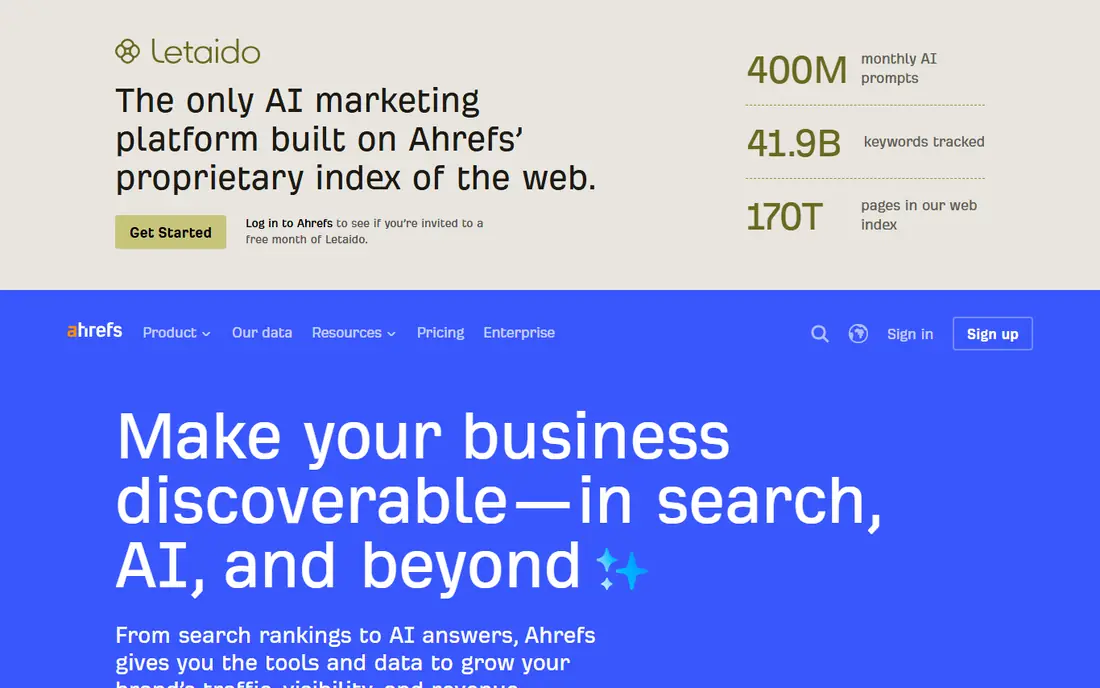
Ahrefs is our pick for startups that want to understand competitors. Site Explorer shows which pages earn links, which keywords drive traffic and where gaps exist, while Keywords Explorer helps you judge search demand and difficulty before you write. That competitor view is valuable when a startup is entering a crowded category and needs to find topics it can realistically rank for.
The catch is plan limits. The entry plan is affordable, but credits, history and report limits mean heavy research teams will need a higher tier. Start with the entry plan, use it for competitor research and keyword shortlists, and upgrade only when you hit limits every month.
- Very large backlink and keyword data
- Strong competitor site analysis
- Useful free tools for site checks
- Entry plan limits credits and history
- Full features require higher tiers

Semrush suits startups that run SEO and paid search together. One account covers keyword research, rank tracking, site audits, backlink analysis and competitor ad research, which helps a small marketing team avoid buying separate tools for each job. Its audit tool also flags technical issues that can hold back rankings.
The trade-off is price and complexity. At $139 per month, Semrush is a real budget line for an early startup, and the wide toolset takes time to learn. Pick two or three core workflows, such as keyword research, audits and rank tracking, and ignore the rest until your team grows.
- Combines SEO, paid search, content and social data
- Strong keyword and site audit tools
- Large keyword database
- Higher entry price than rivals
- Many tools can overwhelm a small team

Moz Pro is a good first paid suite for founders who are new to SEO. The interface is easier to follow than larger suites, and Moz Academy and guides help a small team learn keyword research, on-page optimization and link building. Domain Authority gives a quick, if imperfect, way to compare site strength with competitors.
The limit is research volume. Entry plan keyword queries are limited, so teams doing heavy content planning may hit caps. Moz Pro fits startups publishing a few posts a month and tracking a focused keyword list, rather than agencies running large research programs.
- Clear interface and learning resources
- Domain Authority for quick comparisons
- Affordable entry plan
- Keyword query limits on entry plan
- Smaller keyword index than Ahrefs or Semrush
Surfer helps startups write content that covers a topic the way top-ranking pages do. It analyzes competing pages and gives a content score, suggested terms, headings and length guidance, which helps non-specialist writers produce stronger drafts. That is useful when a startup relies on blog content to attract early customers.
The honest limit is scope. Surfer does not replace keyword research, backlink analysis or technical audits, so pair it with Ahrefs, Semrush or a free tool set. Budget for Surfer only if content is a core channel and you publish regularly.
- Data-driven content scores and briefs
- Clear on-page guidance
- Helps writers cover topics fully
- Not a full SEO suite
- Needs a research tool for keywords, links and audits
SE Ranking is a solid middle option for startups that want one suite without Semrush pricing, though its current entry tier is now closer to larger rivals. It covers keyword research, rank tracking, site audits, backlink checks and reporting, which suits small teams and freelancers managing one or a few sites. Reporting tools make it easy to share progress with founders or investors.
The trade-off is data depth in some markets and the higher entry price than in past years. Test the trial with your own keywords and competitors before committing, and check whether the plan covers the number of sites and tracked keywords you actually need.
- Keyword research, rank tracking, audits and reporting in one suite
- Flexible plans
- Good client reporting
- Entry price rose in 2026
- Data depth varies by market compared with larger suites
Ubersuggest suits solo founders who need keyword ideas and basic site checks on a tight budget. It shows search volume, difficulty estimates, content ideas and a simple site audit, which is enough to plan early blog posts and fix obvious on-page issues. A lifetime option has also been offered in the past, though availability and terms should be checked on the official site.
The limit is depth. Backlink data, competitor analysis and large-scale tracking are lighter than in premium suites. Ubersuggest is a starting tool, not a long-term replacement for Ahrefs or Semrush once content and competition grow.
- Low entry price
- Simple keyword ideas and site audits
- Free plan for basic checks
- Shallower data than Ahrefs or Semrush
- Fewer advanced competitor features
Screaming Frog SEO Spider crawls a website the way a search engine does and reports broken links, redirect chains, duplicate titles, missing metadata and other technical faults. That audit view is essential for startups that have grown a site quickly and never checked its technical health. The free version covers up to 500 URLs, which is enough for many early sites.
The catch is that Screaming Frog is a specialist tool, not a suite. It will not tell you which keywords to target or how competitors rank. Use it alongside Search Console and a research suite, and rerun crawls after major site changes.
- Deep technical crawl of large sites
- Finds broken links, redirects and metadata issues
- Free version for small sites
- Desktop tool with a learning curve
- No keyword research or rank tracking
Frase helps small content teams turn a keyword into a structured brief. It pulls headings, questions and topics from top-ranking pages, so a writer starts with a clear outline instead of a blank page. That speed matters for startups publishing with a small team and a tight schedule.
The limit is editorial judgment. Frase suggests what competitors cover, but it does not guarantee original insight, accuracy or brand voice. Treat its brief as a starting outline, then add your own examples, data and expert input before publishing.
- Fast content briefs from top-ranking pages
- Question research for FAQ content
- Helps writers structure articles
- Content-focused, not a full suite
- Quality still depends on the writer and editor
Rank Math is the practical on-page tool for startups running WordPress. It guides title tags, meta descriptions, schema markup, sitemaps and internal linking from inside the editor, which helps founders who are not SEO specialists avoid basic mistakes. The free plan covers many core features, and paid plans add rank tracking and advanced schema.
The trade-off is platform lock-in. Rank Math only helps WordPress sites, so startups on other platforms need a different on-page approach. It also does not replace keyword research or technical audits, so pair it with Search Console and a research tool.
- WordPress plugin with on-page guidance
- Schema, sitemaps and redirect tools
- Free plan covers core features
- WordPress only
- Premium features require a paid plan
Google Search Console should be set up on day one, before any paid tool. It shows which search queries bring clicks, which pages rank, and whether Google has indexing, mobile or Core Web Vitals issues with your site. That data comes directly from Google, so it is the most reliable record of how your site actually performs in search.
The limit is scope. Search Console shows your own site, not competitors, and it is not a keyword research tool. Use it as the free baseline, then add a paid suite for competitor research, content planning and rank tracking as your budget allows.
- Free and official Google data
- Shows queries, clicks and indexing issues
- Essential for every site
- No competitor data
- Limited keyword research features
How we picked these
We compared official pricing pages, feature lists and free plans for tools that startups can buy and use without an agency. We included suites, content tools, technical tools and free tools, because a startup SEO stack usually needs more than one type of tool, and we favored tools with clear startup pricing and a free plan or trial.
A startup SEO stack that stays affordable
Start with the free layer: Search Console for performance data, plus a free Screaming Frog crawl and a Rank Math setup if you use WordPress. That gives you indexing, technical and on-page basics at no cost. Next, add one paid research suite, such as Moz Pro, Ubersuggest or Ahrefs entry, and use it for keyword shortlists and competitor checks.
Add a content tool only when publishing becomes regular. Surfer or Frase can improve drafts, but they pay off only if you publish several posts a month. Review the stack every quarter, cancel tools you have not opened in a month, and check whether a higher tier actually saves time before upgrading. For most early startups, one suite plus Search Console beats a shelf of overlapping subscriptions.
FAQ
What is the best SEO tool for startups?
Ahrefs and Semrush are the strongest all-round suites, while Moz Pro and Ubersuggest offer lower-cost starts. The best choice depends on budget, whether you need backlink depth or paid search data, and how much content you publish.
Can a startup do SEO with free tools only?
Yes, for the basics. Google Search Console, free Screaming Frog crawls and a free Rank Math or Ubersuggest plan cover performance data, technical checks and basic keyword ideas. Paid tools become valuable when competitor research and large-scale tracking matter.
How much should a startup spend on SEO tools?
Many startups start at $0 to $50 per month with free tools and one low-cost plan, then move to $100 to $150 per month for a full suite as content grows. Spend should follow publishing volume and revenue, not tool count.
Is Ahrefs or Semrush better for a startup?
Ahrefs leads on backlink and competitor research, while Semrush leads on combined SEO and paid search data. Startups focused on content and links often prefer Ahrefs, while startups running paid ads alongside SEO often prefer Semrush.
Do I need Surfer or Frase if I have Ahrefs?
Not always. Ahrefs covers research and audits, while Surfer and Frase focus on content briefs and optimization scores. Add one content tool only if you publish often and want structured guidance for writers.
What is the first SEO tool a startup should set up?
Google Search Console, because it is free, official and shows how Google actually sees your site. Set it up at launch, submit your sitemap, and check queries and indexing issues before buying any paid tool.