Best Time Tracking Software in 2026: 9 Tools Compared
Compare the best time tracking software in 2026 for teams and freelancers, covering free plans, billable hours, timesheets, reports, and pricing for daily work.

- Editor's choice
 Toggl Track
Simple timers for small teams
Starts at$9 per user per monthVisit toggl.comFull review - Great alternative
 Clockify
Free timesheets at scale
Starts atSee websiteVisit clockify.meFull review - Also consider
 Harvest
Client billing and invoicing
Starts atSee websiteVisit getharvest.comFull review
TL;DR:
- Toggl Track and Clockify give small teams a usable free plan, while Harvest suits client billing best.
- The best time card app for most hourly teams is one with simple timers, approvals, and payroll-ready exports.
- Automatic tracking helps, but it still needs a quick daily review to keep project totals honest.
- If you bill clients, check billable rates, invoicing, and rounding rules before you pick a plan.
Quick comparison
| Tool | Best for | Starts at | Free plan? | |
|---|---|---|---|---|
| Toggl Track | Simple timers for small teams | $9 per user per month | Yes | Visit |
| Clockify | Free timesheets at scale | See website | Yes | Visit |
| Harvest | Client billing and invoicing | See website | Free trial | Visit |
 Hubstaff | Remote team oversight | See website | Free trial | Visit |
 Time Doctor | Productivity insight for managers | See website | Free trial | Visit |
 RescueTime | Automatic personal tracking | See website | Free trial | Visit |
 Everhour | Tracking inside project tools | See website | Free trial | Visit |
 Timely | Automatic timesheets | See website | Free trial | Visit |
 TimeCamp | Affordable team timesheets | See website | Yes | Visit |
The best time tracking software
We compared official feature pages, pricing pages, app store listings, and public reviews for these tools. Our focus was ease of daily use, reporting, billing, and how well each tool fits a real team rather than a demo.
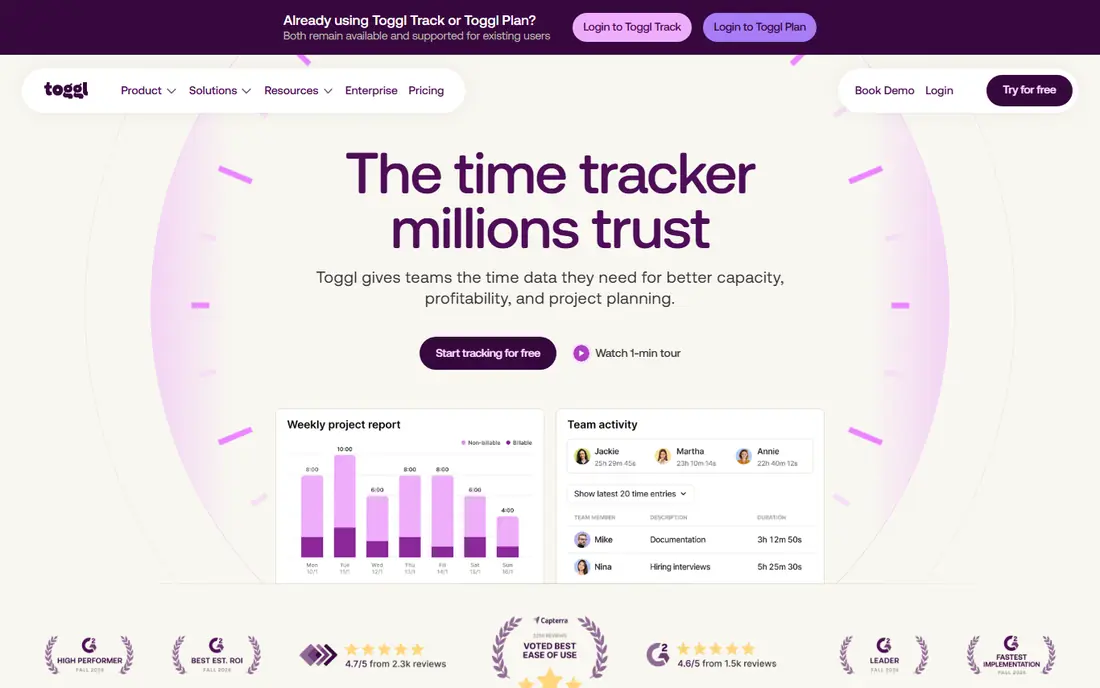
Toggl Track fits freelancers and small teams who want tracking to take seconds, not minutes. You start a timer, pick a project, and stop it when the work ends. Reports show where hours went by project, client, or team member, and you can add billable rates on paid plans. The honest catch is billing. Toggl Track turns hours into clean reports, but it does not replace a full invoicing system for many firms. If you need to send and chase invoices inside the same tool, Harvest may fit better. For pure time tracking, though, Toggl Track is our pick for most people because the free plan covers the basics well.
- Very easy timers
- Clear reports
- Useful free plan
- Invoicing is limited
- Paid seats are billed per license

Clockify suits teams that need a time card app without paying for every seat. The free plan covers timers, manual entries, projects, and basic reports, which is enough for many small businesses. Managers can review weekly timesheets and export data for payroll or billing. The trade-off is polish and depth. Some reports, scheduling, and approval controls sit behind paid plans, and the design is functional rather than pretty. Still, if cost is the main barrier, Clockify gives you more free tracking than most rivals. It is a strong choice for nonprofits, startups, and large part-time teams.
- Generous free plan
- Unlimited users on free tier
- Simple timesheets
- Advanced reports need a paid plan
- Interface feels plain

Harvest is built for firms that live on billable hours. You track time against projects, set budgets in hours or money, and turn approved hours into invoices without retyping numbers. Clients can see clean summaries, which helps when a bill is questioned. The weakness is price and scope for larger teams. Harvest is not the cheapest time tracker, and its free tier is narrow. For a solo consultant or a small agency, that trade can be worth it because billing errors cost more than the subscription. If you only need internal timesheets, a cheaper tool will do the same job.
- Strong invoicing
- Project budgets
- Clear client reports
- Free option is limited
- Costs rise with team size
Hubstaff fits managers who need to verify remote or field work, not just log hours. It combines timers with optional screenshots, activity measures, and location tracking for mobile teams. Payroll and payment tools help firms that pay by tracked hours. That strength is also its risk. Staff may dislike screenshot monitoring, so you should explain what is tracked, when, and why before you switch it on. Used with clear rules, Hubstaff gives useful oversight for distributed teams. Used without trust, it can harm morale fast.
- Screenshots and activity levels
- Payroll tools
- GPS tracking for field teams
- Monitoring features can feel intrusive
- Setup takes care
Time Doctor suits managers who want to see how work time is spent, not only how much time passed. It records app and website use during tracked time, flags distracting sites, and builds reports by person, project, and day. That detail helps with coaching and workload balance. The catch is the same as with Hubstaff: detailed monitoring needs consent and clear policy. Some staff will see it as surveillance, so trial it with a small group first. If your goal is simple timesheets, Time Doctor adds more than you need. If your goal is to spot overload or wasted time, its reports earn their place.
- Detailed activity reports
- Distraction alerts
- Payroll integrations
- Monitoring can feel heavy
- Learning curve for reports
RescueTime is different from most tools here because you do not start and stop timers. It runs in the background, sorts app and website time into productive or distracting groups, and shows daily patterns. Focus sessions can block distracting sites for a set period. That automatic style suits individuals who forget timers. It is weaker for team billing, approvals, or client reports, so agencies should not pick it as a timesheet system. For a freelancer who wants to learn where the day actually goes, RescueTime gives honest data with very little effort.
- Runs in the background
- Automatic categorisation
- Focus sessions
- Not a team timesheet tool
- Limited invoicing
Everhour fits teams that already live in Asana, Trello, ClickUp, or a similar project tool. Time controls appear inside tasks, so staff do not need to open a second app to log work. Budgets, estimates, and cost reports sit close to the work itself. The limit is dependence. If your team does not use a supported project tool, Everhour loses much of its appeal. It also lacks the deep monitoring features of Hubstaff or Time Doctor. For project-led teams, though, tracking inside the task list keeps data far more accurate than a separate timer app.
- Works inside Asana, Trello, and other tools
- Budgets and estimates
- Clean reports
- Needs a project tool to shine
- No standalone mobile depth
Timely builds draft timesheets from the apps, meetings, and documents you actually used. You review and approve entries at the end of the day instead of remembering every task. That design cuts the end-of-week scramble that ruins many timesheet systems. The price reflects that automation, and small teams may find cheaper timers do enough. Timely also asks you to trust its automatic capture, so check its privacy controls before rollout. For busy professionals who hate manual logging, it is one of the best project time tracking software options because it removes the chore that causes gaps.
- Automatic draft timesheets
- Privacy-focused design
- Project planning views
- Higher price for small teams
- Manual timers are less central
TimeCamp suits small businesses that want timesheets, billing, and attendance in one affordable tool. It offers timers, automatic tracking options, project budgets, and invoicing on paid plans. The free plan helps a solo user test the system before paying. The design is less modern than Toggl Track or Timely, and a few useful reports sit on higher tiers. That matters less if your main need is a work hours tracker app that staff will actually use each day. TimeCamp covers the basics well and keeps costs down, which is why it earns a place here.
- Free plan for solo users
- Invoicing and billing
- Attendance tracking
- Interface feels dated
- Some features need higher plans
How we picked these
We compared official feature pages, pricing pages, app store listings, privacy policies, and public reviews for each tool. We favoured tools that are still actively sold and supported in October 2026, that fit a clear use case, and that publish enough pricing detail to judge value. We did not claim hands-on testing, and we did not invent ratings, user counts, or features that vendor pages do not show.
What to check before you buy
Start with how your team actually works. A solo freelancer needs a fast timer and simple invoices. A remote team needs approvals and exports. A field team may need mobile and location features, while an office team may only need weekly timesheets.
Billing and payroll fit
Check billable rates, rounding, overtime rules, and exports before you commit. A tool that cannot export cleanly to payroll or accounting will create manual work every month. Test an export with real project names and rates during the trial.
Privacy and trust
If a tool takes screenshots or records app use, write a short policy first. Tell staff what is recorded, who can see it, and how long it is kept. Tools with per-person privacy controls, like local-only activity data, are easier to adopt than tools that record everything by default.
Trial plan
Run a two-week trial with one real project. Ask staff to track every day, then check reports for gaps, duplicate entries, and misassigned projects. The best app for time tracking in your firm is the one people still use in week two, not the one with the longest feature list.
FAQ
What is the best time tracking software for freelancers?
Toggl Track and Harvest are strong starting points. Toggl Track is simpler and cheaper for pure tracking, while Harvest is better if you invoice clients from tracked hours. Try both free options and pick the one whose reports you can read at a glance.
What is the best employee time tracking software for small teams?
Clockify and Toggl Track suit small teams because both offer free plans and simple timesheets. Hubstaff or Time Doctor fit better when managers need activity insight or payroll tools. Set privacy rules before you turn on any monitoring features.
Is there a best free time tracking app that works well?
Clockify offers a generous free plan, and Toggl Track offers a free plan for small teams. Both cover timers, projects, and basic reports. Paid plans add approvals, budgets, and deeper reports, so start free and upgrade only when a limit blocks real work.
What is the best timesheet app for payroll?
Look for approvals, overtime handling, and clean exports in CSV or to payroll software. Clockify, Harvest, and Hubstaff all offer exports, but the right fit depends on your payroll tool. Test an export during the trial rather than trusting a feature list.
Do I need automatic tracking or manual timers?
Manual timers give cleaner project data when staff remember them. Automatic tracking helps people who forget timers or switch tasks often. Timely and RescueTime suit the second group, while Toggl Track and Harvest suit teams that can build a timer habit.
Can time tracking software replace a time card app?
Yes, for most office and remote teams. Modern tools record start and stop times, breaks, and totals in the same way a time card does, with better reports. Field teams may still need mobile clock-in features, which Hubstaff and TimeCamp handle well.