Best Text to Speech App in 2026: 7 Apps Compared
Compare the best text to speech app options in 2026, from listening apps to studio voiceover tools, with voices, prices, and limits for listening or publishing.

- Editor's choice
 ElevenLabs
Natural AI voices and voice cloning
Starts atSee websiteVisit elevenlabs.ioFull review - Great alternative
 Murf
Studio voiceover for video and courses
Starts atSee websiteVisit murf.aiFull review - Also consider
 Speechify
Listening to articles, books, and documents
Starts atSee websiteVisit speechify.comFull review
TL;DR:
- ElevenLabs leads on voice realism and cloning, while Murf leads on a studio workflow for video and course voiceover.
- Speechify and NaturalReader suit listeners who want to hear articles, books, and documents read aloud, not produce voiceover.
- WellSaid Labs suits teams that need consistent, professional English narration with clear commercial terms.
- Amazon Polly and Google Cloud Text-to-Speech suit developers who need to add speech to an app, not a simple listening app.
Quick comparison
| Tool | Best for | Starts at | Free plan? | |
|---|---|---|---|---|
| ElevenLabs | Natural AI voices and voice cloning | See website | Yes | Visit |
| Murf | Studio voiceover for video and courses | See website | Yes | Visit |
| Speechify | Listening to articles, books, and documents | See website | Yes | Visit |
 WellSaid Labs | Consistent professional English narration | See website | Free trial | Visit |
 NaturalReader | Accessible reading for study and dyslexia support | See website | Yes | Visit |
 Amazon Polly | Developer text to speech inside AWS apps | See website | Free trial | Visit |
 Google Cloud Text-to-Speech | Google-quality voices for apps and workflows | See website | Free trial | Visit |
The best best text to speech app
Text to speech covers two different jobs, and mixing them up leads to the wrong purchase. Some apps read text aloud for you, so you can listen instead of reading. Others generate voiceover you can publish in videos, courses, and ads. The seven tools below cover both jobs, with clear notes on which job each one does best.

ElevenLabs sets the quality bar in this list for natural-sounding AI speech. Voices handle pacing, pauses, and tone better than most competitors, and the cloning options let creators build a consistent voice for a series. The language range is broad, and the API and studio tools suit both solo creators and teams building voice features into products.
Free credits are limited and do not include commercial use, so published work requires a paid plan. Credits are also shared across voice, dubbing, and other products, which means a busy month can run through an allowance faster than expected. Listen to samples in your exact language and style before subscribing, because quality varies by voice and use case.
- Highly natural voices
- Voice cloning
- Many languages
- Free credits are limited and non-commercial
- Credits are shared across products

Murf suits creators who think in timelines, not just text boxes. You can paste a script, choose a voice, adjust pacing, add pauses, and line voiceover up with slides or video scenes in a visual studio. That workflow fits e-learning, explainer videos, and corporate training, where timing and consistency matter as much as voice quality.
The free plan is for testing, with limited generation and no commercial downloads, so published work needs a paid plan. Voice cloning is also limited to higher plans, and raw voice realism trails ElevenLabs for some voices. If your work is video-first and you need a clean editing workflow, Murf is the more practical studio choice.
- Timeline voiceover editor
- Slide sync
- Background music
- Free plan limits downloads and commercial use
- Cloning needs higher plans
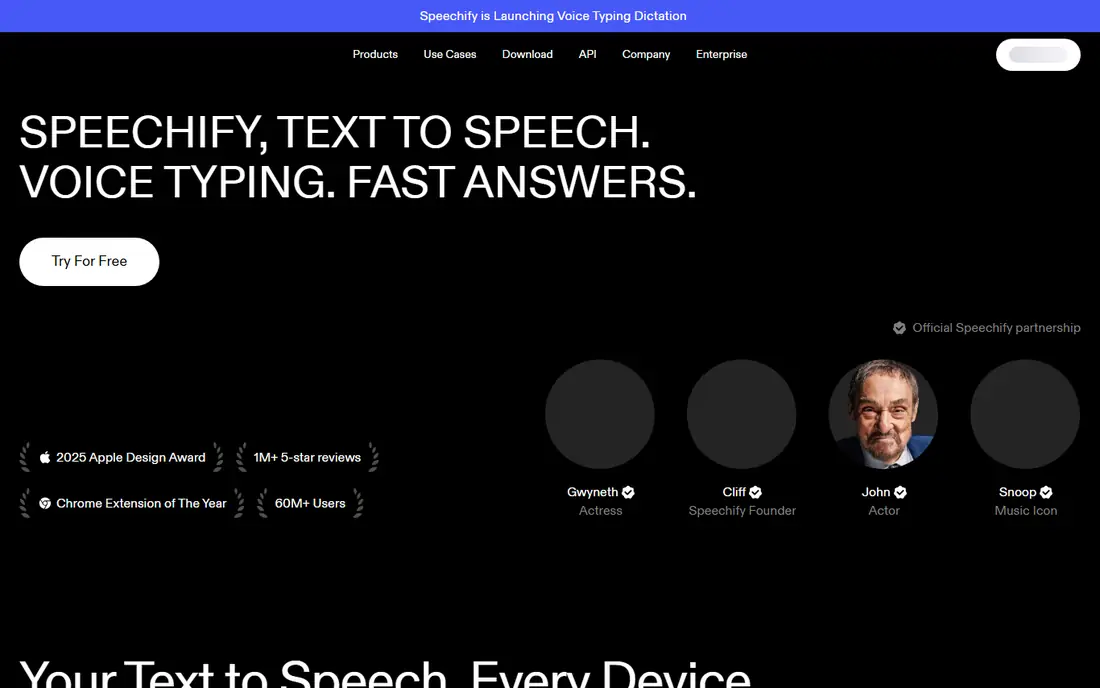
Speechify is best known as a listening app, and that is where it shines for most users. You can send articles, PDFs, and books to the app and listen at your preferred speed, with highlighting that helps you follow along. That makes it useful for students, professionals with long reading lists, and anyone who prefers audio during a commute or workout.
Speechify also sells a separate Studio product for voiceover and dubbing, and the two products have different pricing, which confuses buyers. Check which product you are buying before subscribing, because Reader pricing does not cover Studio voiceover. For listening alone, Speechify is a strong pick, but for published voiceover, compare Studio terms with Murf and ElevenLabs first.
- Reads web pages, PDFs, and books aloud
- Speed controls
- Mobile and web apps
- Reader and Studio products have separate pricing, which can confuse buyers
WellSaid Labs suits teams that need the same professional voice across many projects. The voice catalog is curated for clarity and consistency, which helps training, product, and corporate narration sound like one brand rather than a patchwork of different voices. Studio controls for pacing and emphasis help producers fine-tune delivery without re-recording.
The catalog is more English-focused than some competitors, so multilingual projects may need another tool. Download and generation limits also vary by plan, so teams should check how minutes are counted before committing to a series. For English narration where consistency and clear commercial terms matter, WellSaid Labs is a dependable, professional choice.
- Clear professional voices
- Consistent brand voice
- Studio controls
- English-focused catalog
- Download limits vary by plan
NaturalReader suits readers who want a simple, accessible way to hear text. You can upload documents, paste text, or read web pages aloud, with voices that are clear enough for long study sessions. The app is popular with students and users with dyslexia or visual strain, because it turns dense reading into listening without a complex studio setup.
NaturalReader is primarily a reading tool, not a full voiceover studio, so creators who need published narration with commercial rights should check terms carefully. Some voices and advanced features also require a paid plan. For listening, study, and accessibility, it is one of the most straightforward options here.
- Natural reading voices
- Document and web reading
- Study features
- Some voices and features need a paid plan
- Voiceover publishing terms differ
Amazon Polly suits developers who need to add speech to an application, website, or device. You pay based on characters processed, choose from many voices and languages, and integrate with other AWS services for storage, hosting, and scaling. That pay-as-you-go model works well for apps with variable usage, because you are not locked into a monthly studio subscription.
Polly is not a consumer listening app, and using it requires AWS setup, API work, and some technical skill. There is no simple upload-and-listen interface for casual readers. If you are building a product and you already use AWS, Polly is a practical, scalable choice, but individual listeners should choose Speechify or NaturalReader instead.
- Pay-as-you-go pricing
- Many voices and languages
- AWS integration
- Requires AWS setup
- No simple consumer listening app
Google Cloud Text-to-Speech
Best for: Google-quality voices for apps and workflows
Google Cloud Text-to-Speech suits developers and teams already using Google Cloud. Voices are strong across many languages, including neural voices that handle natural phrasing well, and the API integrates with other Google services for apps, contact centers, and content workflows. A free allowance for select models helps with testing before you scale.
Like Polly, this is a developer API, not a listening app, so it requires setup and code. Usage-based pricing also needs monitoring, because a popular app can generate more characters than expected. For teams building voice features on Google Cloud, it is a strong, well-supported choice, but casual listeners should pick a reader app instead.
- Strong voice quality
- Many languages
- Google Cloud integration
- Requires developer setup
- Pricing is usage-based and needs monitoring
How we picked these
We compared official product pages, pricing, voice catalogs, and free plan terms, and we favored tools that are live and usable in October 2026. We excluded tools that have been discontinued or are no longer serving a live product site, because listing them would mislead readers. We also separated listening apps from voiceover studios and developer APIs, because those jobs need different features and pricing.
How to choose a text to speech app for listening or publishing
Name the job before you compare voices. A listening app needs speed controls, highlighting, and document support. A voiceover studio needs timeline editing, commercial rights, and consistent voices. A developer API needs language coverage, latency, and usage pricing. Comparing all three on voice quality alone will lead to the wrong tool.
Listen to samples in your exact use case. A voice that sounds good reading a short demo may sound flat reading a long technical article or a lively ad script. Test with your own text, in your language and accent, and check how the voice handles numbers, names, and punctuation before you pay.
Check commercial rights and credit rules. Free plans often exclude commercial use, and paid plans may count characters, minutes, or credits differently. Read the terms for the exact plan you will use, especially if the audio will appear in ads, courses, or client videos.
Test the workflow, not just the voice. A studio that fits your editing habits will save more time than a slightly better voice in a clumsy interface. Try a full project end to end, including export, before committing to a yearly plan, and keep a backup voice in case a favorite voice changes or is retired.
FAQ
What is the best text to speech app overall?
ElevenLabs leads on voice realism and cloning, while Murf leads on studio workflow for video and courses. For listening only, Speechify and NaturalReader are simpler and more focused choices.
Is there a free text to speech app?
Yes, several tools here offer free plans or trials, including ElevenLabs, Murf, Speechify, and NaturalReader. Free plans usually limit credits, downloads, or commercial use, so check the terms before publishing audio.
Can I use AI voices for commercial videos?
Yes, on paid plans that include commercial rights, but free plans often exclude commercial use. Read the license for your exact plan, and keep a record of the plan terms for client work.
What is the difference between Speechify Reader and Studio?
Reader is for listening to articles, books, and documents, while Studio is for creating voiceover and dubbing. They have separate pricing, so check which product you are buying before subscribing.
Do I need a developer API for a simple listening app?
No. Developer APIs such as Amazon Polly and Google Cloud Text-to-Speech suit apps and products that need speech built in. Individual listeners should choose Speechify, NaturalReader, or a similar reader app.