Best SEO Tools for Digital Marketing in 2026: 8 Tools Compared
Compare the best SEO tools for digital marketing, from all-in-one suites to crawlers and content tools, with pricing, trials and best fit for every team.

- Editor's choice
 Semrush
All-in-one SEO, PPC and content
Starts at$139.95 per monthVisit semrush.comFull review - Great alternative
 Ahrefs
Backlinks and competitor research
Starts at$129 per monthVisit ahrefs.comFull review - Also consider
 Moz Pro
Readable reports and rank tracking
Starts at$99 per monthVisit moz.comFull review
TL;DR:
- Most marketing teams need one all-in-one suite plus one technical crawler, rather than a single tool for everything.
- Backlink data, keyword databases and rank tracking quality differ, so match the suite to your main work.
- Free tools from Google remain essential, even for teams that pay for a suite.
- Seat, project and keyword limits drive real cost more than the headline starting price.
- Content tools help with page quality, but they do not replace keyword research, technical fixes and link work.
Quick comparison
| Tool | Best for | Starts at | Free plan? | |
|---|---|---|---|---|
| Semrush | All-in-one SEO, PPC and content | $139.95 per month | Free trial | Visit |
| Ahrefs | Backlinks and competitor research | $129 per month | No | Visit |
| Moz Pro | Readable reports and rank tracking | $99 per month | Free trial | Visit |
 SE Ranking | Affordable all-in-one suite | $55 per month | Free trial | Visit |
 Screaming Frog | Technical site crawling | $259 per year | Yes | Visit |
 Surfer | On-page content optimisation | $89 per month | No | Visit |
 Google Search Console | First-party search data | Free | Yes | Visit |
 Mangools | Beginner keyword research | $29.90 per month | Free trial | Visit |
The best SEO tools for digital marketing
SEO tools for digital marketing cover keyword research, rank tracking, technical audits, backlink analysis and content optimisation. We compared official pricing pages, feature sets and current availability for the tools below. Prices are starting prices where published, and free plan status reflects a free tier or free tools, not just a trial, where stated.
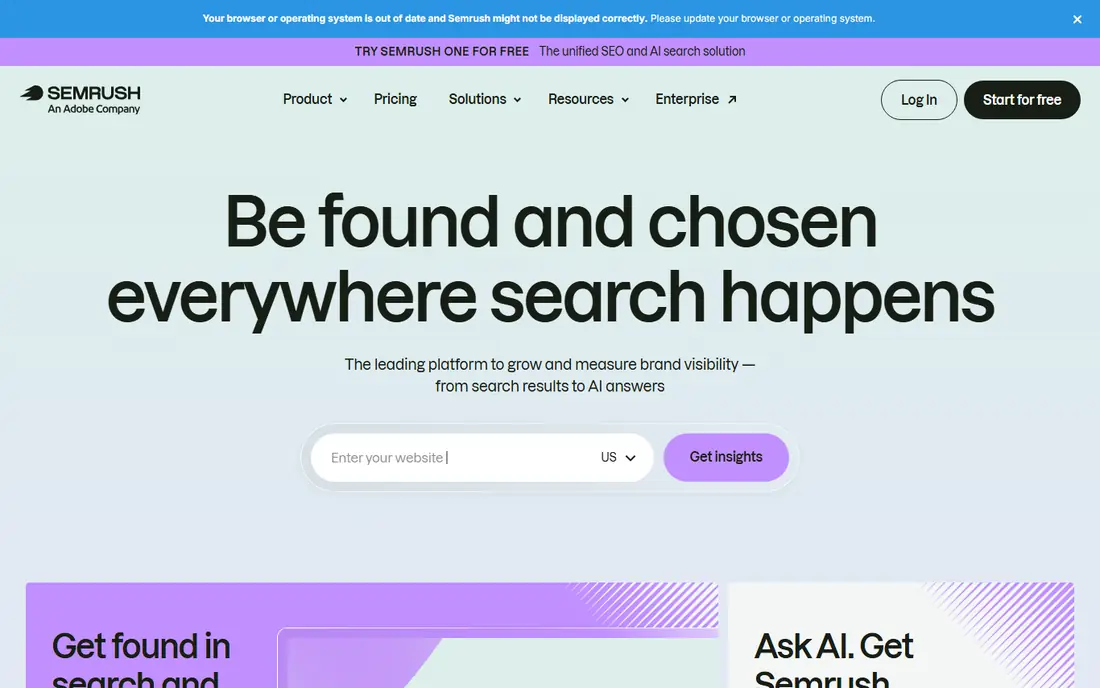
Semrush is the broadest all-in-one suite on this list, covering SEO, PPC, content marketing, social and competitor research. That breadth suits agencies and in-house teams that run search and paid together, since keyword and competitor learning can be shared across channels. Its keyword database, rank tracking, site audit and content tools are strong, and its AI visibility features help teams track AI Overviews and related search changes. The drawback is cost and complexity. The entry price is higher than smaller suites, extra seats are charged, and new users may need time to learn which reports matter. For a team that only needs rank tracking, a smaller suite may be better value.
- Broadest channel coverage
- Large keyword database
- Content, PPC and social tools in one login
- Higher entry price
- Extra seats cost more
- Feature range can overwhelm new users

Ahrefs is the reference tool for backlink and competitor research, with a large, frequently updated link index and strong tools for finding link opportunities and content gaps. Its Site Explorer, Keywords Explorer and Content Explorer help teams understand why competitors rank and which pages earn links. That makes it a strong pick for link-led strategies and content teams that need reliable competitive data. Ahrefs does offer some free tools, but the full suite has no free plan, and the entry price is high for a solo marketer. Extra seats and higher keyword limits raise cost, so check project and tracking limits before buying.
- Deep backlink index
- Strong Content Explorer
- Accurate keyword and competitor data
- No full free plan
- Extra seats cost more
- Entry plan limits projects and tracked keywords

Moz Pro suits in-house teams and consultants who want clear reports without a steep learning curve. Its rank tracking, site audits, keyword research and Link Explorer cover the core SEO workflow, and its Domain Authority metric is widely used as a rough comparison signal, even though it is not a Google metric. Moz also has strengths in local SEO, which helps multi-location brands. The limit is depth for link building. Teams whose main work is large-scale link research may still need Ahrefs alongside Moz. Check tracking frequency by plan, since daily rank updates may require a higher tier.
- Clear, readable reports
- Domain Authority metric
- Local SEO strengths
- Backlink depth is less than Ahrefs for link-heavy work
- Higher tiers needed for daily tracking on some plans
SE Ranking is a strong value pick for freelancers, small agencies and growing teams that need an all-in-one suite without Semrush or Ahrefs pricing. It covers rank tracking, site audits, keyword research, backlink monitoring and reporting, with white-label options on higher plans. That range makes it a practical single-suite choice for many digital marketing workflows. The trade-off is data depth. Its backlink index is smaller than the largest rivals, so link-heavy teams may keep a second tool for that job. Check project, keyword and audit page limits, since those drive upgrades as client numbers grow.
- Lower entry price
- Rank tracking, audits and backlink tools in one suite
- Agency-friendly reporting
- Backlink index is smaller than Ahrefs or Semrush
- Higher plans needed for many projects
Screaming Frog SEO Spider is the technical half of a good SEO stack. It crawls a site like a search engine, finding broken links, redirect chains, duplicate titles, missing metadata, slow pages and JavaScript rendering issues. The free version crawls up to 500 URLs, which covers many small sites, while the paid licence allows unlimited crawling and saves, schedules and integrations. Because it runs on desktop, it needs a capable machine for very large sites, and new users may need tutorials to interpret the data. Pair it with a cloud suite for rankings and keywords, and use it for audits, migrations and regular technical checks.
- Best-in-class desktop crawler
- Free version crawls up to 500 URLs
- Deep technical audit data
- Desktop software, not cloud
- Learning curve for new technical SEOs
Surfer helps content teams shape pages around the terms, entities and structure that top results use, without guessing at keyword density. Its content editor and audit tools are useful for new articles and for refreshing pages that rank but underperform. That makes it a good partner to a suite such as Semrush or Ahrefs, which finds the opportunity, while Surfer helps execute the page. The risk is over-optimisation. A perfect score does not guarantee a good article, and copy should be edited for clarity and accuracy after scoring. Surfer has no free plan, so test it with a trial or money-back terms where offered and judge it on a real page from your site.
- Clear content scores
- Audit tools for existing pages
- Helpful for updating older content
- No free plan
- Scores need editorial judgement, not blind chasing
Google Search Console is free and essential for every site owner, even those who pay for a suite. It shows which queries drive clicks, which pages are indexed, which pages have errors, and how Core Web Vitals and mobile usability look from Google side. That first-party data is more reliable for your own site than any third-party estimate. Its limits are scope. It does not show competitor rankings, keyword difficulty or deep backlink data, so it cannot replace a suite for research. Use Search Console as the source of truth for your own performance, and use a paid suite for competitor and opportunity research.
- Free
- Direct Google data on queries, clicks and indexing
- Essential for technical checks
- Limited competitor data
- No keyword difficulty or backlink depth
Mangools, best known for KWFinder, suits beginners, bloggers and small teams that mainly need keyword research without a full suite price. Its interface is friendly, difficulty scores are easy to read, and it includes rank tracking, SERP analysis and backlink checking in a lighter form. That simplicity helps new marketers learn keyword research without drowning in reports. The trade-off is depth. Large agencies that need many projects, deep backlink data and advanced reporting will outgrow Mangools faster than Semrush or Ahrefs. For a solo marketer or small team on a tight budget, it is a sensible starting point that can be paired with free Google tools.
- Easy keyword research
- Clear difficulty scores
- Low entry price
- Smaller feature range than all-in-one suites
- Less suited to large agency work
How we picked these
We compared official pricing pages, feature sets and current availability for tools that support digital marketing SEO work, including research, tracking, audits, links and content. We favoured tools with a clear use case, current pricing and a real user base, and we included free, value and premium options. We did not include tools that only generate content with no search data, or rank trackers with no audit or research features, since those do not cover the full digital marketing workflow alone.
How to build an SEO tool stack for digital marketing
Start with the free layer. Set up Google Search Console and Google Analytics, and use them to establish a baseline for traffic, queries and conversions. Then add one suite that matches your main work: Semrush for broad channel work, Ahrefs for links and competitors, Moz Pro for readable reporting, or SE Ranking for value. That suite should handle keyword research, rank tracking and site audits for most teams.
Next, add a technical crawler if your site is large, complex or going through a migration. Screaming Frog fills gaps that cloud suites sometimes miss, especially for redirect chains, JavaScript rendering and large-scale audit exports. Add a content tool only when page quality is a clear bottleneck. Surfer or a similar editor helps writers cover topics fully, but it should not be bought before keyword research and technical basics are in place.
Finally, set limits and review use quarterly. Check how many projects, tracked keywords, audit pages and seats you actually use, and drop tools that duplicate data. Export rank history before switching suites, since tracked history does not transfer between platforms. A lean stack that the team checks weekly beats a large stack that nobody opens.
FAQ
What are the best SEO tools for digital marketing for a small team?
SE Ranking and Mangools offer good value for small teams, while Semrush suits teams that also run PPC and content. Google Search Console should be used alongside any paid tool. Choose based on whether your main work is research, tracking, links or content, rather than buying the largest suite by default.
What is the best SEO and digital marketing software for agencies?
Semrush and Ahrefs are common agency choices, with SE Ranking as a value alternative for many-client reporting. Agencies should check seat pricing, project limits, white-label reporting and API access. Running two tools in parallel for one reporting cycle helps avoid losing rank history when switching.
Is Google Search Console enough for SEO?
Search Console is essential, but it is not enough alone for competitor research, keyword difficulty or backlink analysis. It gives the best data for your own site, while paid suites add competitor and opportunity data. Most teams use both, with Search Console as the source of truth for their own performance.
How much do SEO tools cost?
Entry prices on this list range from free for Google Search Console to $29.90 per month for Mangools, $55 for SE Ranking, $89 for Surfer, $99 for Moz Pro, $129 for Ahrefs and $139.95 for Semrush, with Screaming Frog at $259 per year. Real cost depends on seats, projects, tracked keywords and audit limits, so check those before comparing headline prices.
Do I need both Semrush and Ahrefs?
Many teams use one as the main suite and the other for specific link or competitor work, but small teams rarely need both at full price. Start with the suite that matches your main work, and add the second only if a repeated gap appears in backlink or competitor data. Free tools and exports can cover occasional checks.