Best Remote Employee Monitoring Software in 2026: 8 Tools Compared
Compare detailed the best remote employee monitoring software for lawful, transparent workforce analytics, time tracking and productivity insights for teams.
- Editor's choice
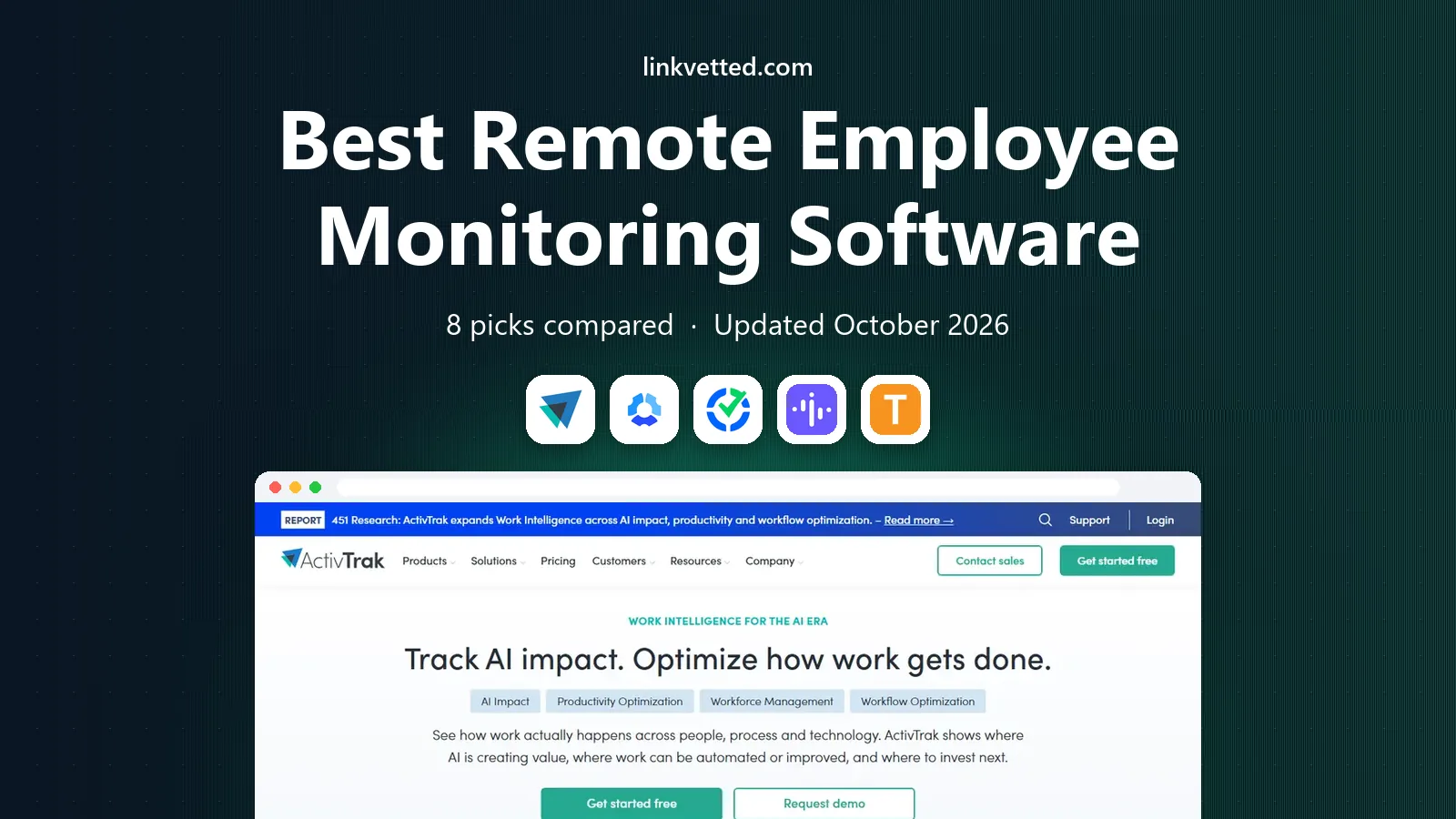
 ActivTrak
Productivity analytics with privacy controls
Starts atFreeVisit activtrak.comFull review - Great alternative
 Hubstaff
Time tracking plus payroll and GPS
Starts at$4.99 per user per monthVisit hubstaff.comFull review - Also consider
 Time Doctor
Detailed time and attendance records
Starts at$6.67 per user per monthVisit timedoctor.comFull review
TL;DR:
- Use monitoring only with clear notice to employees, a written policy and compliance with local law, since covert tracking can be unlawful in many places.
- ActivTrak and Insightful suit teams that want team-level productivity trends rather than invasive individual surveillance.
- Hubstaff and Time Doctor suit remote teams that need time records tied to payroll and client billing.
- Teramind is the security-led choice, but its depth and price fit regulated teams far better than small, trust-based remote teams.
Quick comparison
| Tool | Best for | Starts at | Free plan? | |
|---|---|---|---|---|
| ActivTrak | Productivity analytics with privacy controls | Free | Yes | Visit |
| Hubstaff | Time tracking plus payroll and GPS | $4.99 per user per month | Free trial | Visit |
| Time Doctor | Detailed time and attendance records | $6.67 per user per month | Free trial | Visit |
 Insightful | Transparent workforce analytics | $8 per seat per month | Free trial | Visit |
 Teramind | Security and insider-risk controls | $14 per seat per month | Free trial | Visit |
 DeskTime | Automatic tracking without timers | $6.42 per user per month | Free trial | Visit |
 Controlio | Screen activity records for small teams | See website | Free trial | Visit |
 Monitask | Simple transparent tracking for small teams | $6.49 per user per month | Free trial | Visit |
The best remote employee monitoring software
These tools help remote employers understand workload, attendance and app use, but they must be used openly. Tell staff what is tracked, why it is tracked and how data is used, and give them a way to ask questions. The tools below differ in depth, so choose the lightest option that answers your real management question.
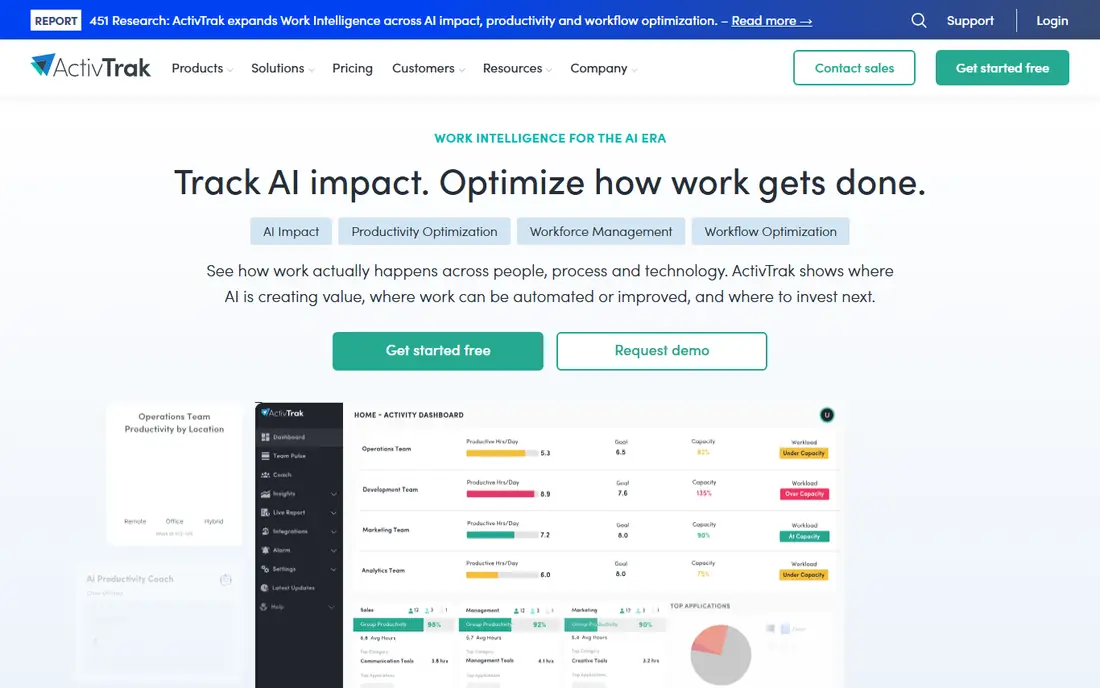
ActivTrak focuses on workforce analytics rather than watching one person all day. Managers see team patterns, such as which apps dominate the week, where workload piles up and when focus time shrinks. A free plan for up to three users lets a small team test the dashboards before paying, with Essentials listed at $10 per user per month on annual billing.
Privacy controls matter here. Admins can limit screenshot detail and aggregate results, which helps employers stay transparent and proportionate. The weakness is cost at scale and the fact that some analytics still need careful policy wording. Used openly, ActivTrak is a strong default for hybrid and remote teams.
- Free plan for up to 3 users
- Team-level trends
- Privacy settings to limit detail
- Paid plans start at $10 per user per month
- Deeper features need higher tiers

Hubstaff is built for distributed teams that bill by the hour or pay by tracked time. Staff start timers, managers see timesheets and project totals, and payroll and invoicing tools turn those hours into payments. Pricing starts at $4.99 per user per month on annual billing for Starter, with a 14-day trial.
GPS tracking suits field teams but needs explicit notice and a business reason, and should never be used outside work hours. Screenshot capture is optional and should be disclosed in writing. For agencies and remote contractors, Hubstaff ties accountability to pay in a way staff can see and check.
- Low entry price
- Payroll and invoicing links
- GPS for field staff
- No free plan
- Screenshot features need clear employee consent

Time Doctor records work time, breaks, attendance and project activity, and turns that data into payroll-ready reports. Basic pricing is listed at $6.67 per user per month on annual billing, with a 14-day trial. Remote teams that need proof of hours for clients or compliance will find its reports more structured than a simple timer.
The risk is over-monitoring. Idle alerts and frequent screenshots can damage trust if managers use them to police every minute. Employers should agree on what counts as productive time, share reports with staff, and use the data to fix workload problems rather than to punish short breaks.
- Detailed attendance and project reports
- Payroll integrations
- Idle-time alerts
- No free plan
- Detailed tracking can feel heavy if overused
Insightful, formerly Workpuls, blends employee monitoring with time tracking and productivity analytics. Managers see app and website use, attendance and project time, while staff can often see their own data too, which supports an open approach. Pricing is listed from $8 per seat per month on annual billing, with a 7-day trial.
Plan names and prices vary across vendor pages, so buyers should confirm the exact tier that includes screenshots or attendance features. Insightful suits mid-size remote teams that want one dashboard for time and productivity, provided the policy is shared before rollout.
- Clear team dashboards
- Time tracking included
- Employee visibility options
- No free plan
- Some plans list different prices by tier, so confirm the quote
Teramind is the security-first option. It offers behaviour rules, alerts, session records and data-loss prevention tools that regulated firms in finance, health care and outsourcing use to protect sensitive data. Starter pricing is listed at $14 per seat per month on annual billing, with a five-seat minimum on some plans and a free trial.
Small teams should think twice before choosing this depth. Keystroke and session recording raise serious privacy and legal questions, and must be covered by policy, notice and legal review. Teramind fits where data protection rules demand audit trails, not where a manager simply wants to know if staff are online.
- Strong behaviour rules and alerts
- Data-loss controls
- Detailed audit records
- Highest entry price here
- Depth is excessive for simple time tracking
DeskTime tracks time automatically once installed, sorting apps and sites into productive and unproductive categories that managers can adjust. Staff do not need to remember timers, which improves adoption in small remote teams. Pro pricing is listed at $6.42 per user per month on annual billing, with a 14-day trial.
Automatic capture still needs consent and a clear policy, since staff may not realise how much is recorded. Payroll features are lighter than Hubstaff, so teams that pay by the hour may need another tool for payments. For simple, low-friction time insight, DeskTime is easy to run.
- Automatic time capture
- No timers to press
- Simple productivity reports
- No free plan
- Less payroll depth than Hubstaff or Time Doctor
Controlio records screen activity and produces reports that managers can review after the fact. Small businesses use it where they need evidence of work on a shared system, such as support or data-entry teams. A free trial is offered, and pricing should be confirmed on the vendor site, since third-party listings differ.
Screen recording is the most sensitive feature in this list. Employers must disclose it, limit who can view recordings, set retention periods and follow local law. Without those controls, Controlio creates legal and trust risk that outweighs its usefulness. Used narrowly and openly, it can support quality checks.
- Video-style screen records
- Activity reports
- Straightforward setup
- Pricing varies by source, so confirm on the vendor site
- Screen recording needs strict policy controls
Monitask suits small remote teams and freelancers who want visible, consent-based tracking. It captures screenshots at intervals, logs activity levels and builds timesheets that both sides can review. Pro pricing is listed at $6.49 per user per month on annual billing, with a free trial.
Analytics are simpler than larger platforms, so growing firms may later need deeper reporting. The strength is clarity: staff know when tracking runs, and managers get a plain record of hours and activity. For a first monitoring tool, that transparency matters more than advanced charts.
- Clear screenshots and activity reports
- Freelancer-friendly
- Low learning curve
- No free plan
- Fewer analytics than ActivTrak or Insightful
How we picked these
We compared official pricing and feature pages, plus public documentation on screenshots, privacy settings and payroll links. We favoured tools that support disclosed, policy-based use, with controls for data access and retention, and we left out tools marketed for covert personal surveillance. Prices were checked against vendor listings and recent published comparisons, and unclear prices are shown as See website.
Rolling out monitoring without breaking trust
Write the policy before installing anything. State what is tracked, what is not tracked, who can see the data, how long it is kept and how staff can raise concerns. Share that policy in writing, answer questions, and never track personal devices or out-of-hours activity without separate legal advice.
Start narrow, then review
Begin with time and app categories only, and review the data with the team after a month. If a report does not change a decision about workload, staffing or pay, stop collecting that data. Narrow tracking, shared openly, protects both staff privacy and manager credibility.
FAQ
Is remote employee monitoring legal?
It depends on country and US state law, plus whether staff were told in advance. Employers should get legal advice, give written notice, limit tracking to work systems and work hours, and avoid personal devices and private accounts.
Should employees be told they are monitored?
Yes. Tell staff in writing what is tracked, why it is needed and how data is used, and keep that policy easy to find. Secret monitoring damages trust and can create legal risk, even where a tool allows it.
What is the least invasive monitoring option?
Team-level analytics tools such as ActivTrak and Insightful, used with aggregation and limited screenshot detail, are less invasive than continuous screen recording. Time-only tools such as DeskTime also reduce detail, provided staff consent to the setup.
Can monitoring software track personal computers?
Employers should only monitor company devices and work accounts, and should avoid personal devices entirely unless a separate, lawful bring-your-own-device policy covers it. If staff use personal devices, get legal advice first.
Do these tools replace managers?
No. Reports show patterns, but they do not explain why a week was slow, whether a task was blocked, or whether workload is unfair. Managers still need regular check-ins, clear goals and honest conversations about capacity.