Best Rank Tracker Tool in 2026: 9 Tools Compared
Compare the best rank tracker tool options for daily rankings, local tracking, and SEO suites, with pricing and keyword limits to check carefully in 2026.

- Editor's choice
 SE Ranking
Daily tracking at volume
Starts at$129 per monthVisit seranking.comFull review - Great alternative
 Semrush
Rank tracking inside an SEO suite
Starts at$139 per monthVisit semrush.comFull review - Also consider
 Ahrefs
Backlink-focused SEO teams
Starts at$129 per monthVisit ahrefs.comFull review
TL;DR:
- SE Ranking offers strong value for daily tracking at volume, while AccuRanker suits agencies that need large keyword sets and fast data.
- Semrush and Ahrefs make sense when rank tracking sits inside a full SEO suite you already use.
- Google Search Console is free and essential, but it does not replace a tracker for competitor and daily position data.
- Check update frequency, keyword allowance, and location support before you buy, since entry prices hide very different limits.
- Weekly tracking suits small sites, while daily tracking suits competitive niches and client reporting.
Quick comparison
| Tool | Best for | Starts at | Free plan? | |
|---|---|---|---|---|
| SE Ranking | Daily tracking at volume | $129 per month | Free trial | Visit |
| Semrush | Rank tracking inside an SEO suite | $139 per month | Free trial | Visit |
| Ahrefs | Backlink-focused SEO teams | $129 per month | Yes | Visit |
 Moz Pro | Small businesses learning SEO | $99 per month | Free trial | Visit |
 AccuRanker | Large agencies and fast data | $224 per month | Free trial | Visit |
 Nightwatch | Local and AI search tracking | See website | Free trial | Visit |
 Wincher | Simple low-cost tracking | $49 per month | Free trial | Visit |
 Mangools SERPWatcher | Beginners and freelancers | See website | Free trial | Visit |
 Google Search Console | Free first-party data | Free | Yes | Visit |
The best rank tracker tool options
We compared keyword allowances, update frequency, location and device tracking, competitor views, reporting, and pricing, using vendor pages and public comparisons from 2026.
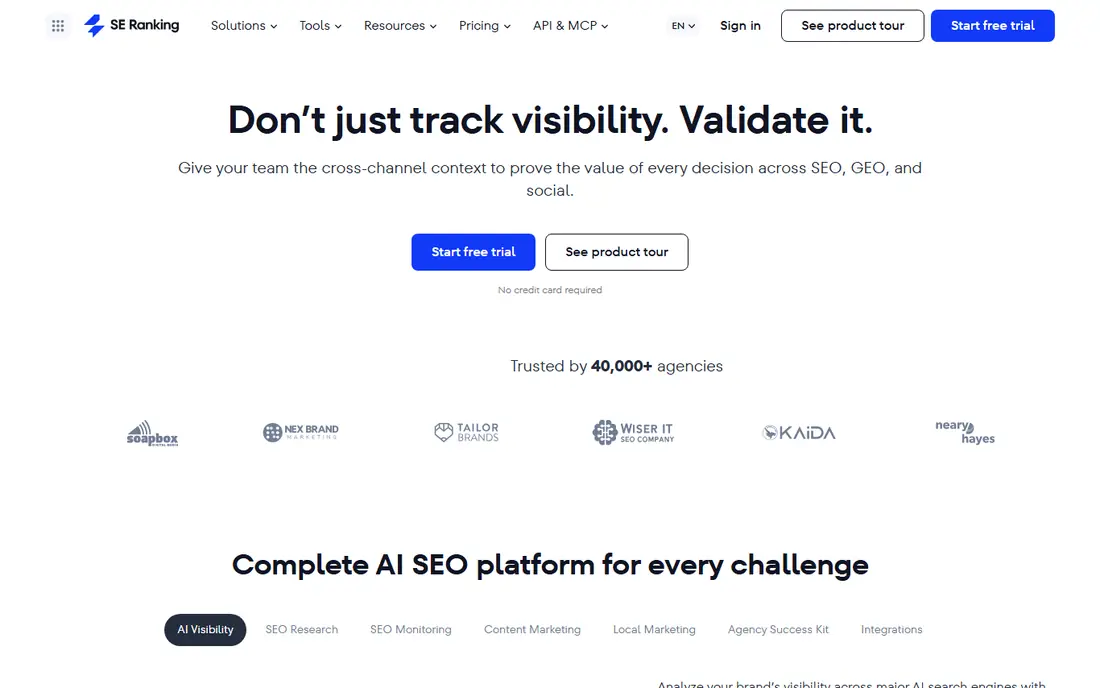
SE Ranking is our pick for most teams that track rankings seriously, because its entry plan covers a large keyword allowance with daily updates. That volume matters when you track many pages, locations, or competitors, since a small allowance forces painful choices about which keywords to watch. Audits, keyword research, and backlink checks in the same plan also reduce the need for separate tools.
A solo blogger with 20 keywords may find SE Ranking more than needed, and the full interface takes time to learn. For agencies, in-house teams, and growing sites, the daily data and reporting depth justify the price.
- Daily updates for many keywords
- Audits and research in the same plan
- White-label reporting
- Entry price is high for a single small site
- Interface has many features to learn

Semrush Position Tracking sits inside a full SEO suite, so teams that already use Semrush for research, audits, and content can track rankings without a separate tool. Daily updates, competitor tracking, and SERP feature data help you see why a position changed, not just that it changed. That context matters when a ranking drop needs a quick diagnosis.
Standalone tracker buyers may find Semrush costly for tracking alone, since the entry plan covers fewer keywords than SE Ranking at a similar price. If you use the wider suite, Semrush is a strong choice. If you only need rankings, compare it with SE Ranking and AccuRanker.
- Daily position tracking
- Huge keyword and competitor data
- Audits and content tools included
- Price rises with projects
- Rank tracking is one part of a large suite

Ahrefs Rank Tracker suits teams that already rely on Ahrefs for backlinks and content research. Ranking data appears alongside the backlink and keyword data that explain why a competitor outranks you, which helps when a ranking problem is really a link or content problem. Free Webmaster Tools also give smaller sites a way to start with Ahrefs data.
Update frequency is the main limit. Entry plans update weekly, not daily, so teams in fast-moving niches may need an add-on or a dedicated tracker. If weekly checks are enough and you value Ahrefs data, this is a solid pick.
- Strong backlink and content data
- Rank tracking with competitor context
- Free Webmaster Tools tier
- Weekly updates on entry plans
- Daily tracking can cost extra
Moz Pro appeals to small businesses and beginners who want rank tracking plus guidance on what to fix next. The interface is approachable, and Moz learning resources help new SEOs understand rankings, links, and on-page issues without hiring an expert. Site audits and keyword research round out the plan.
Serious trackers may want daily updates and larger allowances, which Moz Pro reserves for higher tiers. For a small site learning SEO, Moz Pro offers a clear and supportive starting point.
- Friendly interface and learning resources
- Domain Authority context
- Site audits included
- Weekly updates on lower plans
- Smaller keyword allowance than SE Ranking
AccuRanker is built for agencies and teams that need rank data fast, in bulk, and ready to export. Daily updates, tagging, and API access help large teams slice data by client, location, or device without manual work. Unlimited users also help agencies where many staff and clients view reports.
Price is the barrier for small sites. AccuRanker is not a budget tracker, and its value shows only when keyword volume and reporting needs are large. For agencies tracking thousands of keywords, it is one of the most dependable options.
- Fast daily updates
- Unlimited users
- Strong API and data exports for agencies
- High starting price
- No free plan for casual testing beyond a trial
Nightwatch suits teams that track many locations or want AI search data alongside classic rankings. Daily updates, map-style local views, and AI search tracking help local businesses and agencies see how they appear in different places and in AI answers. Unlimited seats on some plans also help teams that share reports widely.
It is not a full SEO suite, so teams needing deep backlink or content research will pair it with another tool. For dedicated rank tracking with local and AI angles, Nightwatch offers a focused and visual option.
- Daily tracking with local and AI search features
- Unlimited seats on some plans
- Clear visualizations
- Pricing in euros for many buyers
- Smaller SEO suite than Semrush or Ahrefs
Wincher keeps rank tracking simple, which suits small teams that want daily positions without learning a full SEO suite. You add keywords, pick locations and devices, and watch positions move, with alerts when rankings change sharply. The lower entry price makes daily tracking accessible to freelancers and small businesses.
Research, audit, and backlink depth are limited compared with Semrush, Ahrefs, or SE Ranking. If you only need clean daily rankings and simple reports, Wincher is a good value. If you need a full SEO toolkit, choose a suite instead.
- Simple interface
- Daily tracking
- Lower entry price than large suites
- Fewer research and audit features
- Smaller keyword allowance than SE Ranking
SERPWatcher, part of Mangools, is designed for beginners who want rank tracking without complexity. Its dominance index gives a single view of overall visibility, which helps freelancers explain progress to clients without a wall of numbers. The Mangools bundle also includes keyword research and link tools at a modest price.
Update frequency is the main limit, since basic plans update weekly. Daily tracking requires a higher plan, and keyword allowances are smaller than SE Ranking. For beginners and freelancers with modest keyword lists, SERPWatcher is an easy and affordable start.
- Beginner-friendly interface
- Dominance index for overall visibility
- Part of a low-cost SEO bundle
- Weekly updates on basic plans
- Daily tracking needs a higher plan
Google Search Console should be in every SEO toolkit, because it reports the clicks, impressions, and average positions Google actually recorded for your site. That first-party data is the baseline against which any paid tracker should be checked. It also flags indexing issues, mobile problems, and pages that need attention.
It does not track competitors, daily positions for all keywords, or rankings in other search engines, so it cannot replace a paid tracker for competitive work. Use Search Console as the free foundation, then add a paid tracker from this list when you need competitor and daily data.
- Free
- First-party clicks, impressions, and positions from Google
- Index and performance data
- No competitor tracking
- Data is limited to your own site and 16 months of history
How we picked these
We compared vendor pricing pages, keyword allowances, update frequencies, and public comparisons from September and October 2026, focusing on tools that track real search positions rather than only estimating traffic. We included free, budget, dedicated, and suite options, so readers can match a tracker to keyword volume and budget. We did not claim hands-on testing, and we recommend confirming current allowances on vendor sites, since they change often.
We also weighed reporting and export features, since rank data is only useful when you can share it, filter it, and act on it. That is why agency reporting appears in several write-ups.
How to set up rank tracking that helps
Start with the keywords that drive revenue, not with every keyword you can think of. Track your main money pages, your brand terms, and the top competitor terms for each service, then add supporting terms as you learn which ones move. Too many keywords dilute attention, while too few hide problems on important pages.
Locations, devices, and frequency
Set locations to match where your customers actually search, especially for local businesses, and track mobile and desktop separately since positions often differ. Choose daily updates for competitive terms and client reporting, and weekly updates for stable, low-priority terms if budget is tight. Review rankings alongside Search Console clicks, so a position change is judged by traffic impact, not by rank alone.
Reading ranking changes
A single-day move rarely means much, since rankings fluctuate with personalization, location, and SERP features. Look for trends over weeks, check whether a SERP feature or a competitor change explains the move, and compare the affected page with the pages now outranking it. That habit turns rank tracking from a daily worry into a useful diagnostic tool.
FAQ
What is the best rank tracker tool for most teams?
SE Ranking suits most teams for daily tracking at volume, while AccuRanker suits large agencies. Semrush and Ahrefs suit teams that already use those suites for wider SEO work.
What is the best free rank tracker tool?
Google Search Console is the best free option, with first-party clicks and positions for your own site. It does not track competitors, so pair it with a paid tracker when competitor data matters.
What is the best ranking tool for local SEO?
Nightwatch and SE Ranking both support location-based tracking, with Nightwatch offering strong local visualizations. Google Search Console and Google Business Profile data should sit alongside any local tracker.
How often should rankings update?
Daily updates suit competitive niches, client reporting, and fast-moving pages, while weekly updates suit stable small sites. Choose daily if ranking changes affect revenue quickly, and weekly if you only need trend data.
Do I need a rank tracker if I use Google Search Console?
Search Console covers your own site well, but it does not show competitor positions, daily tracking for all terms, or rankings outside Google. A paid tracker adds that competitive and historical view.