Best Platform for Educator-Created Content in 2026: 9 Tools Compared
Find the best platform for educator-created content in 2026 with 9 marketplaces and tools for teacher-made lessons, worksheets and interactive activities.
- Editor's choice
 Teachers Pay Teachers
Largest teacher marketplace
Starts atFreeVisit teacherspayteachers.comFull review - Great alternative
 Boom Learning
Interactive task cards
Starts atFreeVisit boomlearning.comFull review - Also consider
 Twinkl
Full lesson sets and planning
Starts atSee websiteVisit twinkl.comFull review
TL;DR:
- Teachers Pay Teachers is the largest marketplace for teacher made resources, while Boom Learning is best for interactive digital task cards.
- Share My Lesson and other free libraries suit tight budgets, but quality varies, so check previews and reviews before you buy or download.
- Twinkl suits teachers who want full lesson sets and planning tools, not just single worksheets.
- If you sell resources, compare seller fees and audience size, because a larger audience can outweigh a higher fee.
- For classroom use, check standards alignment, grade range and whether a resource works in print, digital or both formats.
Quick comparison
| Tool | Best for | Starts at | Free plan? | |
|---|---|---|---|---|
| Teachers Pay Teachers | Largest teacher marketplace | Free | Yes | Visit |
| Boom Learning | Interactive task cards | Free | Yes | Visit |
| Twinkl | Full lesson sets and planning | See website | Yes | Visit |
 Classful | Low fee teacher marketplace | Free | Yes | Visit |
 Share My Lesson | Free teacher shared resources | Free | Yes | Visit |
 Tes | Large teacher resource library | Free | Yes | Visit |
 Nearpod | Interactive teacher made lessons | Free | Yes | Visit |
 Education.com | Worksheets and games library | Free | Yes | Visit |
 Genially | Interactive visual content creation | Free | Yes | Visit |
The best platform for educator-created content
Educator created content means lessons, worksheets, activities and interactive resources made by teachers, for teachers. Some platforms are marketplaces where teachers sell their work, others are libraries where teachers share for free, and a few are creation tools that help teachers build their own interactive content. The list below covers all three kinds.

Teachers Pay Teachers, often called TpT, is the first place most teachers look, and for good reason. Its catalogue covers nearly every grade and subject, from single worksheets at a few dollars to full unit bundles. Reviews, previews and seller ratings help you judge a resource before you pay, which matters when quality varies across thousands of independent sellers.
For sellers, TpT offers the largest buyer audience, with seller rates of 55 percent on Basic and 77.5 percent on Exclusive in published seller terms. That audience comes with competition, so new sellers need time to build reviews and sales. For buyers, TpT is the best starting marketplace, especially when you need a specific topic fast.
- Largest catalogue of teacher made resources
- Reviews and previews help judge quality
- Free to browse and buy per resource
- Quality varies by seller
- Popular sellers dominate search
- Individual resources add up in cost

Boom Learning turns practice into interactive task cards that give students instant feedback. Teachers can buy decks made by other educators, assign them to a class, and see which skills need more work. That feedback loop suits centres, review and homework, and it works well for younger learners and for special education settings where immediate response helps.
The platform needs an internet connection, and while a basic account is free, larger class features and premium tools need a paid plan. Boom Cards are also sold on TpT, so check both places for the deck you want. For digital practice that feels like a game rather than a worksheet, Boom Learning is a strong pick.
- Interactive Boom Cards with instant feedback
- Works on browsers and apps
- Teacher made decks cover many skills
- Needs internet access
- Premium features and larger class use need a paid plan
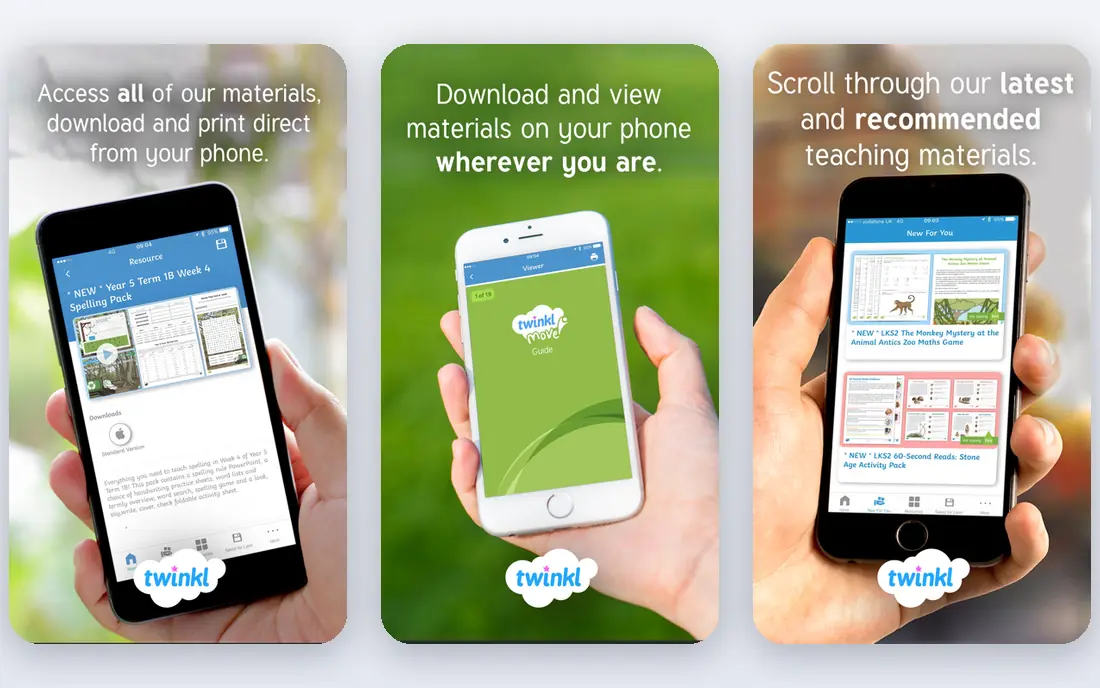
Twinkl was started by teachers and has grown into a deep library of lesson sets, display packs, planners and assessments. Unlike a single worksheet marketplace, Twinkl helps a teacher plan a whole topic, with differentiated resources for different ability levels and guidance on standards such as Common Core where relevant. Its US annual plan is priced under $100 in published comparisons, with free resources also available.
The size of the library is both a strength and a weakness, because finding the right resource takes time at first. Use the filters for age, subject and resource type, and save favourites as you go. For teachers who want planned, curriculum linked content rather than one off pages, Twinkl is an excellent choice.
- Deep lesson sets, planners and assessments
- Resources made by teachers
- Standards guidance on many resources
- Large catalogue can feel overwhelming
- Pricing plans can confuse new users
Classful is a teacher marketplace that appeals to sellers because its fees are lower than TpT on a typical sale in published comparisons. For buyers, it offers lesson plans, worksheets and digital resources from independent educators, with a focus on classroom ready materials. Its free to join model makes it easy to test as a seller or a buyer.
The main limit is audience size. TpT still has far more buyers, so a seller may sell fewer copies on Classful even with a better fee per sale. Many sellers list on both platforms, where their TpT terms allow it, to get the best of both. For buyers who want to support smaller marketplaces, Classful is worth a browse.
- Free to join
- Lower seller fees than TpT in published comparisons
- Teacher focused marketplace
- Smaller buyer audience than TpT
- Catalogue is still growing
Share My Lesson, run by the American Federation of Teachers, offers a large library of free resources shared by educators. You can find lesson plans, worksheets, activities and webinars without paying per resource, which makes it ideal for tight school budgets or for trying a new topic before you buy a polished bundle elsewhere.
Because resources are shared for free, polish and completeness vary, so preview carefully and check the grade and standards notes. For a free first stop, especially for current events and social justice topics where teachers share timely lessons, Share My Lesson is a valuable and underused library.
- Large free library
- Resources shared by teachers
- Lesson plans, worksheets and activities
- Quality varies
- Fewer premium polished bundles than paid marketplaces
Tes, formerly Times Educational Supplement, hosts one of the largest teacher resource libraries in the world, with resources shared and sold by teachers across many countries. US teachers will find plenty of relevant material, especially in core subjects, alongside international resources that can add fresh approaches to a topic.
The international scope means some resources use different spelling, grading or curriculum terms, so check previews for US fit. For a broad search when TpT and Share My Lesson do not have what you need, Tes is a strong next stop, and its community forums can also help with teaching ideas.
- Very large teacher resource catalogue
- Free and paid resources
- International teacher community
- Search can surface older resources
- Quality varies by author
Nearpod lets teachers turn a lesson into an interactive experience, with polls, quizzes, open questions and virtual field trips built into the flow. Teachers can use lessons made by other educators, adapt them, or build their own, and they can see student responses live or in self paced mode. That live feedback helps a teacher spot confusion before the lesson ends.
A free basic plan is enough to test Nearpod with a small class, while paid plans add more storage, larger classes and advanced features. Nearpod works best when a teacher wants engagement during the lesson, not just a worksheet after it. For interactive, teacher created lessons, it is a top choice.
- Free basic plan
- Interactive lessons with polls, quizzes and virtual trips
- Large teacher lesson library
- Paid plans needed for larger classes and advanced features
- Best value with a school plan
Education.com offers a large library of worksheets, workbooks, games and guided lessons, mainly for Pre-K through grade 8. Its free plan allows a few downloads per month, while the premium plan, listed at $15.99 per month or $119.88 per year in published comparisons, gives unlimited access. That flat price can be cheaper than buying many single resources on a marketplace.
The library is less deep for high school subjects, so older grade teachers may prefer TpT or Tes. For elementary teachers who need regular skill practice pages, games and guided lessons in one place, Education.com is a convenient and affordable library.
- Large worksheet and game library
- Free downloads each month
- Guided lessons for younger grades
- Strongest for Pre-K through grade 8
- Premium plan needed for unlimited downloads
Genially is a creation tool rather than a marketplace, and it earns its place because many educator created resources start here. Teachers can build interactive presentations, infographics, escape games and digital boards from templates, then share them with students or sell them elsewhere. That visual, interactive style suits topics where a plain worksheet falls flat.
Advanced interactivity takes practice, and some templates and features need a paid plan. For teachers who want to create their own polished, interactive content, rather than only buy it, Genially is a creative and accessible tool. Pair it with a marketplace when you want to share or sell what you make.
- Free plan to start
- Interactive presentations, infographics and games
- Templates help non designers
- Learning curve for advanced interactivity
- Premium features need a paid plan
How we picked these
We compared official product pages, pricing pages and public seller and buyer guides for educator content platforms in October 2026. We required real educator created content, whether sold, shared or built with a teacher focused tool, and we included marketplaces, free libraries and creation tools. We favoured platforms with a clear classroom use, a usable free or low cost entry, and a track record with teachers.
How to choose for your classroom or store
For classroom buying, start with your grade and subject, then check previews, reviews and standards notes before you pay. Buy one resource from a new seller before you buy a bundle, and check whether it works in print and digital formats for your students. For selling, list where buyers already search, compare fees, and build reviews with a few strong resources before you expand your store.
Check quality and rights before you use a resource
Read the preview pages, check for answer keys and differentiation, and confirm you may copy it for your class size under the licence. Free resources still have licences, and paid resources usually cover one classroom, not a whole school. When in doubt, ask the seller, and keep a record of what you bought for each class.
Mix free and paid wisely
Free libraries can cover routine practice, while paid marketplaces can cover a tricky unit or a polished project you do not have time to build. That mix keeps costs down without forcing you to build everything from scratch. Set a small monthly budget for resources, and track which ones you actually reuse, because reuse is the best sign of value.
FAQ
What is the best platform for educator-created content?
Teachers Pay Teachers is best for the largest choice of teacher made resources, Boom Learning is best for interactive task cards, and Twinkl is best for full lesson sets and planning. Share My Lesson is best for free resources, while Genially is best for creating your own interactive content.
Is Teachers Pay Teachers free?
Browsing and joining are free, and many resources are free, but most resources are paid per item, often a few dollars for worksheets and more for bundles. Check the price and preview before you buy, and look for free samples from a seller you like.
Can teachers make money selling resources?
Yes, many teachers sell on TpT, Classful and similar marketplaces, but income builds slowly and depends on catalogue size, reviews and niche. Published TpT seller rates are 55 percent on Basic and 77.5 percent on Exclusive, so compare fees and audience size before you choose a platform.
Are free resources as good as paid ones?
Some free resources are excellent, especially on Share My Lesson and in free sections of paid marketplaces, but quality varies more than in curated paid bundles. Preview, check reviews and test a resource with a small group before you use it with a full class.
What should I check before buying a teaching resource?
Check grade range, subject, standards alignment, page count, answer keys, print and digital formats, and seller reviews. Download the preview if available, and confirm the licence covers your class size and use.
Which platform is best for interactive digital activities?
Boom Learning is best for interactive task cards with instant feedback, Nearpod is best for interactive lessons with live student responses, and Genially is best for building your own interactive presentations and games. Choose by whether you want ready made activities or a tool to create your own.