Best Options Trading Platforms in 2026: 9 Platforms Compared
We compare nine options trading platforms on commissions, tools and research, so beginners and active traders can pick a broker that fits their style.
- Editor's choice
 Robinhood
Simple mobile options trading
Starts atFreeVisit robinhood.comFull review - Great alternative
 Fidelity
All-round research and support
Starts atFreeVisit fidelity.comFull review - Also consider
 Charles Schwab
Active traders using thinkorswim
Starts atFreeVisit schwab.comFull review
TL;DR:
- Commission-free stock and ETF trades are now common, but options contract fees still differ, so check the full fee schedule before you open an account.
- Beginners do best with clear education, paper trading and a clean mobile app, while frequent traders need fast order entry, spread tools and detailed chains.
- A platform that fits retirement saving may not fit active options trading, so match the broker to how often you plan to trade.
- This is not financial advice; trading options carries risk, and you can lose money quickly, especially with short-dated positions.
Quick comparison
| Tool | Best for | Starts at | Free plan? | |
|---|---|---|---|---|
| Robinhood | Simple mobile options trading | Free | Yes | Visit |
| Fidelity | All-round research and support | Free | Yes | Visit |
| Charles Schwab | Active traders using thinkorswim | Free | Yes | Visit |
 Interactive Brokers | Advanced and global traders | Free | Yes | Visit |
 E*TRADE | Education and guided learning | Free | Yes | Visit |
 Webull | Low-cost active mobile trading | Free | Yes | Visit |
 tastytrade | Dedicated options traders | Free | Yes | Visit |
 TradeStation | Chart-focused active traders | Free | Yes | Visit |
 SoFi Invest | Beginners who want simplicity | Free | Yes | Visit |
The best options trading platforms
We compared official pricing pages, platform features, education libraries and account types to build this list. The right choice depends less on brand and more on how you trade, how much guidance you want, and how much complexity you are ready to handle.
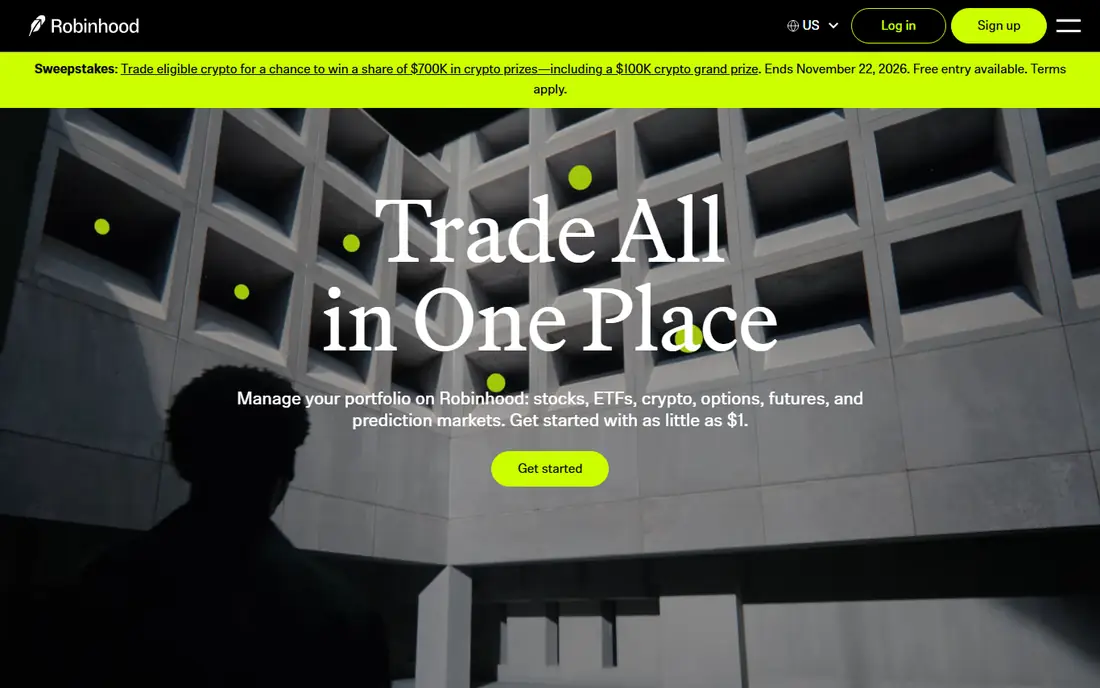
Robinhood suits a new trader who wants to place a straightforward call or put without wading through a dense desktop platform. The app keeps the order ticket short, shows the key terms up front, and makes it easy to check a position from a phone. For someone learning the basics, that clarity matters more than a wall of indicators.
The trade-off is depth. Advanced traders who build multi-leg spreads, scan for volatility setups or study detailed Greeks may find the tools thin. Research, screening and charting are improving, but they still lag behind platforms built for full-time traders. Robinhood works best as a starting point, not as a final home for heavy options volume.
- Clean mobile app
- No commission on stock and ETF trades
- Fractional shares and simple options chains
- Limited research compared with full-service brokers
- Options tools are basic for complex spreads

Fidelity is our pick for most people who want one account that can grow with them. It covers stocks, ETFs, options, retirement accounts and cash management in one place, and its research library is broad enough for both new and experienced investors. Support is available by phone and online, which helps when an options question cannot wait.
The main catch is the learning curve on its fuller trading tools. The website and Active Trader Pro offer a lot, and new users may need a few sessions to find the options chain, strategy builder and order types they need. Once that setup is done, though, Fidelity gives a solid balance of cost, guidance and depth.
- Strong research and education
- Wide account choice
- Helpful customer support
- Desktop platform can feel busy at first
- Options interface takes time to learn

Schwab combines a large, established brokerage with thinkorswim, a platform many active traders already know. That pairing gives you detailed charts, studies, paper trading and options analytics in one account, plus Schwab research and retirement planning tools. It is a strong fit if you plan to trade often and want room to grow.
New users should expect a short adjustment period, because Schwab and thinkorswim feel like separate experiences at first. Take time to set up watchlists, layouts and alerts before trading real money. Options contract fees also remain a cost to check, even when stock and ETF commissions are zero.
- Thinkorswim charting and analysis
- Broad education
- Large branch and support network
- Two platforms can confuse new users
- Contract fees still apply to options trades
Interactive Brokers is built for traders who want access to many markets, order types and professional-grade tools. Its Trader Workstation supports complex strategies, global trading and detailed risk views that casual apps do not offer. For experienced traders, that depth is the main reason to choose it.
Beginners, by contrast, may find the setup and terminology demanding. Account choices, pricing tiers and platform settings take study, and support is geared toward self-directed users. If you trade options every week and want precise control, the effort pays off. If you trade a few times a year, a simpler broker will feel easier.
- Wide market access
- Advanced order types
- Competitive margin rates for qualified accounts
- Steep learning curve
- Platform can overwhelm beginners
ETRADE, part of Morgan Stanley, gives new options traders a gentler path into a serious topic. Its education hub explains strategies in plain language, and paper trading lets you practise order entry without risking cash. When you are ready for more, Power ETRADE adds faster tools and better charting.
The split between the standard site and Power ETRADE is both a strength and a mild hassle, since you may need to move between them. Contract fees also add up for frequent traders, so compare them with your expected volume. For learners who value teaching alongside trading, ETRADE remains a dependable choice.
- Clear learning resources
- Paper trading
- Separate Power E*TRADE platform for active traders
- Options contract fees apply
- Some features sit behind the advanced platform
Webull appeals to mobile-first traders who want more charting than a basic app offers, without paying stock commissions. Its app includes technical indicators, options chains and paper trading, and it feels fast for checking positions on the go. That mix suits active retail traders who live on their phones.
The limits show up outside active trading. Webull does not offer mutual funds, and its long-term research and retirement planning tools are narrower than those at larger brokers. It is best used as a trading account, paired with a separate account for retirement saving if you need that depth.
- Detailed mobile charts
- Paper trading
- Extended-hours trading for eligible securities
- No mutual funds
- Research is thinner than Fidelity or Schwab
tastytrade is designed around options from the start, not added as an afterthought. Its platform makes it easy to view strategies, manage positions and understand probability and risk terms in plain form. The linked tastylive content gives traders a steady stream of strategy discussion and market commentary.
That focus is also its limit. If you want a full bank, broad retirement planning and a wide fund range in the same place, a larger broker fits better. tastytrade rewards users who already know basic options terms or are keen to learn them quickly, and it may feel brisk for a complete beginner.
- Options-first design
- Clear strategy tools
- Strong trader education through tastylive
- Less suited to general banking or retirement planning
- Interface assumes options knowledge
TradeStation has long appealed to traders who build and test ideas on charts. Its desktop platform supports detailed studies, strategy testing and options analytics, which helps active traders refine entries and exits. Mobile access keeps positions visible when you are away from a desk.
The platform expects a fair amount of self-direction. New traders may need time to learn its layout, and pricing plans deserve a careful read before you commit. For chart-driven traders who value testing tools over simple guidance, TradeStation is a strong contender.
- Powerful charting and backtesting
- Options analysis tools
- Desktop and mobile apps
- Pricing tiers can confuse
- Less hand-holding for new traders
SoFi Invest keeps investing simple, which is exactly what some new options traders need. The app avoids clutter, supports fractional shares, and sits alongside SoFi bank accounts and other money products for users who like one login. Options trading is available, but the experience stays focused on straightforward trades.
Active traders will soon hit its limits. Spread tools, deep analytics and advanced screening are not its strength, and research is lighter than at Fidelity or Schwab. SoFi fits a beginner who wants to start small, learn the basics and keep costs low, rather than a trader chasing complex strategies every day.
- Simple app
- Fractional shares
- Links to SoFi banking and lending products
- Limited advanced options tools
- Smaller research library than large brokers
How we picked these
We compared official feature pages, pricing schedules, app store listings and education resources for brokers that offer options trading to US retail investors. We favoured platforms that are open to new accounts, publish clear fee information and support common options strategies, and we kept a mix of simple mobile brokers and deeper desktop platforms. We did not claim hands-on testing; our comparison rests on vendor pages, public documentation and published reviews.
What to check before you place your first options trade
Start with fees, not hype. Look at the per-contract fee, any exercise or assignment fee, and whether your account type changes the cost. A broker that looks free for stocks can still charge enough on contracts to matter if you trade often, so run the numbers on your typical trade size.
Next, match the tools to your strategy. A covered-call writer needs different screens than a trader who builds iron condors or trades earnings events. Check that the chain shows bid, ask, volume, open interest and Greeks clearly, and that you can set limit orders and alerts without hunting through menus. Paper trading is a useful test here, because it shows whether the order ticket makes sense to you under no pressure.
Risk control deserves its own check. Set a clear plan for position size, maximum loss and exit rules before you trade, and use the broker's alerts and order types to support that plan. Keep cash aside for fees and potential assignment, and remember that options can expire worthless. This is not financial advice; trading carries risk, and past results do not guarantee future results.
FAQ
What is the best options trading platform for beginners?
Fidelity, E*TRADE and Robinhood are good starting points because they combine low stock commissions with education and simple order entry. Start with paper trading and small positions while you learn how time decay, volatility and assignment work.
How much does options trading cost?
Most brokers listed here charge no commission on stocks and ETFs, but options trades usually carry a per-contract fee. Check the broker's fee schedule for contract, exercise and assignment charges, since those costs vary and affect frequent traders most.
Do I need a margin account to trade options?
Many basic strategies, such as buying calls and puts and selling covered calls, can be done in a cash account, while spreads and naked positions often require margin approval. Brokers set approval levels based on experience and risk, so apply for the level that matches your strategy.
Can I practise options trading without risking money?
Yes, several platforms here offer paper trading, which lets you place practise trades with virtual money. Use it to learn order types, test a strategy and get used to the platform before you commit real funds.
Are options riskier than stocks?
Options can be riskier because they expire, lose value with time, and can move sharply with volatility. Defined-risk strategies can limit loss to the premium paid, but selling options can carry larger exposure, so study each strategy before you trade it.