Best Marketing Dashboard Software in 2026: 8 Tools Compared
Compare the best marketing dashboard software for agencies and in-house teams, with live reporting, client dashboards and current pricing in 2026 today.

- Editor's choice
 Databox
In-house teams tracking marketing goals
Starts at$71 per monthVisit databox.comFull review - Great alternative
 Looker Studio
Free reporting for Google data
Starts atFreeVisit lookerstudio.google.comFull review - Also consider
 AgencyAnalytics
Agencies needing client dashboards
Starts at$20 per client per monthVisit agencyanalytics.comFull review
TL;DR:
- Databox is our pick for most in-house teams because it combines a free plan, many marketing connectors and goal tracking.
- Looker Studio is the best free option when your data is already in Google Analytics, Ads or Sheets.
- AgencyAnalytics and DashThis suit agencies that need clean, client-ready reports without building each dashboard from scratch.
- Geckoboard and Klipfolio suit teams that want live displays or reusable metrics, rather than client reporting alone.
- Watch how each vendor counts clients, sources and dashboards, because that counting drives the real monthly bill.
Quick comparison
| Tool | Best for | Starts at | Free plan? | |
|---|---|---|---|---|
| Databox | In-house teams tracking marketing goals | $71 per month | Yes | Visit |
| Looker Studio | Free reporting for Google data | Free | Yes | Visit |
| AgencyAnalytics | Agencies needing client dashboards | $20 per client per month | No | Visit |
 DashThis | Agencies wanting fast client reports | $44 per month | No | Visit |
 Klipfolio | Reusable metrics for growing teams | See website | No | Visit |
 Geckoboard | Live marketing displays | $79 per month | No | Visit |
 Whatagraph | Agencies with high-volume reporting | See website | No | Visit |
 Supermetrics | Moving marketing data into BI tools | See website | No | Visit |
The best marketing dashboard software
A marketing dashboard should save the weekly reporting scramble. It should pull ad spend, traffic, leads and sales into one view that a team or client can read without a spreadsheet hunt. These eight tools do that job in different ways, from free Google reporting to agency platforms.

Databox is a strong default for in-house marketing teams. Connectors for Google Analytics, Google Ads, Facebook Ads, HubSpot, Shopify and Stripe let you build a dashboard that shows traffic, spend, leads and revenue together. Goals and alerts help the team notice a drop early, rather than at month end. Scheduled reports keep stakeholders informed without manual exports.
The free plan is a real trial, but it caps sources and dashboards, so most teams move to a paid plan quickly. That is still good value if the dashboard replaces several hours of manual reporting each week. For a team that wants one place for marketing goals, Databox balances ease, connectors and price well.
- Free plan for basic dashboards
- 130 plus connectors
- Goals, alerts and scheduled reports
- Cost rises with sources and users
- Free plan limits dashboards
- Sync frequency varies by plan

Looker Studio is the free path to marketing dashboards, especially for teams already using Google tools. You can build reports from Analytics, Ads, Search Console and Sheets, share them by link, and reuse templates for common views. For a freelancer or small team, that is often enough to replace manual screenshots and spreadsheets.
Limits show up with non-Google sources. Some connectors carry a fee, and building a polished client portal takes more work than in AgencyAnalytics or DashThis. Looker Studio is best when cost matters most and your data is mostly Google-based. Agencies with many clients will usually outgrow it.
- Free core product
- Strong Google Analytics and Ads links
- Easy sharing and templates
- Some third-party connectors charge
- Large reports can slow down
- Less built for client portals
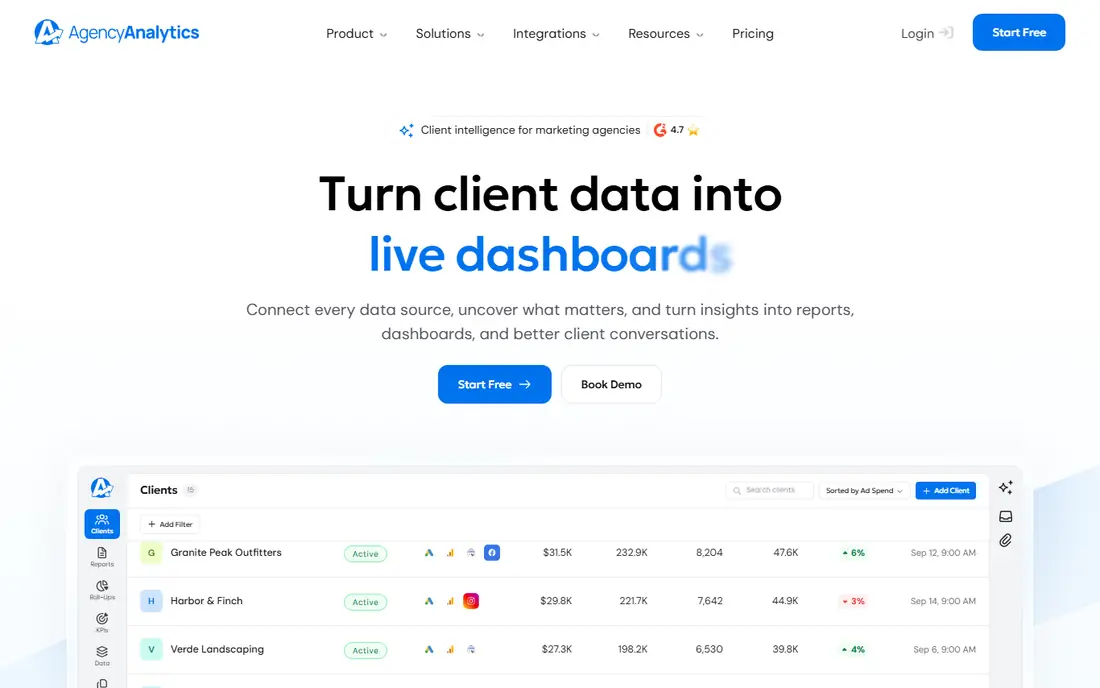
AgencyAnalytics is built for agencies that report to many clients. Each client gets a dashboard with SEO, PPC, social and web metrics, and agencies can white-label the portal with their own branding. Automated reports and rank tracking reduce the manual work that eats agency time each month.
Per-client pricing is the key cost to model. At $20 per client per month on annual billing, a roster of twenty clients costs far more than a flat dashboard tool. That price makes sense when clients value a branded portal and regular reports. For a small agency with few clients, DashThis or Databox may be cheaper.
- Client dashboards and white labeling
- SEO and rank tracking built in
- Automated reports
- Per-client pricing adds up
- No free plan
- Setup for many clients takes time
DashThis focuses on speed. Agencies can build a client dashboard from templates, connect common marketing sources, and send a clean report without heavy setup. The interface is simpler than a full BI tool, which helps small agencies that need to produce reports quickly each month.
Custom data work is thinner than in Klipfolio or Supermetrics. If you need complex joins or custom metrics, DashThis may feel limited. For agencies that want clear, repeatable client reports with minimal setup, DashThis is a practical and fairly priced choice.
- Fast dashboard setup
- Clean client-ready reports
- Simple source counting
- Less deep for custom data modeling
- No free plan
- Higher tiers needed for more dashboards
Klipfolio suits teams that want one trusted definition for each marketing metric. Define cost per lead or return on ad spend once, then reuse it across dashboards and clients. That consistency matters as a team grows and different people build reports. Integrations cover common ad, analytics and CRM sources.
The builder is more hands-on than Databox or DashThis templates, so expect a longer setup. Pricing is plan-based and should be confirmed for your dashboard and user count. If your team values metric consistency over instant templates, Klipfolio is worth the extra setup effort.
- Central metric definitions
- Flexible dashboards
- Many marketing integrations
- Setup takes time
- Pricing varies
- Less template-first than agency tools
Geckoboard is the display tool in this list. A marketing team can put live spend, leads, traffic and sales numbers on a screen where everyone sees them during the day. Widgets are simple to set up, and snapshots can be shared with remote staff by email or chat. That visibility helps teams react to a campaign change quickly.
It is less suited to detailed client reporting or deep analysis. Agencies that need branded portals should look at AgencyAnalytics or DashThis. In-house teams that want a shared, always-on marketing view will find Geckoboard simple and effective.
- Clear live displays
- Simple widgets
- Snapshots and alerts for remote teams
- No free plan
- Less depth for client reporting
- Dashboard limits on lower tiers
Whatagraph is built for agencies that produce many reports each month across many channels. It pulls data from ad, social, analytics and SEO sources into branded reports, with automation that reduces manual assembly. White labeling and client access help larger agencies present a professional reporting product.
Small agencies may find the entry cost high compared with DashThis or AgencyAnalytics. Pricing depends on volume and plan, so get a quote based on your actual client count. For a growing agency where reporting volume is the bottleneck, Whatagraph scales better than simpler tools.
- High-volume agency reporting
- White labeling
- Automated multi-channel reports
- Higher entry cost for small agencies
- No free plan
- Pricing varies by volume
Supermetrics is different from the other tools here, because it is a data pipeline rather than a dashboard. It pulls marketing data from ad platforms, social networks and analytics tools into Google Sheets, Looker Studio, Excel or a BI platform, where you build the dashboard yourself. That suits teams that already have a reporting tool and need reliable data feeds.
If you want a ready dashboard, Supermetrics alone will not give it to you. You still need Looker Studio, Power BI or a similar tool to display the data. For teams with an existing BI setup and messy marketing data, Supermetrics is a strong foundation. For teams starting from scratch, Databox or DashThis is simpler.
- Moves marketing data into Sheets, Looker Studio and BI tools
- Many ad and social connectors
- Scheduled refreshes
- Not a dashboard by itself
- Needs a reporting tool on top
- Pricing depends on sources
How we picked these
We compared official pricing pages, connector lists and feature documentation for marketing dashboard tools in October 2026, focusing on products agencies and in-house teams can buy and run today. We favored clear pricing, marketing connectors, client reporting or goal tracking, and a mix of free, low-cost and agency-scale options. We did not test these tools hands-on, and prices can change, so confirm the current plan on the vendor site before you buy.
How to choose a marketing dashboard without overpaying
Start with who reads the dashboard. An in-house team needs goals and alerts. An agency client needs a clean, branded report they can understand without a walkthrough. Those are different products, and picking the wrong one leads to either a confusing client report or a team board nobody checks.
Next, model the real bill. Count clients, data sources and dashboards, because vendors count those units differently. A flat tool can be cheaper for a team, while a per-client tool can be cheaper for an agency with few clients but expensive as the roster grows. Trial with real accounts for two reporting cycles, and keep the tool only if it saves measurable reporting time. A dashboard that looks good but still needs manual exports has not solved the problem.
FAQ
What is the best marketing dashboard software for agencies?
AgencyAnalytics and DashThis are strong agency picks because they focus on client dashboards and automated reports. AgencyAnalytics adds SEO and rank tracking, while DashThis offers faster setup at a lower entry price. Whatagraph suits larger agencies with high reporting volume.
Is there free marketing dashboard software?
Yes. Looker Studio is free for core reporting, and Databox offers a free plan for basic dashboards. Free options work well for small teams or single-client reporting, but agencies with many clients usually need a paid plan for portals, white labeling and higher source limits.
What metrics should a marketing dashboard include?
A useful marketing dashboard usually includes traffic, ad spend, cost per lead, leads, conversion rate and revenue or pipeline where available. Keep the board focused on numbers tied to goals, and add channel detail only when a core number moves and you need to find the cause.
Can marketing dashboards connect to Google Ads and Facebook Ads?
Yes, most tools here connect to Google Ads, Facebook Ads, Google Analytics and common CRM and e-commerce tools, though connector availability varies by plan. Check the connector list for your exact ad platforms before you buy, and confirm refresh frequency.
How often should marketing dashboards update?
Daily or hourly updates suit active campaigns, while weekly updates suit client reporting and strategic reviews. Live displays from Geckoboard or Databox help during campaign launches, but a weekly report is often enough for clients. Match update frequency to how fast you can act on the numbers.