Best Investing Apps in 2026: 8 Apps Compared
Compare the best investing apps for 2026, from Fidelity, Schwab, and Robinhood to Webull, SoFi, and eToro, with fees, features, and trade-offs for beginners.

- Editor's choice
 Fidelity Investments
All-round investing and retirement
Starts atFreeVisit fidelity.comFull review - Great alternative
 Charles Schwab
Research and retirement planning
Starts atFreeVisit schwab.comFull review - Also consider
 Robinhood
Beginner-friendly mobile investing
Starts atFreeVisit robinhood.comFull review
TL;DR:
- This is not financial advice; investing carries risk, and you can lose money, so only invest funds you can afford to leave invested.
- Fidelity and Charles Schwab offer the broadest range of accounts, research, and investment types for long-term investors.
- Robinhood and SoFi are the easiest starting points for beginners, while Webull and Interactive Brokers suit more active or global traders.
- Most apps on this list charge no commission for US stocks and ETFs, but options, margin, and other fees still vary, so check the fee schedule.
Quick comparison
| Tool | Best for | Starts at | Free plan? | |
|---|---|---|---|---|
| Fidelity Investments | All-round investing and retirement | Free | Yes | Visit |
| Charles Schwab | Research and retirement planning | Free | Yes | Visit |
| Robinhood | Beginner-friendly mobile investing | Free | Yes | Visit |
 Webull | Active traders and charting | Free | Yes | Visit |
 SoFi Invest | Simple low-cost investing | Free | Yes | Visit |
 Interactive Brokers | Global and professional trading | Free | Yes | Visit |
 eToro | Social and copy-style investing | Free | Yes | Visit |
 Moomoo | Options and data-rich trading | Free | Yes | Visit |
The best investing apps
Investing apps have lowered the cost of buying stocks and ETFs, but they differ in research, account types, and how much guidance they offer. The best app for a long-term retirement saver is not the same as the best app for an active trader, so match the app to your goals before you open an account.

Fidelity is our pick for most investors because it covers the most ground well. You can open taxable, IRA, and other retirement accounts, buy stocks, ETFs, mutual funds, and bonds, and use research from many independent providers. Fractional shares let you start with small amounts, and some Fidelity index funds carry no expense ratio.
The app is less minimal than Robinhood, and new investors may need time to find features. That depth becomes an advantage as your goals grow, since you are less likely to outgrow Fidelity and need to move accounts later.
- No commission on US stocks and ETFs
- Broad research and account types
- Fractional shares from 1 dollar
- App menus can feel deep for true beginners
- Options contracts cost 0.65 dollars each
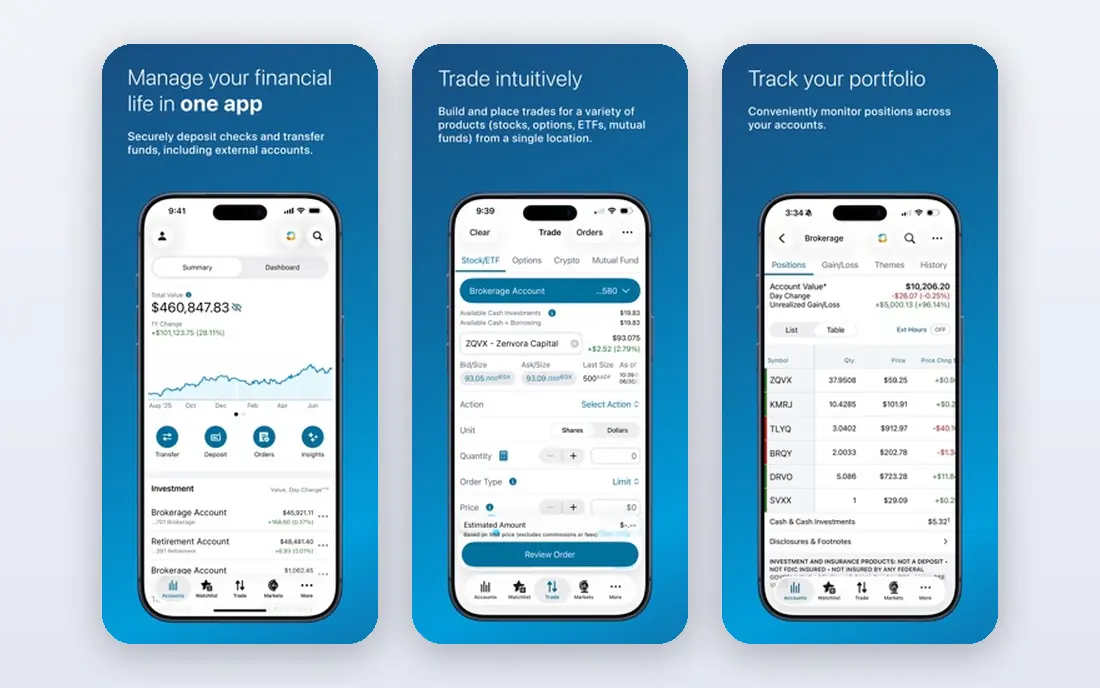
Schwab suits investors who want research and retirement planning in one place, with a professional trading platform available when they need it. The main app handles everyday investing and retirement accounts, while thinkorswim adds advanced charting and options tools for active traders. Banking integration is also useful if you want cash management alongside investing.
The split between the two apps can confuse newcomers, who may not know which one to open. Start with the main Schwab app for long-term investing, and add thinkorswim only when you want deeper charting or options analysis.
- No commission on US stocks and ETFs
- Thinkorswim platform for active traders
- Strong retirement and planning tools
- Main app and thinkorswim can feel like two separate tools
- Options contracts cost 0.65 dollars each

Robinhood remains the easiest app for a first-time investor to understand. The interface strips away jargon, fractional shares let you buy small amounts, and you can move from opening an account to placing a first trade quickly. Gold adds features such as a higher IRA match and margin, but the core investing features work without it.
The limits matter for long-term planning. Robinhood does not offer mutual funds or individual bonds, and its research is thinner than Fidelity or Schwab. It works well for learning and for simple stock and ETF investing, but many investors will want a fuller broker for retirement accounts over time.
- Clean, simple mobile interface
- No commission on stocks, ETFs, and options
- Fractional shares and crypto trading
- No mutual funds or individual bonds
- Research tools are thinner than full brokers
- Gold plan costs 5 dollars per month
Webull is built for traders who want data. Its charts, indicators, screeners, and extended-hours sessions give active investors more to work with than Robinhood, without charging commission on stocks, ETFs, and options. Paper trading lets you practice strategies without risking real money, which is a useful feature for newcomers to active trading.
Beginners may find the interface busy, and the focus on trading can encourage more frequent trades than a long-term plan needs. Use Webull when charting and active trading are your priorities, and keep a separate long-term account if that fits your goals better.
- No commission on stocks, ETFs, and options
- Deep charting and technical indicators
- Extended-hours trading and paper trading
- Steeper learning curve than beginner apps
- No mutual funds
- Customer support is less personal than full brokers
SoFi Invest suits people who want investing to sit alongside other money tools in one app. The self-directed option covers stocks and ETFs with no commission, while the automated option builds and manages a diversified portfolio for you. That combination helps beginners who are unsure whether to pick investments themselves.
Active traders and investors who want bonds, mutual funds, or deep research will find SoFi thinner than Fidelity or Schwab. For a simple start, especially if you already use SoFi for banking or loans, it is a convenient and low-cost choice.
- No commission on stocks and ETFs
- Simple interface for beginners
- Automated investing option alongside self-directed trading
- Research and advanced trading tools are limited
- Investment choice is narrower than full brokers
Interactive Brokers is the pick for investors who trade across countries or need professional-grade tools. It offers access to stocks, options, futures, forex, and bonds in many markets, with advanced order types and reporting that suit experienced traders. Pricing can be very competitive for high-volume or global trading.
That power comes with complexity. The platform assumes you already understand trading terms and order types, and beginners can feel lost. Choose Interactive Brokers when global access or advanced tools are a real need, not just a nice extra.
- Access to many global markets and asset types
- Low margin rates and professional tools
- Strong reporting for active traders
- Interface is complex for beginners
- Pricing tiers and fees need careful reading
eToro is different from the other apps here because social features are central. You can follow other investors, see their portfolios and trades, and copy their strategies, which some beginners find easier than picking investments alone. The app also covers stocks, ETFs, and crypto in one place.
Copy trading needs caution. Following another investor does not remove risk, and their goals, time horizon, and risk tolerance may differ from yours. Treat eToro as a learning and investing tool, not as a shortcut to guaranteed results, and check fees for the assets you trade.
- Social feed and copy trading features
- Stocks, ETFs, and crypto in one app
- Clear interface for following other investors
- Spreads and fees on some assets can be higher than commission-free brokers
- Copy trading carries real risk and past results do not guarantee future results
Moomoo appeals to traders who want a lot of market data in the app. It offers detailed quotes, options chains, screeners, and charting, plus paper trading for practice. For options traders in particular, the data and tools are stronger than those in most beginner apps, while stock and ETF trading remains commission-free in many cases.
New investors may find the sheer amount of data distracting, and not every feature is free. Start with the core trading tools and add data subscriptions only when you know which ones you actually use.
- No commission on stocks and ETFs in many cases
- Rich market data and options tools
- Paper trading and community features
- Interface can overwhelm beginners
- Research depth varies by market
- Some advanced features need paid data or subscriptions
How we picked these
We compared official fee schedules, account types, app store listings, and public reviews for investing apps available to US investors in October 2026. We favored apps with no commission on US stocks and ETFs, clear fee disclosure, a range of account types, and a distinct strength, such as research, simplicity, active trading, or global access. We did not claim hands-on testing, and we did not include apps with unclear fees or limited US availability.
How to choose an investing app
Start with your goal, not the app with the flashiest interface. A retirement saver needs IRA options, low-cost funds, and planning tools, which points to Fidelity or Schwab. A beginner who wants to learn with small amounts may prefer Robinhood or SoFi. An active trader needs charting, options tools, and extended hours, which points to Webull, Moomoo, or Interactive Brokers.
Next, read the fee schedule for the trades you will actually make. Commission-free stock trades are now common, but options fees, margin interest, foreign exchange spreads, and account transfer fees still vary. A small difference on each trade adds up over a year of active trading.
Finally, think about how much guidance you want. Automated investing from SoFi or a robo-advisor can suit people who do not want to pick investments, while self-directed apps suit those who enjoy research. Remember that this article is for education only. This is not financial advice; investing carries risk, and speaking with a qualified financial adviser can help when your situation is complex.
FAQ
What is the best investing app for beginners?
Robinhood and SoFi Invest are the easiest starting points, thanks to simple interfaces and fractional shares. Fidelity is also a strong beginner choice if you want more research and retirement options from the start.
Are investing apps free?
Most apps on this list charge no commission for US stocks and ETFs, and opening an account is free. You may still pay options contract fees, margin interest, spreads on some assets, or fund expense ratios, so check the fee schedule.
Can I lose money with an investing app?
Yes. Stock, ETF, and crypto prices can fall, and options trading can lose money faster. Only invest money you can afford to leave invested, diversify where you can, and avoid borrowing to invest unless you fully understand the risk.
Which app is best for retirement accounts?
Fidelity and Charles Schwab offer the broadest retirement account options, including traditional and Roth IRAs, plus planning tools. Robinhood also offers IRAs with a match, but the higher match requires a paid Gold plan.
Is copy trading on eToro safe?
Copy trading is not safe in the sense of guaranteed results. You still bear the risk of the trades you copy, and the investor you follow may change strategy or take risks you would not take. Only copy with money you can afford to lose, and review the strategy regularly.
Do I need a lot of money to start investing?
No. Fractional shares on Fidelity, Robinhood, and other apps let you start with as little as 1 dollar for many stocks and ETFs. Starting small and investing regularly is often more useful than waiting until you have a large sum.