8 Best Instagram Marketing Tools
Compare the best instagram marketing tools for scheduling, analytics, design and DM automation. We cover eight tools for creators, brands and agencies.

- Editor's choice
 Later
Visual Instagram planning
Starts at$25 per monthVisit later.comFull review - Great alternative
 Buffer
Simple low-cost scheduling
Starts atSee websiteVisit buffer.comFull review - Also consider
 Hootsuite
All-in-one team management
Starts at$99 per monthVisit hootsuite.comFull review
TL;DR:
- Later and Buffer suit creators and small brands that need visual planning and simple scheduling at a fair price.
- Hootsuite and Sprout Social suit larger teams and agencies that need inbox, listening, approvals and reporting.
- Metricool and Agorapulse suit teams that want analytics and inbox work in one subscription.
- Canva and Manychat cover the creative and automation sides, with design templates and comment-to-DM flows.
- Avoid bots and fake engagement, because they risk account penalties and damage trust with real followers.
Quick comparison
| Tool | Best for | Starts at | Free plan? | |
|---|---|---|---|---|
| Later | Visual Instagram planning | $25 per month | Yes | Visit |
| Buffer | Simple low-cost scheduling | See website | Yes | Visit |
| Hootsuite | All-in-one team management | $99 per month | Free trial (30 days) | Visit |
 Sprout Social | Analytics-driven teams | $199 per month | Free trial (30 days) | Visit |
 Metricool | Analytics and multi-brand work | See website | Yes | Visit |
 Canva | Design for Reels and posts | Free | Yes | Visit |
 Manychat | Comment and DM automation | See website | Yes | Visit |
 Agorapulse | Inbox-first engagement | See website | Yes | Visit |
The best Instagram marketing tools
Instagram marketing now covers planning, design, scheduling, engagement, analytics and automation. No single tool does all of it best for every team. We compared tools on Instagram scheduling, visual planning, inbox handling, analytics, design and price, with a focus on creators, small brands and agencies.

Later is built around the Instagram grid. You can drag posts into a visual calendar, preview how the feed will look, and schedule Reels, carousels and Stories with captions and hashtags. That visual approach suits brands where the feed itself is a storefront. The trade-off is engagement depth. Later is stronger for planning and publishing than for inbox management or listening. For creators and visual brands that live on Instagram and TikTok, Later is a natural first choice.
- Visual planner and grid preview
- Best time to post and hashtag suggestions
- Link in bio tool
- Engagement tools are thinner than Hootsuite or Agorapulse
- AI credits vary by plan
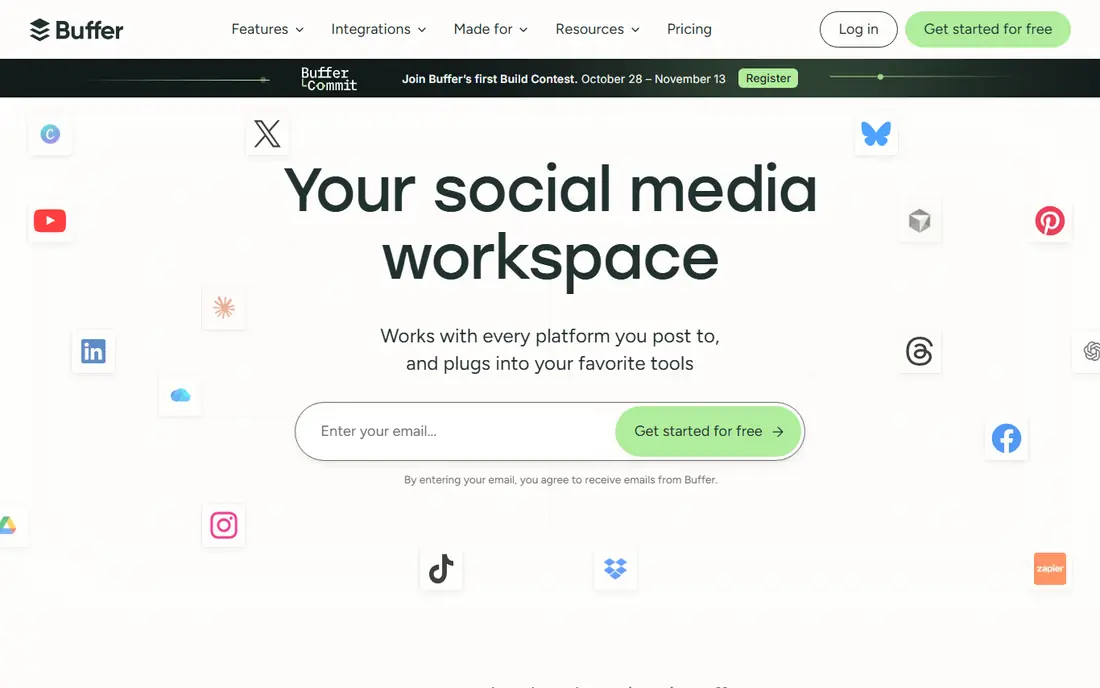
Buffer suits solo creators and small teams that want reliable scheduling without a complex suite. Posts can be queued, scheduled for best times, and reviewed in a clean calendar, with AI help for captions and ideas. The free plan covers a small set of channels, which is enough to test the workflow. Buffer is less suited to teams that need deep listening, competitor benchmarking or a large shared inbox. For a lean team that mainly needs to plan and publish consistently, Buffer offers strong value and a short learning curve.
- Simple scheduling across networks
- AI caption help
- Analytics and link in bio included
- Listening and deep inbox features are limited
- Per-channel pricing needs checking for many accounts

Hootsuite is the veteran all-in-one option for teams and agencies. Scheduling, a unified inbox, listening, competitor benchmarking and reporting sit in one platform, with approvals for larger teams. AI tools can draft captions, repurpose top posts and suggest best times, based on account data. The cost is the main barrier. Per-user pricing means a team of five pays five times the headline price, so small creators should compare Buffer or Later first. Hootsuite fits mid-market and enterprise teams that want one system for everything and can justify the price.
- Scheduling, inbox, listening and analytics in one place
- Approvals and team controls
- AI writing help
- Per-user pricing adds up quickly
- No free tier, only a trial
Sprout Social suits teams that need defensible analytics and clear reporting for clients or leadership. Publishing, inbox and reporting are strong, and listening can be added for brand and competitor tracking. Approval workflows help agencies and larger brands keep posts on message. The entry price is high for a small creator, and the full cost depends on seats and add-ons. Sprout is best when reporting quality, team control and client-ready dashboards justify a premium, rather than when simple scheduling is the only need.
- Strong reporting and analytics
- Unified inbox and listening add-on
- Approvals and team workflows
- High entry price
- Listening is an add-on on some plans, so price the full setup
Metricool appeals to freelancers and small agencies that manage several brands. The planner, analytics, competitor views and reports sit together, so a manager can schedule posts and show results without switching tools. The free plan covers one brand, which helps a new user test the workflow. It is not a design studio, so most teams will still use Canva for creative work. Metricool is best when analytics and multi-brand reporting matter as much as scheduling, and when a team wants one subscription for both.
- Planner, analytics and competitor analysis in one subscription
- Multi-brand workspaces
- Reports for clients
- Design tools are lighter than Canva
- Inbox features vary by plan
Canva covers the creative side of Instagram marketing. Templates for carousels, Reels covers, Stories and ads speed up production, and the brand kit keeps colours, fonts and logos consistent. The video editor helps small teams cut short-form video without a separate editing app. Canva is not a full scheduler or analytics tool, so most teams pair it with Later, Buffer or Metricool. For creators who need fast, on-brand visuals every week, Canva is a practical, low-cost part of the stack.
- Templates for carousels, Reels covers and Stories
- Brand kit on paid plans
- Video editor included
- Scheduling is not its main strength
- Template-heavy work can look generic without customisation
Manychat helps creators turn comments and DMs into leads without answering every message by hand. A comment keyword can trigger a DM with a link, a guide or a signup step, and broadcasts can reach opted-in contacts. Because it uses official Meta API routes, it is safer than unofficial bot tools when set up correctly. Automation still needs restraint. Overly frequent or generic replies can annoy followers and harm trust. Manychat works best for a clear offer, such as a free guide or a product link, with a human follow-up for real questions.
- Comment-to-DM and keyword replies
- Lead capture and broadcasts
- Official Meta API use for automation
- Automation needs careful setup to avoid spammy replies
- Paid plans scale with contacts
Agorapulse suits teams that spend most of their day answering comments and DMs. The unified inbox brings Instagram comments, DMs and mentions together, with assignment and saved replies for common questions. Scheduling and reporting cover the publishing side, so a team does not need a second tool for basic planning. Visual-first brands may still prefer Later for grid planning. Agorapulse is best when engagement, response time and inbox organisation are the main Instagram jobs, especially for brands with high comment volume.
- Unified social inbox
- Scheduling and reporting
- Social listening on higher plans
- Pricing varies by plan and user count
- Visual planning is less central than Later
How we picked these
We looked for Instagram marketing tools that are still available in October 2026, that support Instagram scheduling or engagement through official routes, and that cover planning, analytics, design or automation. We checked vendor pricing pages and recent comparisons for current plans, and we used See website where pricing varied by seats or was not clearly published. We did not claim hands-on testing, and we left out bot tools that promise fake followers or engagement, because those practices risk account penalties and break trust.
Building an Instagram system that lasts
A tool will not fix a weak content plan. The system matters more than any single app, and a simple routine beats a complex stack that nobody maintains.
Plan in batches, publish consistently
Plan a week or a month of posts in one session, using Later or Buffer for the calendar and Canva for visuals. Keep a mix of Reels, carousels and Stories, and reuse strong posts in new formats rather than starting from scratch every day. Consistency helps the algorithm and the audience more than occasional bursts.
Answer and learn from the inbox
Set a daily inbox routine in Agorapulse, Hootsuite or Sprout Social. Reply to real questions, save common answers, and note which posts drive comments, saves and shares. Use Metricool or Sprout reports to check what actually worked, then plan more of that content next month.
Automate with care
Use Manychat for a clear, opted-in flow, such as a comment keyword that sends a guide link. Avoid auto-replies that feel spammy, and always offer a human path for questions. Automation should save time for real conversations, not replace them.
FAQ
What are the best tools for instagram marketing?
Later and Buffer suit visual planning and simple scheduling, Hootsuite and Sprout Social suit larger teams, and Metricool and Agorapulse suit analytics and inbox work. Canva covers design, and Manychat covers comment and DM automation. The best apps for instagram marketing depend on team size, budget and whether planning, inbox or reporting matters most.
Is there a free Instagram marketing tool?
Yes. Buffer, Later, Metricool, Canva, Manychat and Agorapulse offer free plans or free tiers, while Hootsuite and Sprout Social offer trials. Free plans usually limit accounts, scheduled posts, users or reports. Start free, test with real posts, and upgrade when limits slow your publishing.
Can Instagram marketing tools post Reels automatically?
Many tools support auto-publishing for Reels, feed posts and carousels through official Instagram routes, but limits vary by tool, account type and content format. Check the current tool page for Reels support, and test with a draft post before relying on auto-publishing for a campaign.
Are Instagram growth bots safe to use?
No, bots that promise fake followers, likes or comments risk account restrictions and damage trust. Safer growth comes from consistent posting, real engagement, comment-to-DM flows through official tools such as Manychat, and content that earns saves and shares. Avoid any tool that asks for your password outside official login routes.
Which tool is best for a small Instagram brand?
Later or Buffer is a good start for a small brand, with Canva for design. Add Metricool if you need stronger analytics, or Manychat if comment-to-DM automation fits your offer. Move to Hootsuite or Sprout Social only when team size, inbox volume or reporting needs justify the higher price.