Best HR Software in 2026: 8 Systems Compared
Compare the best HR software for small and midsize teams in 2026, with pricing, payroll, hiring and time off features to help you pick the right system.

- Editor's choice
 BambooHR
Growing teams that want simple, clear HR records
Starts at$10 per employee per monthVisit bamboohr.comFull review - Great alternative
 Gusto
Small US businesses that want payroll first
Starts at$49 per month plus $6 per personVisit gusto.comFull review - Also consider
 Rippling
Companies that want HR, IT and finance together
Starts at$8 per user per month plus $40 base feeVisit rippling.comFull review
TL;DR:
- BambooHR is our pick for growing teams that want clear records, hiring and time off in one place without a steep learning curve.
- Gusto suits small US businesses that want payroll and basic HR handled together, with published pricing that is easy to budget for.
- Rippling is the strongest choice when one team also needs IT access and device controls tied to the same employee record.
- Quote-only pricing is common in this market, so always get a total price that includes payroll, benefits and any add-ons before you sign.
Quick comparison
| Tool | Best for | Starts at | Free plan? | |
|---|---|---|---|---|
| BambooHR | Growing teams that want simple, clear HR records | $10 per employee per month | Free trial | Visit |
| Gusto | Small US businesses that want payroll first | $49 per month plus $6 per person | Free trial | Visit |
| Rippling | Companies that want HR, IT and finance together | $8 per user per month plus $40 base fee | No | Visit |
 Deel | Hiring employees and contractors abroad | See website | No | Visit |
 Zoho People | Small teams on a tight budget | See website | Free trial | Visit |
 Paycor | Larger teams that need full HCM depth | See website | No | Visit |
 ADP RUN | Small businesses that want an established payroll provider | See website | No | Visit |
 Namely | Midsize companies outgrowing basic HR tools | See website | No | Visit |
The best HR software
We compared official feature pages, pricing pages, payroll coverage and the everyday tasks a small HR team actually does. The systems below cover core HR, hiring, time off, benefits and payroll in different combinations, so the right pick depends on team size, location and how much admin you want to hand over.
BambooHR earns the top spot for teams that are moving past spreadsheets and want one trusted record for each person. Core covers HR data, reporting, hiring, onboarding, time off and benefits tracking, which handles most of the daily work for a growing company. The interface is plain and readable, so managers can find a start date, a time off balance or a document without a training session.
The catch is the add-on model. Payroll, benefits administration, time tracking and global employment sit outside the base plan, so the headline price is not the full bill for many buyers. Small teams with 25 or fewer people pay a flat rate starting at $250 per month, which can look steep if you have only a handful of staff. Get a quote that lists every add-on you need, then compare that total with a payroll-first system.
- Clear employee records and reporting
- Hiring and onboarding included in Core
- Time off and benefits tracking in one place
- Payroll and benefits administration are separate add-ons
- Flat $250 monthly charge can feel high for very small teams
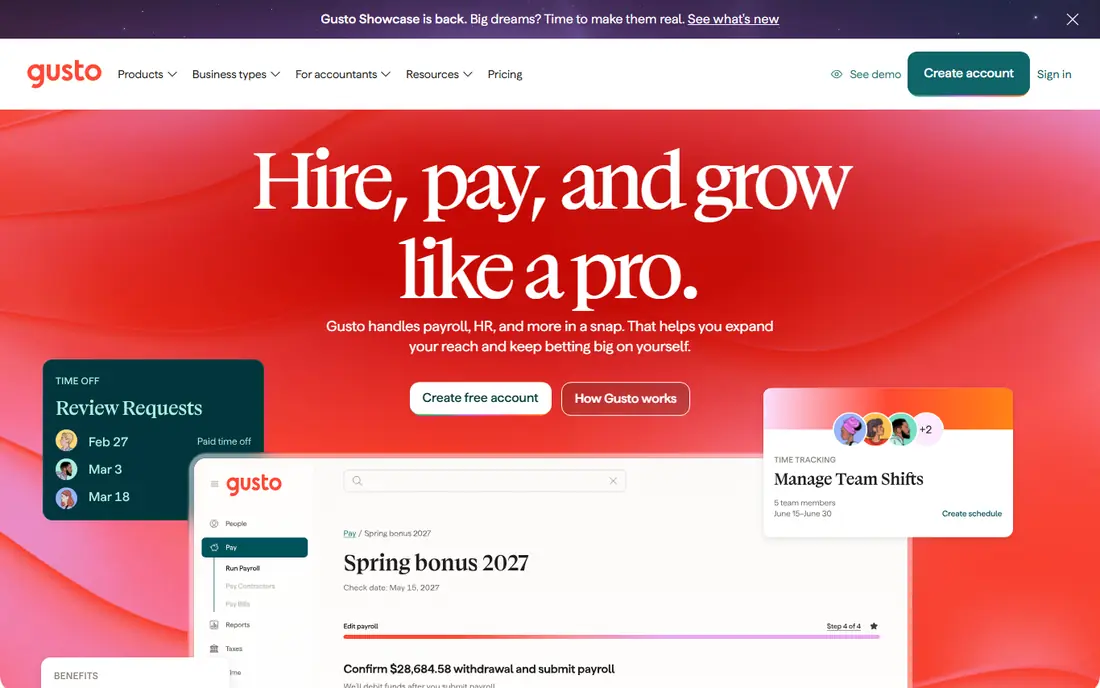
Gusto is built around payroll, and that focus shows in how simple the monthly run feels. Simple covers single-state payroll, automatic tax filing, direct deposit, basic paid time off tracking and employee self-service. Staff can view pay stubs, update bank details and complete new hire paperwork without emailing HR for every change. Accounting links to tools such as QuickBooks and Xero keep the books in step with payroll.
The limits matter as you grow. Multi-state payroll, next-day pay and time tracking sit in Plus, while certified HR experts and a dedicated advisor sit in Premium. A single-state team on Simple gets strong value, but a team spreading across states should price Plus from the start. Check state registration timing too, since that step can take weeks in a new state.
- Published pricing that is easy to compare
- Full-service payroll with tax filing
- Clean employee self-service tools
- Multi-state payroll requires the Plus plan or higher
- Deeper HR advice is concentrated in the Premium plan
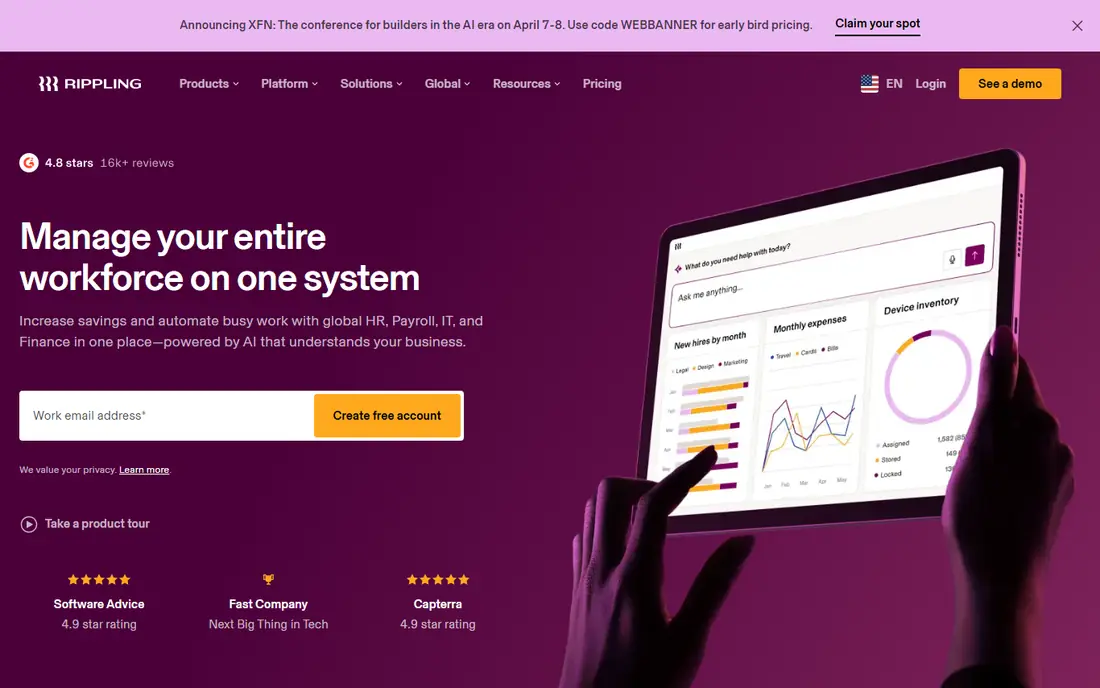
Rippling stands out when hiring touches more than HR. One record can trigger payroll setup, benefits enrollment, app access and device shipping, which cuts the copy-and-paste work that creeps in when tools are separate. Workflow tools let a team set rules for approvals, training and compliance checks, and the platform covers payroll, benefits, time and spend in separate modules. For a fast-growing remote team, that joined-up record is a real time saver.
The trade-off is price clarity and setup effort. The platform starts at $8 per user per month plus a $40 monthly base fee, and each product is priced on top of that base. A company that adds payroll, benefits and IT can end up well above the starting figure, so ask for an all-in quote for your exact module list. Teams that only need basic HR and payroll may find a simpler system faster to run.
- One employee record drives HR, IT and finance tasks
- Strong automation and workflows
- Global payroll and employer of record options
- Modular pricing can climb fast as you add products
- Setup takes longer than a payroll-only tool
Deel is the pick when your team crosses borders. It handles global payroll, contractor payments and employer of record hiring, so a US company can hire abroad without setting up a local entity in each country. Contracts, compliance documents and payments sit in one dashboard, which helps a small operations team keep track of people in different time zones and tax systems. That breadth is hard to match with a US-only payroll tool.
The downside is that Deel is built for international complexity, and its pricing reflects that. Many services are quoted rather than published, so budgeting takes a sales conversation and a careful read of what each country fee covers. A team with no international staff will find simpler and cheaper options here. If global hiring is on the roadmap, though, Deel removes a large amount of legal and payroll friction.
- Wide global payroll and contractor coverage
- Compliant hiring in many countries
- One dashboard for an international team
- Pricing is quote-based for many services
- Domestic-only teams pay for global depth they may not use
Zoho People suits a small team that wants core HR without a large monthly bill. It covers employee records, time off, attendance and basic performance tracking, and it fits naturally if a company already uses Zoho for email, CRM or accounting. Setup is straightforward, and the learning curve is short for managers who only need to approve leave and check records. For a team of ten or twenty people, that coverage is often enough.
The limits show up when payroll becomes central. Zoho People is not a full US payroll specialist in the way Gusto or ADP RUN are, so companies that want tax filing and direct deposit handled in the same system should check the current payroll options for their country before committing. Larger teams may also outgrow its reporting and performance tools. Price it against the payroll tool you would still need alongside it.
- Low-cost HR basics with time off and attendance
- Works well with other Zoho apps
- Simple setup for small teams
- Payroll is limited compared with US payroll specialists
- Advanced features can feel basic for larger companies
Paycor is aimed at companies that have moved past basic HR and need recruiting, onboarding, payroll, time, benefits and reporting in one HCM system. Its industry tools and reporting suit organisations with shift workers, multiple locations or more complex scheduling needs. Managers get a fuller picture of labour cost, attendance and hiring, and HR gets fewer separate systems to reconcile at month end. That depth is the reason larger midsize firms shortlist it.
The cost of that depth is complexity and opaque pricing. Paycor is quote-based, so you cannot compare a headline price with Gusto or BambooHR without a sales conversation. Implementation also takes more planning than a small-team tool, especially if you are migrating history and time rules. Small teams with simple needs should weigh that effort against a lighter system, while larger teams will value the extra structure.
- Broad HCM coverage from recruiting to payroll
- Industry-specific tools
- Strong reporting for larger workforces
- Quote-only pricing makes early budgeting harder
- Breadth can feel heavy for a very small team
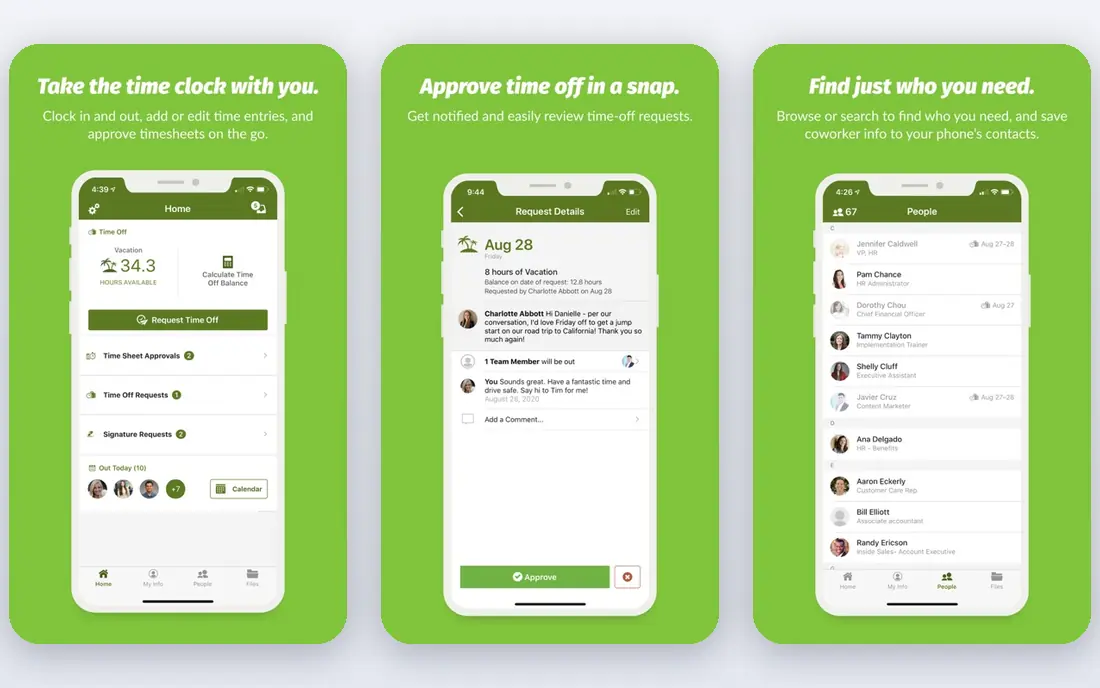
ADP RUN is the small-business package from one of the largest payroll providers in the US, and that scale brings compliance depth. It covers payroll, tax filing and HR basics, with higher packages adding HR help desk support, labour law resources and more complete HR services. Companies that expect steady growth, or that want a provider with long experience handling payroll edge cases, often feel safer with ADP than with a newer startup. Support and compliance documentation are particular strengths.
Pricing is the main drawback for comparison shoppers. ADP RUN is priced by quote, so you need a package breakdown to see what is included at each level and what costs extra. A team that wants a published monthly figure may prefer Gusto or BambooHR for that reason alone. Still, if you value an established provider and plan to grow well past 50 staff, ADP has a clear upgrade path to its larger products.
- Deep payroll compliance resources
- Packages scale from 1 to 49 employees
- HR help desk support on higher packages
- Quote-only pricing
- Some HR features sit in higher packages
Namely fits the gap between a small-team payroll tool and an enterprise HCM system. It brings HR records, payroll, benefits, time and performance together for midsize companies that have outgrown a patchwork of spreadsheets and separate apps. Workflows and reporting can be shaped around how a company actually approves leave, runs reviews and tracks headcount, which helps HR teams that are adding staff and managers each quarter. The product feels designed for that middle stage of growth.
The catch is fit and price transparency. Namely is quote-based, and its setup and cost suit a midsize budget better than a five-person startup. Very small teams will find faster and cheaper starts elsewhere in this list. For a company with dozens of staff, complex benefits or multiple teams, though, Namely offers a coherent step up without jumping straight to enterprise software.
- Joined-up HR, payroll, benefits and time in one system
- Built for midsize teams
- Configurable workflows and reporting
- Quote-only pricing
- Less suited to very small teams that need a quick, low-cost start
How we picked these
We compared official pricing pages, feature lists, payroll coverage, global hiring options and app store listings, and we read public user reviews for recurring complaints about setup, support and hidden costs. We kept only products that are live in October 2026, that clearly fit HR use, and that serve US small or midsize teams or global teams hiring from the US. We favoured systems with published starting prices where possible, and we marked quote-only products as such rather than guessing a figure.
What to check before you buy HR software
Start with the tasks you do every week, not the feature list. List payroll runs, new hires, leave approvals, benefits changes and reports, then check each shortlisted system against that list. A tool that looks strong on paper can still slow you down if payroll, time tracking or benefits sit in a separate add-on with a separate login. Ask for a demo using your own example, such as a new hire in a second state, and watch how many steps it takes.
Payroll and compliance first
Payroll errors cost trust, so treat tax filing, direct deposit timing, multi-state support and year-end forms as core requirements, not extras. Confirm which states are covered, whether local taxes are filed, and who handles corrections if a filing is wrong. For global teams, confirm employer of record coverage country by country, since a headline country count does not guarantee coverage where you plan to hire.
Total cost, not headline cost
Add the base fee, per-person fee, payroll add-on, benefits add-on, time tracking and any implementation fee, then divide by headcount for a fair comparison. Check contract length, renewal terms and what happens to your data if you leave. A low starting price can still be expensive once the modules you actually need are added, and a higher all-in price can be cheaper than three separate tools.
Adoption and support
The best system is the one managers and staff will actually use. Test the employee self-service view, the mobile app and the approval flow for leave and expenses. Ask about onboarding help, migration support and response times for payroll questions, since a payroll problem on payday needs a fast answer. Run a small pilot with one team before rolling the system out company-wide.
FAQ
What is the best HR software for a small business?
Gusto and BambooHR are strong starting points for small US teams, with Gusto leading on payroll and BambooHR leading on clean HR records. Rippling suits teams that also need IT controls, while Deel suits teams hiring abroad. Pick based on whether payroll, HR records or global hiring is your main pain point.
How much does HR software cost per month?
Costs vary widely, from published starting prices such as $10 per employee per month at BambooHR to quote-only enterprise pricing. Always add base fees, per-person fees and add-ons for payroll and benefits to get a true monthly total. Ask each vendor for a written quote for your headcount and module list.
Does HR software include payroll?
Some systems include payroll, while others sell it as an add-on or leave it to a separate tool. Gusto and ADP RUN are payroll-first, BambooHR and Zoho People treat payroll differently by plan and country, and Rippling and Paycor sell payroll as a module. Confirm payroll, tax filing and direct deposit coverage before you buy.
Can HR software handle remote and global teams?
Yes, but coverage varies by country and by product. Deel and Rippling offer the widest global payroll and employer of record options in this list, while US-focused tools may only cover domestic staff. Check each country you hire in, plus contractor payment rules, before you commit.
Is a free trial enough to judge HR software?
A trial helps you judge the interface and basic workflows, but it rarely covers a full payroll run or a benefits enrollment cycle. Use the trial for records, leave and approvals, then ask for a guided demo of payroll and reporting with your own data. That combination gives a clearer picture than either step alone.