Best Crypto App in 2026: 9 Apps Compared
Compare the best crypto app options for buying, trading, and holding crypto in the US, with fees, security, coins, and honest risks for each of the nine picks.

- Editor's choice
 Coinbase
Beginners who want a simple US app
Starts atFreeVisit coinbase.comFull review - Great alternative
 Kraken
Active traders who value security
Starts atFreeVisit kraken.comFull review - Also consider
 Binance.US
Low-fee spot trading in the US
Starts atFreeVisit binance.usFull review
TL;DR:
- Coinbase is the easiest start for US beginners, with a simple app and a lower-cost Advanced Trade mode.
- Kraken and Binance.US suit active traders who want lower fees and more order types.
- Gemini suits security-focused users who value regulation and custody practices.
- Crypto.com and Uphold suit users who want many coins, rewards, or multi-asset trading in one app.
- This is not financial advice, and trading carries risk, so only use money you can afford to lose.
Quick comparison
| Tool | Best for | Starts at | Free plan? | |
|---|---|---|---|---|
| Coinbase | Beginners who want a simple US app | Free | Yes | Visit |
| Kraken | Active traders who value security | Free | Yes | Visit |
| Binance.US | Low-fee spot trading in the US | Free | Yes | Visit |
 Gemini | Security-focused and regulated trading | Free | Yes | Visit |
 Crypto.com | Many coins, rewards, and mobile features | Free | Yes | Visit |
 Robinhood | Stocks, ETFs, and crypto in one app | Free | Yes | Visit |
 Fidelity Crypto | Existing Fidelity customers | Free | Yes | Visit |
 Uphold | Trading across crypto, metals, and currencies | Free | Yes | Visit |
 eToro | Social trading and learning from others | Free | Yes | Visit |
The best crypto app
We compared US availability, fees, coin choice, security practices, and ease of use across crypto apps available in October 2026. This is not financial advice, and crypto trading carries risk, including loss of value and account restrictions. Check availability in your state before you sign up, since some apps limit features by location.
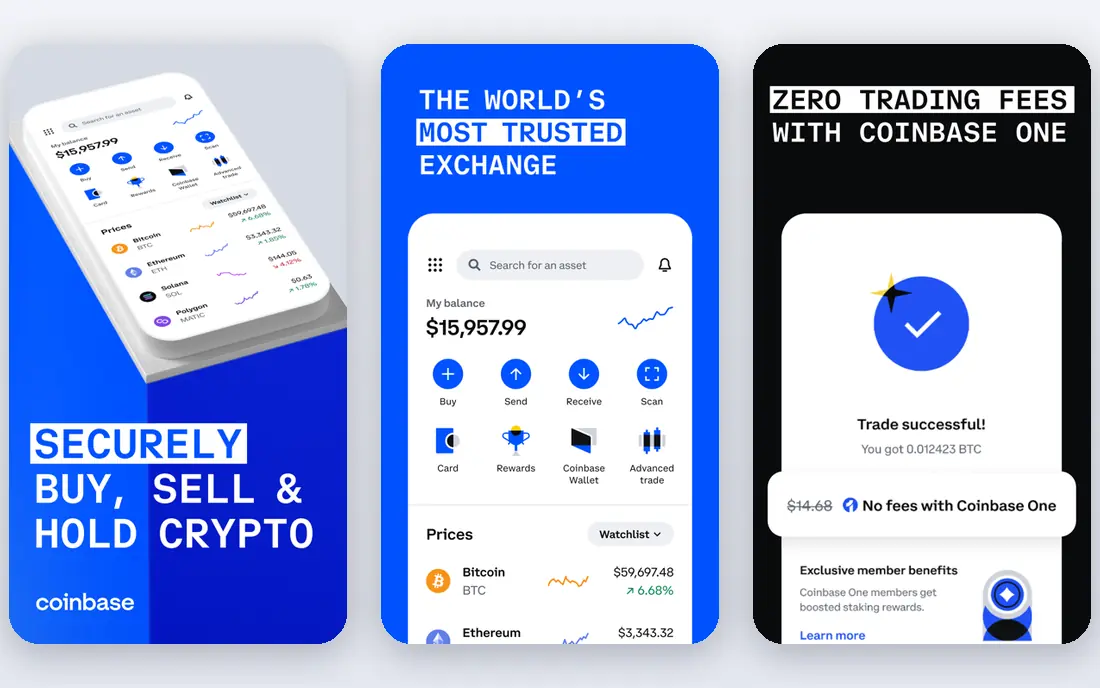
Coinbase is the most familiar crypto app in the United States, and its simple buy flow is why beginners start here. You can buy, sell, and hold major coins in a few taps, set recurring buys, and learn through short educational content. For users who want to trade more cheaply, Advanced Trade offers lower maker and taker fees than the simple buy screen.
The catch is cost on that simple screen, where spreads and fees add up fast. Support quality also varies during market surges, when wait times grow. We recommend Coinbase for new users who value a regulated US brand and a clear app, with a switch to Advanced Trade once you feel comfortable placing limit orders.
- Easy onboarding and mobile app
- Large US coin selection
- Advanced Trade lowers fees
- Simple buy fees are high
- Support can be slow at peak times
- Some coins are limited

Kraken has a long reputation for security and transparency, which matters when you trust an app with funds. The main app is simple enough for beginners, while Kraken Pro offers advanced charts, order types, and lower fees for active traders. Coin coverage is broad, and fiat funding options include bank transfer and other common methods.
Simple instant buys cost more than Pro trades, so beginners who stay on the easy screen will pay extra. The split between the main app and Pro can also confuse new users at first. For a best crypto platform that balances security, fees, and depth, Kraken is a strong pick for traders who will learn Pro mode.
- Strong security reputation
- Pro trading with lower fees
- Wide coin and fiat support
- Simple buy fees are higher than Pro
- Interface can feel split between app and Pro
- Some states have limits
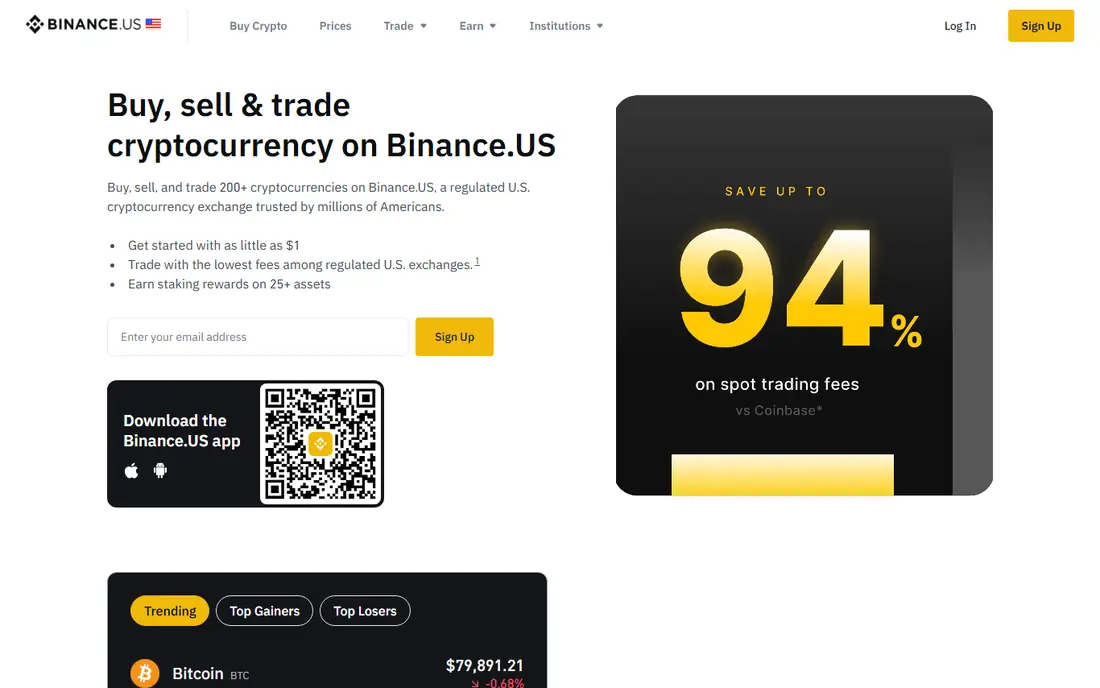
Binance.US offers some of the lowest spot trading fees among US apps, which appeals to frequent traders. Major pairs have good liquidity, and the coin list covers many altcoins beyond Bitcoin and Ethereum. The app and web platform support limit, market, and stop orders for traders who want control.
Availability is the main limit, since Binance.US does not offer full service in every state, and its feature set is smaller than the global Binance platform. Support can also be slow during busy periods. For a best app for crypto trading where fees matter most, Binance.US is worth checking for your state first.
- Low spot trading fees
- Good liquidity on major pairs
- Many altcoins
- Availability varies by state
- Fewer features than global Binance
- Support can be slow
Gemini pitches itself to users who care about regulation, custody, and clear rules. It is a New York-regulated trust company, and it publishes fee and custody details in a straightforward way. That transparency suits long-term holders who want a conservative, US-focused platform rather than the widest coin list.
Coin choice is narrower than Coinbase or Crypto.com, and simple buys carry spreads and fees that exceed advanced trading rates. ActiveTrader lowers fees for users who place orders directly. Gemini is a good best crypto app for readers who rank security and regulation above coin variety.
- Strong regulation and custody focus
- Clear fee schedules
- Good for long-term holders
- Fewer coins than rivals
- Simple buy fees can be high
- Advanced trading needs ActiveTrader
Crypto.com offers one of the widest coin lists among US apps, plus a mobile app, a card program, and rewards options tied to its token in some cases. That breadth suits users who want altcoins, staking, and card spending in one ecosystem, without juggling several apps. The app is also feature-rich for price alerts and recurring buys.
Simple buys in the app cost more than exchange trades, and rewards terms have changed over time, so do not choose Crypto.com for a reward alone. Check current fee tiers and card terms before relying on them. For a best crypto app with breadth and mobile features, Crypto.com is a strong option for active app users.
- Very wide coin list
- App with card and rewards options
- Staking in many regions
- Simple app buy fees can be high
- Rewards terms change often
- Advanced fees vary by tier
Robinhood suits investors who already hold stocks and want to add crypto without a new app. Crypto trades carry no stated commission, though spreads apply, and the app makes buying Bitcoin or Ethereum as simple as buying a stock. That simplicity helps dabblers and long-term holders who do not need advanced orders.
The coin list is smaller than specialist exchanges, and advanced tools such as limit orders and staking vary by coin and state. Spreads also mean the real cost is less visible than a stated fee. Robinhood is a good best platform to buy crypto for users who want one app for stocks and crypto, not for active altcoin traders.
- No commission on crypto trades, with spreads
- Simple app
- Stocks and crypto together
- Spreads can hide real cost
- Coin list is smaller
- Advanced crypto tools are limited
Fidelity Crypto lets Fidelity customers buy Bitcoin, Ethereum, and a small set of other coins inside the familiar Fidelity app. That integration suits long-term investors who already trust Fidelity for retirement and brokerage accounts and who want crypto exposure without a separate exchange account. Trades carry no commission, with a spread applied.
The coin list is very small compared with Coinbase or Kraken, and availability varies by state. There are no advanced trading tools, margin, or wide altcoin access. Fidelity Crypto is best for existing Fidelity users who want a small, simple crypto position, not for traders seeking many coins.
- Trusted US brokerage brand
- Simple crypto buying inside Fidelity app
- No commission with spread
- Very limited coin list
- Availability varies by state
- No advanced trading tools
Uphold stands out because it lets users trade between crypto, national currencies, and precious metals in one account. That multi-asset design suits users who want to move value across asset types without withdrawing to a bank each time. The coin list is broad, and the app is simple for basic buys and swaps.
Spreads can exceed the fees on a dedicated exchange, especially for smaller or less liquid assets, so active traders may pay more. Advanced order types are also limited. Uphold is a good best crypto tool for users who value multi-asset flexibility over the lowest trading fee.
- Wide asset choice including crypto and other assets
- Simple cross-asset trades
- Broad coin list
- Spreads can be higher than exchange fees
- Advanced trading is limited
- Fee clarity varies
eToro blends trading with social features, letting users follow other traders, see portfolios, and copy trades in supported regions. That social layer helps beginners learn by watching how experienced traders position, though past results do not predict future returns. The app also covers stocks alongside crypto in the US.
Fees are higher than on low-fee exchanges, with around 1 percent on many crypto trades plus spreads, and the US crypto list is limited. Copy trading also carries risk, since copying a trader does not remove market risk. eToro suits social learners who accept higher fees for a community approach, not cost-focused traders.
- Social feed and copy trading features
- Simple app
- Stocks and crypto together
- Crypto fees around 1 percent on many trades
- US coin list is limited
- Spreads apply
How we picked these
We compared official fee pages, US availability, coin coverage, security practices, and app usability for crypto apps available in October 2026. We favored apps with a real US presence, clear fee information, and a distinct use case, from beginner simplicity to low-fee trading to social learning. We did not claim hands-on trading tests, and we treated fees and availability as changing, so readers should confirm current terms on the vendor site.
How to choose a crypto app safely
Start with security, not coin count. Turn on two-factor authentication with an authenticator app where possible, use a strong unique password, and beware of phishing links that mimic exchange login pages. Keep only trading funds on an exchange, and learn about self-custody before moving larger amounts to a wallet you control.
Compare the real cost of a trade
A zero-commission label does not mean zero cost, since spreads can add a hidden charge. Compare the price you actually pay, including spread and fee, for the same coin and amount across two apps before you commit. For frequent trades, an advanced trading mode often costs far less than a simple buy screen.
Check state availability and coin support
Some apps limit coins or features by state, and some coins may not be available where you live. Confirm that your state, your payment method, and your desired coins are all supported before you fund an account. That check saves a frustrating signup that ends in a restriction.
Start small and keep records
Start with a small amount while you learn deposits, trades, and withdrawals, and keep records for tax reporting, since crypto trades can be taxable events. This guide is not financial advice, and trading carries risk, so never invest money needed for rent, bills, or emergencies. If a return sounds guaranteed, treat it as a warning sign.
FAQ
What is the best crypto app for beginners?
Coinbase is our beginner pick for its simple app, US regulation focus, and educational content. Gemini also suits cautious beginners who value regulation, while Robinhood suits investors who already use it for stocks. Start small, learn Advanced Trade or Pro modes, and compare real trade costs.
What is the best app for crypto trading with low fees?
Binance.US and Kraken Pro often offer lower fees for active traders, while Coinbase Advanced Trade is cheaper than Coinbase simple buys. Compare maker and taker fees, spreads, and withdrawal costs for your trading style, since the cheapest app depends on how often and how much you trade.
What is the best platform to buy crypto in the US?
Coinbase, Kraken, Gemini, Binance.US, and Crypto.com all offer US buying with different fee and coin trade-offs. Coinbase is easiest for most beginners, Kraken suits security-focused traders, and Binance.US suits low-fee traders where available. Check state availability before choosing.
Is crypto trading safe?
Crypto trading carries market risk, platform risk, and security risk, and prices can fall sharply. Use regulated platforms, strong authentication, and only funds you can afford to lose. No app can remove market risk, and this guide is not financial advice.
Can I buy crypto with a bank account or card?
Yes, most apps accept bank transfer, debit cards, and other payment methods, with different fees and limits. Bank transfers are usually cheaper than cards, which often carry higher fees. Check deposit limits and processing times on the vendor site before funding.
Should I keep crypto on an exchange or in a wallet?
Exchanges are convenient for trading, but self-custody wallets give you control of private keys and remove exchange custody risk. Self-custody also adds responsibility, since losing keys can mean losing funds. Many users keep trading funds on an exchange and larger holdings in a wallet they control, after learning backup practices.