Best CRM Software for Real Estate in 2026: 9 Tools Compared
Compare the best CRM software for real estate in 2026, covering lead follow-up, listings, dialers, automation, pipelines, and pricing for agents and teams.

- Editor's choice
 Follow Up Boss
Fast lead follow-up
Starts atSee websiteVisit followupboss.comFull review - Great alternative
 kvCORE
All-in-one team platform
Starts atSee websiteVisit kvcore.comFull review - Also consider
 Zoho CRM
Customisable general CRM
Starts atSee websiteVisit zoho.comFull review
TL;DR:
- Follow Up Boss suits agents and teams that live on fast lead follow-up and calling.
- kvCORE and Sierra Interactive suit teams that want websites, listings, and CRM in one system.
- HubSpot and Zoho CRM suit brokerages that want a general CRM tuned for real estate workflows.
- Check lead source integrations, dialer rules, and export options before you migrate, since those decide daily use.
Quick comparison
| Tool | Best for | Starts at | Free plan? | |
|---|---|---|---|---|
| Follow Up Boss | Fast lead follow-up | See website | Free trial | Visit |
| kvCORE | All-in-one team platform | See website | Free trial | Visit |
| Zoho CRM | Customisable general CRM | See website | Free trial | Visit |
 HubSpot CRM | Free start, scalable growth | Free | Yes | Visit |
 LionDesk | Affordable agent CRM | See website | Free trial | Visit |
 Sierra Interactive | Listings plus CRM | See website | Free trial | Visit |
 Wise Agent | Solo agent organisation | See website | Free trial | Visit |
 Salesforce | Large brokerage customisation | See website | Free trial | Visit |
 Pipedrive | Simple pipeline tracking | See website | Free trial | Visit |
The best CRM software for real estate
We compared official feature pages, pricing pages, app store listings, and public reviews for these tools. Our focus was lead capture, follow-up automation, calling and texting, listing integration, team tools, and how clearly each vendor prices its entry plan.

Follow Up Boss fits agents and teams whose main problem is speed. New leads route to the right agent in seconds, with calling, texting, and action plans in one inbox. That speed matters because real estate leads cool fast, and a missed hour can mean a lost client. The limit is price and scope for solo agents. Follow Up Boss costs more than LionDesk or Wise Agent, and it does not replace a full website and listing platform on its own. For teams that already have a website and need a follow-up engine, it is our pick for most agents because daily use is fast and focused.
- Fast lead routing
- Built-in calling and texting
- Strong integrations
- Higher price for solo agents
- Website tools are limited

kvCORE suits teams and brokerages that want one system for websites, listings, leads, and follow-up. It offers agent websites, listing pages, smart campaigns, and a CRM that tracks behaviour and triggers follow-up. That breadth cuts the need to stitch many tools together. The catch is setup and pricing clarity. Implementation takes time, and many teams need a quote rather than a simple published price. Smaller solo agents may find it more system than they need. For a growing team that wants a unified platform, kvCORE gives strong value once it is set up well.
- Websites, listings, and CRM in one
- Smart campaigns
- Lead generation tools
- Setup takes time
- Pricing is quote-based for many teams
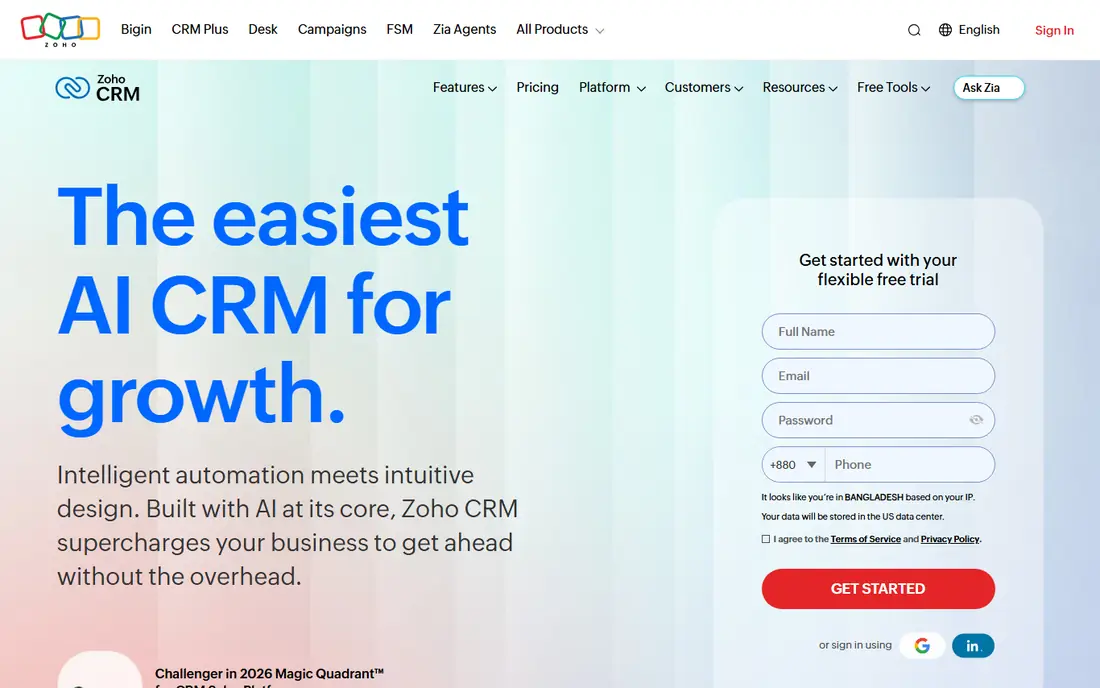
Zoho CRM fits brokerages that want a general CRM shaped to their own sales process. You can build custom modules for listings, buyers, sellers, and closings, with automation, email, and calling integrations. Pricing is often lower than real estate-specific platforms at similar seat counts. The trade-off is setup. Zoho CRM is not built only for real estate, so you must configure pipelines, fields, and automations yourself or hire help. Teams without an admin may prefer a ready-made real estate CRM. For brokerages with an admin or a clear process, Zoho CRM offers flexibility that niche tools cannot match.
- Highly customisable
- Affordable tiers
- Wide app ecosystem
- Needs setup for real estate
- Support quality varies by plan
HubSpot CRM suits solo agents and small brokerages that want a free start with room to grow. The free CRM covers contacts, deals, pipelines, and email tracking, with a large integration library. You can add marketing, sales, and service hubs as the brokerage grows. The limit is real estate specificity. HubSpot does not ship as a ready-made real estate system, so you need custom properties for listings, buyers, and closings. Paid hubs can also become costly at scale. For agents who want a clean, general CRM and are willing to customise it, HubSpot is a low-risk starting point.
- Free CRM core
- Strong email and pipeline tools
- Many integrations
- Real estate features need custom setup
- Paid hubs rise in cost
LionDesk fits agents who want a real estate CRM without a high monthly bill. It covers lead capture, drip campaigns, texting, and video messaging, with tasks and pipelines for daily follow-up. That feature set covers the core work of most solo agents and small teams. The downside is polish. The interface feels older than Follow Up Boss, and some integrations need workarounds. Still, for an agent moving from spreadsheets to a first CRM, LionDesk gives good value. Check its lead source integrations for your portals and website before you commit.
- Affordable plans
- Text and video messaging
- Drip campaigns
- Interface feels dated
- Some integrations are limited
Sierra Interactive suits teams that want high-quality listing websites tied directly to CRM follow-up. It offers IDX websites, lead capture, routing, and action plans, so a visitor who views listings can enter a follow-up flow without manual data entry. That link between listings and CRM is its main strength. The catch is cost and setup. Sierra Interactive is priced for teams rather than solo agents, and a good launch needs time for website, IDX, and pipeline setup. For a team that wins business through listings, that investment can pay off. For an agent who mainly works referrals, a simpler CRM may do enough.
- Strong listing websites
- IDX integration
- Lead routing and CRM
- Higher cost for small teams
- Setup needs care
Wise Agent fits solo agents who want organisation more than complex automation. It covers contacts, transactions, checklists, drip campaigns, and landing pages in a straightforward system. Transaction checklists help agents track each deal from contract to close without missing steps. The limit is team scale. Wise Agent is less suited to large teams that need advanced routing, dialers, and reporting. Its design also feels older than newer rivals. For a solo agent who wants a calm, practical CRM, Wise Agent is a strong, affordable choice that focuses on daily organisation.
- Simple for solo agents
- Transaction checklists
- Drip campaigns
- Team tools are limited
- Design feels older
Salesforce suits large brokerages and franchises that need deep customisation, reporting, and integration. You can build real estate workflows for listings, agents, teams, and transactions, with dashboards for leaders and automation across many systems. Its integration library is the widest here. The downside is cost and complexity. Salesforce needs an admin or partner to set up well, and pricing rises with seats and add-ons. Small teams will find it heavy and costly. For a large brokerage with a clear process and an admin team, Salesforce gives control that niche CRMs cannot match.
- Deep customisation
- Strong reporting
- Huge integration library
- Costly and complex
- Needs admin or partner setup
Pipedrive fits agents who want a simple visual pipeline above all else. Deals move across stages with drag and drop, activities and reminders keep follow-up on track, and the mobile app works well for agents on the road. New users learn it faster than Salesforce or Zoho CRM. The limit is real estate depth. You need custom fields for listings and property details, and marketing automation is thinner than in Follow Up Boss or kvCORE. For an agent whose main need is to see every deal and next step clearly, Pipedrive is a clean pick. For heavy lead generation, pair it with a dedicated lead tool.
- Very clear pipelines
- Easy to learn
- Good mobile app
- Real estate features need custom fields
- Marketing tools are limited
How we picked these
We compared official feature pages, pricing pages, app store listings, and public reviews for each tool. We favoured tools that are still sold and supported in October 2026, that truly fit real estate workflows, and that publish enough pricing detail to judge value. We did not claim hands-on testing, and we did not invent prices, user counts, or features that vendor pages do not show.
What to check before you buy
Map your lead sources first. List every portal, website form, social ad, and referral source, then check that the CRM captures each one without manual entry. A CRM that misses leads will fail even if its pipelines look good.
Calling, texting, and compliance
Check calling and texting rules, consent handling, and do-not-call controls before you turn on bulk outreach. Real estate outreach is regulated in many places, and a tool should help you record consent and opt-outs. Test a call and text flow during the trial, including how replies land in the agent inbox.
Migration and export
Ask how contacts, notes, tags, and deal history import, and how you can export them later. A CRM should not lock your client data behind a costly export. Run a small import test with real, messy data, not a clean sample, to see how duplicates and missing fields are handled.
FAQ
What is the best real estate CRM software?
Follow Up Boss suits fast follow-up, kvCORE suits all-in-one team platforms, and LionDesk suits affordable solo use. The best real estate CRM software for you depends on team size, lead sources, and whether you need websites and listings in the same system. Trial two tools with real leads before you choose.
What is the best CRM software for real estate agents working solo?
LionDesk, Wise Agent, and Pipedrive suit solo agents because they are simpler and cheaper than team platforms. LionDesk and Wise Agent offer real estate-specific drip campaigns, while Pipedrive offers the clearest pipeline view. Pick the one whose daily task list you will actually open.
What is the best software for real estate agents who run teams?
Follow Up Boss, kvCORE, and Sierra Interactive suit teams because they offer lead routing, team reporting, and listing-linked follow-up. Check seat pricing, dialer limits, and manager reporting during the trial. A team CRM should show who followed up, when, and what happened next.
Can a general CRM work for real estate?
Yes, with setup. HubSpot, Zoho CRM, and Salesforce can be customised for listings, buyers, sellers, and closings. That setup takes time, but it gives flexibility for brokerages with unique processes. If you want a ready-made system, a real estate-specific CRM will be faster to launch.
What is the best real estate CRM app for mobile use?
Follow Up Boss, Pipedrive, and HubSpot offer strong mobile apps for calling, texting, and updating deals on the road. Test the mobile app during your trial, since agents spend much of the day away from a desk. Check offline behaviour and how quickly call notes save.
How much should a real estate CRM cost?
Costs vary by seats, lead volume, and features such as dialers and websites. Solo tools can be affordable, while team platforms and Salesforce cost more. Price the plan that includes your lead sources, calling, and reporting needs, not just the cheapest tier, and check renewal terms.