Best Content Planning Tools in 2026: 9 Tools Compared
Compare the best content planning tools for 2026, from Notion and CoSchedule to Trello and Planable, with pricing, calendars and approval features compared.

- Editor's choice
 Notion
Teams that want a flexible content workspace
Starts atFreeVisit notion.soFull review - Great alternative
 CoSchedule
Marketing teams that want a purpose-built calendar
Starts at$19 per user per monthVisit coschedule.comFull review - Also consider
 Planable
Social teams and agencies needing approvals
Starts at$33 per workspace per monthVisit planable.ioFull review
TL;DR:
- Notion is our pick for most content teams, because databases, docs and calendar views flex to fit blogs, social and video plans in one workspace.
- CoSchedule is the best purpose-built marketing calendar, with native social publishing and a calendar that shows every campaign in one view.
- Planable suits agencies and social teams that need client approvals, comments and scheduled posts without extra workflow tools.
- Trello, Asana and ClickUp suit teams that already manage projects there, since content planning becomes one more board or project.
- Airtable and monday.com suit teams that need structured, filterable content databases with strong calendar and timeline views.
Quick comparison
| Tool | Best for | Starts at | Free plan? | |
|---|---|---|---|---|
| Notion | Teams that want a flexible content workspace | Free | Yes | Visit |
| CoSchedule | Marketing teams that want a purpose-built calendar | $19 per user per month | Yes | Visit |
| Planable | Social teams and agencies needing approvals | $33 per workspace per month | Yes | Visit |
 Trello | Simple visual content boards | Free | Yes | Visit |
 Asana | Teams that want structured content workflows | Free | Yes | Visit |
 ClickUp | Teams that want planning, docs and tasks together | Free | Yes | Visit |
 Airtable | Structured, filterable content databases | Free | Yes | Visit |
 monday.com | Visual timelines for content teams | $9 per seat per month | Yes | Visit |
 Loomly | Social content calendars with post ideas | $49 per month | No | Visit |
The best content planning tools
Content planning covers three jobs: holding the plan, holding the work, and getting content approved and published on time. Some tools do all three, while others excel at one job and need a scheduler or docs tool alongside. We compared calendar views, workflow and approval features, publishing, collaboration and price, and we favored tools actively maintained in October 2026.
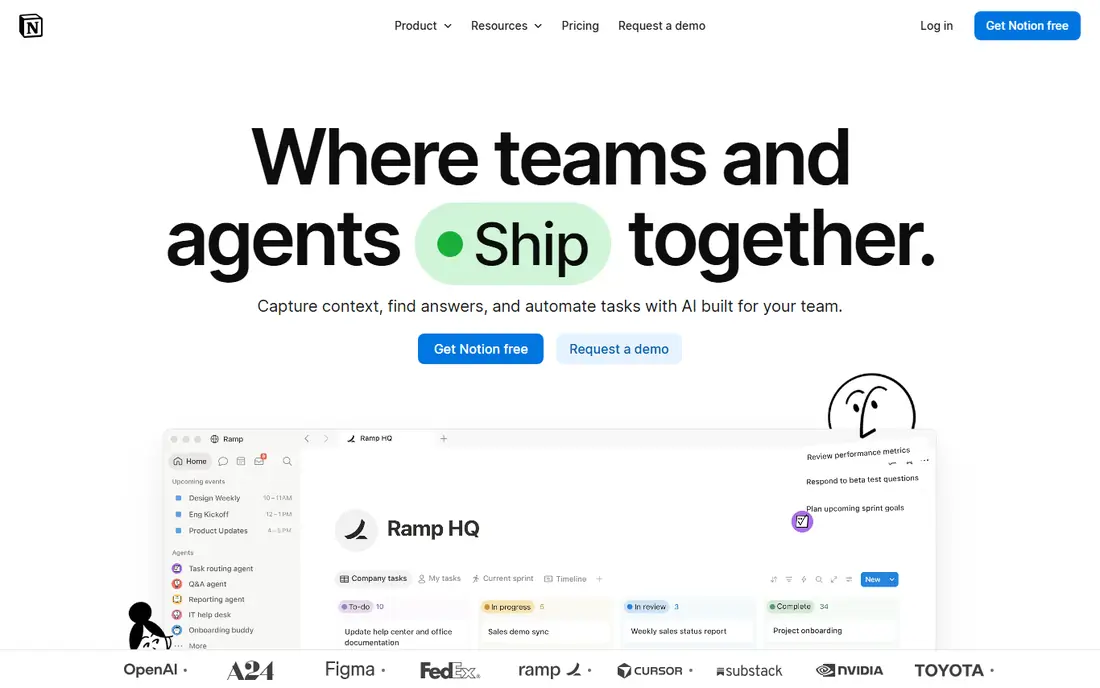
Notion suits a content team that plans blogs, newsletters, social posts and video in one place, because a single database can show the same plan as a calendar, a board or a timeline. Briefs, drafts, research notes and asset links live alongside each item, so a writer does not need to hunt through separate docs. The free plan covers solo users and small teams well, while Plus costs $10 per member per month on annual billing and Business $20.
The main gap is publishing. Notion does not natively post to social platforms, so a team needs a scheduler such as Buffer, Planable or CoSchedule for the final step, or an automation tool to bridge the gap. Setup also takes thought: a badly designed database becomes clutter quickly. Start with a simple template, with status, owner, due date and channel fields, and add complexity only when the team asks for it.
- Databases with calendar, board and timeline views
- Docs and briefs in the same place
- Generous free plan
- No native social publishing
- Setup takes time to design well

CoSchedule was built for the exact job of planning and publishing marketing content. Its calendar shows blog posts, social messages, email campaigns and events in one view, with tasks, approvals and publishing attached to each item. That focus makes it easier for a marketing manager to spot gaps, overlaps and missed deadlines than in a general project tool. Entry pricing is around $19 per user per month in recent comparisons, with a free tier for basic calendar use.
The trade-off is flexibility and cost. CoSchedule is less useful as a general docs or project workspace than Notion or ClickUp, and its per-user price adds up for larger teams. For a marketing team whose main output is scheduled campaigns, that specialization is worth it. For a small team planning occasional blog posts, Notion plus a scheduler will be cheaper.
- Unified marketing calendar
- Native social publishing
- Campaign and task views
- Higher cost than general tools
- Less flexible as a general workspace

Planable is built around the approval step that slows many social teams: a post is drafted, previewed exactly as it will appear, commented on by a client or manager, approved and scheduled, all in one place. That workflow saves agencies from endless screenshot emails and version confusion. Pricing starts around $33 per workspace per month in recent comparisons, with a free allowance of 50 posts for testing.
The scope is social-first. Planable is less suited to planning long-form blog series, newsletters or video production pipelines, where Notion or Asana fit better. For a social agency or a brand team publishing daily, though, the approval and preview features are the reason to choose it, and they directly reduce revision cycles.
- Visual approval workflow
- Client-friendly preview
- Scheduling for major social platforms
- Focused on social, not long-form blogs
- Per-workspace pricing needs checking at scale
Trello remains the simplest content planning tool: a board with lists for ideas, drafting, review and published, with cards that hold briefs, checklists, due dates and attachments. Its calendar view, available on Premium and above, shows due dates across the board, and Butler automation can move cards, set due dates and notify owners without manual work. Standard pricing is around $5 per user per month on annual billing, with a generous free tier.
The limits are structure and publishing. Trello is not a database, so filtering a large content plan by channel, format and campaign is harder than in Notion or Airtable, and it does not publish to social platforms natively. For a small team or solo creator with a straightforward pipeline, Trello's simplicity is a strength, and it is often the fastest tool to adopt.
- Very easy to learn
- Kanban boards with calendar power-up
- Low cost at scale
- No native social publishing
- Limited database features for large plans
Asana suits a content team that needs clear ownership, deadlines and dependencies, such as a blog post that needs research, draft, edit, design and review in order. Its timeline view shows how pieces overlap, its calendar view shows publish dates, and its reporting helps a manager spot bottlenecks. The free tier covers basic projects, while paid plans start around $10.99 per user per month in recent comparisons.
The weight is the drawback. Asana's structure can feel heavy for a solo creator or a team planning a handful of posts per week, where Trello or Notion would be faster. It also does not publish to social channels natively, so a scheduler is still needed for the final step. For a team with many contributors and a formal review process, Asana's structure is worth the setup.
- Strong task dependencies and timelines
- Calendar and board views
- Good reporting
- Can feel heavy for simple plans
- Publishing needs a separate scheduler
ClickUp tries to replace several tools at once, combining tasks, docs, whiteboards, goals and calendars in one workspace. For content planning, that means briefs can live as docs, the plan as a calendar, and production tasks as checklists, without switching apps. Its free tier is generous, and paid plans start around $7 per user per month in recent comparisons, which makes it one of the cheapest full-featured options.
Breadth is also the risk. New users can feel overwhelmed by views, custom fields and automation options, and a workspace without clear conventions becomes messy fast. A team that sets a simple content template and limits custom fields will get the most from ClickUp. A team that wants a single-purpose calendar will be happier with CoSchedule or Planable.
- Docs, whiteboards, goals and tasks in one tool
- Many calendar views
- Low entry price
- Feature breadth can overwhelm new users
- Setup needs discipline
Airtable suits a team with a large content library that needs to filter by channel, format, campaign, author and status without losing track. Its database structure, with linked records for campaigns, assets and contributors, handles complex plans better than a simple board, and its calendar, gallery and timeline views show the same data in different ways. The free tier covers small teams, while paid plans start around $20 per seat per month in recent comparisons.
The trade-offs are publishing and price. Airtable does not post to social platforms natively, so a scheduler or automation is needed for publishing, and seat and record costs can grow for larger teams. For editorial teams, content libraries and repurposing plans, Airtable's structure is hard to beat, and its interface is easier for non-technical users than a spreadsheet with the same data.
- Powerful filtering and views
- Calendar and timeline views
- Good for large content libraries
- No native social publishing
- Costs rise with seats and records
monday.com gives content teams a visual workspace where each item shows status, owner, due date and channel at a glance, with timeline and calendar views for planning ahead. Its automations can notify owners, move items between stages and remind reviewers, which reduces manual follow-up. Pricing starts around $9 per seat per month in recent comparisons, with a free tier for up to two seats.
The pricing structure, with several tiers and minimum seat counts on some plans, needs careful checking before buying. monday.com also does not publish to social platforms natively, so it pairs with a scheduler for the final step. For a team that values visual clarity and cross-team visibility, especially when content involves design, legal or product reviewers, monday.com is a strong choice.
- Visual boards and timelines
- Automations
- Good for cross-team visibility
- Pricing tiers can confuse
- Publishing needs a separate tool
Loomly is a social-first content planning tool with a calendar, post ideas, optimization tips, approval workflows and direct publishing to major platforms. Its post idea feature helps a small team that struggles to fill the calendar, and its approval flow suits brands with a review step before publishing. Pricing starts around $49 per month in recent comparisons, with a trial but no permanent free plan.
The scope and price limit its audience. Loomly is not the tool for planning blog series or video production, and $49 per month is steep for a solo creator compared with Trello or Notion plus a scheduler. For a small business or agency focused on social content, with a real approval need, Loomly's combined planning and publishing workflow can replace two tools and justify the cost.
- Social calendar with publishing
- Post ideas and optimization tips
- Approval workflow
- No free plan
- Less suited to blog and long-form planning
How we picked these
We compared official feature pages, pricing pages and public comparisons for each tool, focusing on calendar views, workflow and approval features, publishing, collaboration and price at realistic team sizes. We favored tools that are actively maintained in October 2026 and that cover different planning styles, from flexible workspaces to purpose-built marketing calendars and social approval tools. We did not claim hands-on testing, and prices quoted are starting prices that vary with billing period and seat count.
How to build a content plan that actually gets published
Start with a realistic cadence, not an ambitious one. A team that publishes two strong blog posts and five social posts per week, every week, will outperform a team that plans twenty posts and publishes four. Define each item's owner, due date, channel and approval step before it enters the calendar, and keep a backlog of evergreen ideas for weeks when news or client work disrupts the plan.
Separate planning, production and publishing
Planning is deciding what to publish and when. Production is writing, designing and editing. Publishing is scheduling and posting. Tools blur these stages, but a team should keep them distinct in its workflow, with a clear handoff between each stage. Use status fields that reflect real stages, such as idea, briefed, drafting, in review, approved and scheduled, rather than vague labels that hide bottlenecks.
Review the plan weekly, not monthly
A short weekly review, looking at what published, what slipped and what is due next week, keeps a content plan honest. Check for gaps by channel, overloaded owners and approval delays, and move items rather than letting them pile up as overdue. Keep a simple dashboard of published versus planned items, and adjust cadence when the gap grows, instead of adding more items to an already full calendar.
FAQ
What is the best tool for content planning?
For most teams, Notion is the best content planning tool, because it combines databases, docs and calendar views in one flexible workspace. Marketing teams that need native publishing should consider CoSchedule, while social teams with approval needs should consider Planable. The best tool depends on whether you plan blogs, social, video or all three.
What is the difference between content planning and content scheduling?
Content planning decides what to create, who owns it, when it is due and how it will be approved. Content scheduling is the final step of setting a publish date and posting it to a channel. Planning tools such as Notion and Airtable focus on the first job, while scheduling tools such as Planable, Loomly and CoSchedule cover both planning and publishing for social channels.
Can I plan content for free?
Yes, Notion, Trello, Asana, ClickUp, Airtable and monday.com all offer free tiers that cover basic content planning for small teams. Free plans usually limit seats, records or advanced views, but they are enough to test a workflow. Social publishing usually requires a paid scheduler, though some tools offer a limited free posting allowance.
How do content planning tools help with approvals?
Approval tools let a reviewer preview a post or draft, comment on specific parts, request changes and approve it for scheduling, all in one place. Planable and Loomly are strongest for social approvals, while Asana, monday.com and ClickUp handle multi-stage review workflows for blogs and video. Clear approval steps reduce revision cycles and prevent unapproved content from publishing.
Should I use one tool or several for content planning?
One tool is simpler, but many teams use two: a planning workspace such as Notion or Airtable, plus a scheduler such as Planable or Buffer for publishing. That split works when the handoff is clear and automated where possible. If your team publishes mainly on social, a single tool such as CoSchedule or Loomly that plans and publishes may be simpler.