Best Content Management Software for Industry in 2026: 8 Tools Compared
Our guide to the best content management software for industry in 2026 compares 8 CMS tools for factories, healthcare and services, with prices and tradeoffs.

- Editor's choice
 WordPress
Most industry websites
Starts atFreeVisit wordpress.orgFull review - Great alternative
 Drupal
Complex regulated sites
Starts atFreeVisit drupal.orgFull review - Also consider
 Joomla
Membership and multilingual sites
Starts atFreeVisit joomla.orgFull review
TL;DR:
- WordPress, Drupal and Joomla remain the main open source choices, with WordPress easiest to staff and Drupal strongest for complex, regulated content.
- Hosted tools such as Wix, Squarespace, Webflow and HubSpot trade some control for speed, support and built-in marketing features.
- Industry needs such as permissions, multilingual content, audit trails and compliance should drive the choice more than template looks.
- Total cost includes hosting, themes, plugins, maintenance and developer time, not only the headline plan price.
Quick comparison
| Tool | Best for | Starts at | Free plan? | |
|---|---|---|---|---|
| WordPress | Most industry websites | Free | Yes | Visit |
| Drupal | Complex regulated sites | Free | Yes | Visit |
| Joomla | Membership and multilingual sites | Free | Yes | Visit |
 HubSpot Content Hub | Marketing-led industry sites | Free | Yes | Visit |
 Webflow | Design-led industry sites | $14 per month | Free trial | Visit |
 Squarespace | Simple professional sites | $16 per month | Free trial | Visit |
 Wix | Fast small business sites | $17 per month | Free trial | Visit |
 Ghost | Publishing-focused sites | Free | Yes | Visit |
The best content management software for industry
Industry websites must handle product catalogs, technical documents, news, events and gated resources, often across languages and strict permissions. We compared tools on content modeling, permissions, multilingual support, security, ease of use and price, and the eight below cover most industry needs.

WordPress powers a large share of CMS-built sites for a reason. It handles pages, posts, custom content types, media, forms and e-commerce through plugins, and it suits manufacturing, services, healthcare and professional firms that need a solid marketing site plus a resource library. The developer pool is the largest in the CMS world, which keeps hiring and support costs lower than for niche systems.
The risk is maintenance. A site with dozens of plugins needs regular updates, backups and security checks, or it becomes a target. WordPress itself is free, while hosting typically costs a few dollars to $30 per month for a small site, plus paid themes and plugins where needed. For most industry sites, that tradeoff is worth it, provided someone owns updates.
- Largest plugin and theme range
- Easiest to staff
- Huge community
- Plugin sprawl needs maintenance
- Security depends on update discipline
Drupal suits industry sites with complex content, strict permissions and regulatory needs, such as healthcare, government, higher education and large manufacturers. Its content modeling, taxonomy, workflows and access controls are native strengths, not plugin add-ons. Multilingual support is mature, and the core security record is strong, which matters for regulated content.
Drupal is harder to learn and more expensive to build than WordPress. Specialist developers cost more, and small projects can feel over-engineered. For a simple marketing site, Drupal is more than you need. For a large site with many editors, roles, languages and content types, Drupal gives control that simpler tools cannot match.
- Granular permissions and workflows
- Strong multilingual support
- Strong security record
- Steep learning curve
- Developer costs are highest here
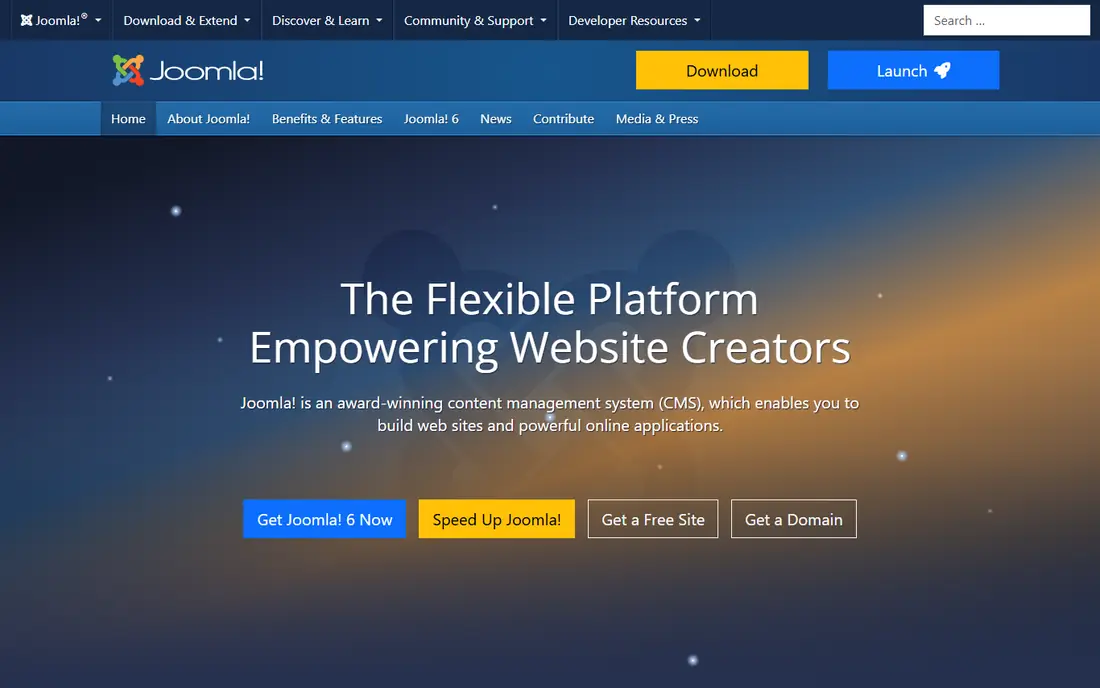
Joomla sits between WordPress and Drupal, with more built-in functionality than WordPress and a gentler learning curve than Drupal. It offers granular user access control and multilingual support in core, which suits membership sites, associations, intranets and industry portals where different users should see different content. More than 6,000 extensions add e-commerce, events, directories and other features.
The community is smaller than in past years, and the backend editing experience is less visual than modern drag and drop builders. Finding Joomla developers can also take longer than finding WordPress developers. For a site that needs built-in permissions and multilingual content without a heavy plugin stack, Joomla remains a credible choice.
- Granular access control in core
- Built-in multilingual support
- More built-in features than WordPress
- Smaller community than WordPress
- Backend editing feels less visual
HubSpot Content Hub suits industry firms whose website is mainly a marketing and lead generation tool. Pages, blogs, landing pages, forms and CRM records live in one system, so a download, demo request or contact form flows straight into sales follow-up. The editor is easy for marketing staff, and analytics show which content actually produces leads.
Costs rise as contacts, features and seats grow, and custom builds are less flexible than open source CMS platforms. A firm that needs a highly custom portal or complex content model may hit limits. For a B2B industrial, services or SaaS firm that wants marketing, CRM and content in one place, HubSpot is a strong and fast option.
- CRM and marketing in one
- Easy editor
- Strong analytics and personalization
- Paid plans scale fast
- Less flexible than open source for custom builds
Webflow gives designers full control over layout without writing code for every page, which suits industry firms that care about brand presentation. CMS collections can hold products, case studies, team profiles and resources, and templates plus custom design let a firm build a distinctive site. Hosting, security and performance are handled by Webflow, which reduces maintenance work.
The Basic plan starts at $14 per month, while CMS features need the CMS plan at about $23 per month or more, so price the plan you actually need. Webflow also takes time to learn for collections, filtering and dynamic pages. For a design-led marketing site with structured content, it is an excellent choice. For a large portal with complex permissions, Drupal or WordPress may fit better.
- Full visual design control
- CMS collections for catalogs
- Clean hosted output
- CMS plan costs more
- Learning curve for collections and logic
Squarespace is a good fit for a small industry firm that needs a polished, professional site without hiring a developer. Templates look strong out of the box, hosting and domains are included, and pages, blogs, forms and basic commerce are easy to manage. A small manufacturer, consultancy or clinic can launch a credible site in days.
Flexibility is the limit. Complex content models, granular permissions and custom integrations are harder than in WordPress or Drupal, and commerce features need higher plans. For a straightforward marketing site with news, services and contact forms, Squarespace is fast and dependable. For a portal or catalog with complex rules, choose a more flexible CMS.
- Polished templates
- All-in-one hosting and domains
- Easy for small teams
- Less flexible for complex content
- E-commerce costs more on higher plans
Wix is the fastest route to a live site for a small industry business. The drag and drop editor, templates and built-in SEO tools let a non-technical owner build pages, add services, publish news and collect leads without code. Plans start at about $17 per month, with e-commerce plans higher, and hosting is included.
Wix is less suited to large, complex industry portals. Content modeling, permissions and custom workflows are thinner than in WordPress or Drupal, and moving a Wix site to another platform later is difficult. For a small firm that needs a professional site quickly and does not plan a complex portal, Wix is a practical choice. For a site expected to grow into a portal, start with WordPress instead.
- Very easy drag and drop editor
- Built-in SEO tools
- Many apps
- Less suited to large complex sites
- Migration to another CMS is hard
Ghost suits industry firms that publish a lot, such as research notes, technical articles, newsletters and thought leadership. The editor is clean and fast, membership and newsletter features are built in, and self-hosting is free while managed hosting starts at about $15 to $18 per month. Performance is strong, since Ghost is focused on publishing rather than general site building.
Ghost is narrower than WordPress or Drupal. It lacks the huge plugin range for directories, complex forms, e-commerce and custom portals, so a firm that needs those features will need extra tools. For a publishing-led industry site, where articles, newsletters and paid memberships are the core, Ghost is focused and effective.
- Fast publishing platform
- Membership and newsletters built in
- Clean editor
- Narrower than a full CMS
- Fewer plugins than WordPress
How we picked these
We compared official product pages, pricing pages and current CMS comparisons for tools still sold and supported in October 2026. We favored tools with real content management, not only page builders, and with a verifiable price or free open source license. Tools with no current offering, or that only serve one narrow niche, were left out.
What to check before you buy
Start with content and people, not templates. List your content types, such as products, documents, news, events and gated guides, and map who can create, approve and publish each type. Check permissions, workflows, multilingual needs and audit trails against that list. A beautiful template will not fix a CMS that cannot model your content.
Next, check security and maintenance ownership. Open source tools need hosting, updates, backups and plugin care, while hosted tools include much of that work in the plan price. Ask who owns updates, backups and security patching, and what happens if a plugin or theme stops being supported. For regulated industries, ask about access logs, data location and compliance features.
Finally, test editing with real staff. Give a non-technical editor a real page to update, a new article to publish and a document to replace, and watch where they struggle. The CMS your team can actually use will produce better content than a more capable system they avoid. Check total cost too, including hosting, themes, plugins, developer time and training.
FAQ
What is content management software for industry?
It is a CMS used to build and manage websites for a specific industry, such as manufacturing, healthcare, finance or professional services. It handles pages, articles, product information, documents and forms, with permissions and workflows for teams. Industry needs such as compliance, multilingual content and gated resources shape which CMS fits best.
Is WordPress good for an industrial company website?
Yes, for most industrial firms WordPress is a good fit, thanks to its plugin range, developer pool and content tools for products, case studies and resources. It needs disciplined updates and backups to stay secure. Firms with very complex permissions, workflows or regulated content should also compare Drupal before deciding.
Do I need a hosted CMS or an open source CMS?
A hosted CMS such as Wix, Squarespace or Webflow is faster to launch and includes hosting and maintenance, but offers less control and harder migration. An open source CMS such as WordPress, Drupal or Joomla offers more control and flexibility, but needs hosting, updates and maintenance. Choose hosted for speed and simplicity, and open source for control and growth.
How much does a CMS cost?
Open source CMS software itself is free, while hosting typically costs a few dollars to $30 per month for a small site, plus themes, plugins and developer time. Hosted CMS plans here start around $14 to $17 per month, with higher plans for commerce and CMS features. Enterprise builds with custom design and integrations cost far more than plan prices alone.
Can a CMS handle multilingual industry content?
Yes, but the depth varies. Drupal and Joomla offer mature multilingual support in core, WordPress handles it through plugins such as WPML or Polylang, and hosted tools vary by plan. Test translation workflows, URL structure and editor permissions for each language before you commit, since multilingual sites add ongoing editorial work.