Best Apps for Interior Design in 2026: 8 Apps Compared
Compare the best apps for interior design in 2026, from Planner 5D, Homestyler, and Houzz to IKEA Kreativ, magicplan, and RoomGPT for your home today.
- Editor's choice
 Planner 5D
All-round 2D and 3D planning
Starts atFreeVisit planner5d.comFull review - Great alternative
 Homestyler
Realistic 3D renders
Starts atFreeVisit homestyler.comFull review - Also consider
 Houzz
Inspiration and shopping
Starts atFreeVisit houzz.comFull review
TL;DR:
- Planner 5D and Homestyler are the best all-round room planners, with 2D and 3D design, furniture libraries, and renders.
- Houzz is best for inspiration and shopping, while IKEA Kreativ is best for placing real IKEA furniture in a scan of your own room.
- magicplan is best for accurate measured floor plans, while RoomGPT is best for fast AI restyling ideas from a photo.
- Free plans vary a lot at export, so check render quality, project limits, and save options before you commit to a design.
Quick comparison
| Tool | Best for | Starts at | Free plan? | |
|---|---|---|---|---|
| Planner 5D | All-round 2D and 3D planning | Free | Yes | Visit |
| Homestyler | Realistic 3D renders | Free | Yes | Visit |
| Houzz | Inspiration and shopping | Free | Yes | Visit |
 IKEA Kreativ | IKEA furniture in your room | Free | Yes | Visit |
 magicplan | Measured floor plans | Free | Yes | Visit |
 RoomGPT | Fast AI room restyling | See website | Yes | Visit |
 Live Home 3D | Detailed home models | Free | Yes | Visit |
 Floorplanner | Quick browser floor plans | Free | Yes | Visit |
The best apps for interior design
Interior design apps fall into three groups: planners that draw rooms to scale, inspiration and shopping apps that help you find a style and buy it, and AI tools that restyle a photo quickly. The best app depends on whether you need measurements for a renovation, ideas for a refresh, or a shopping list for a finished room.
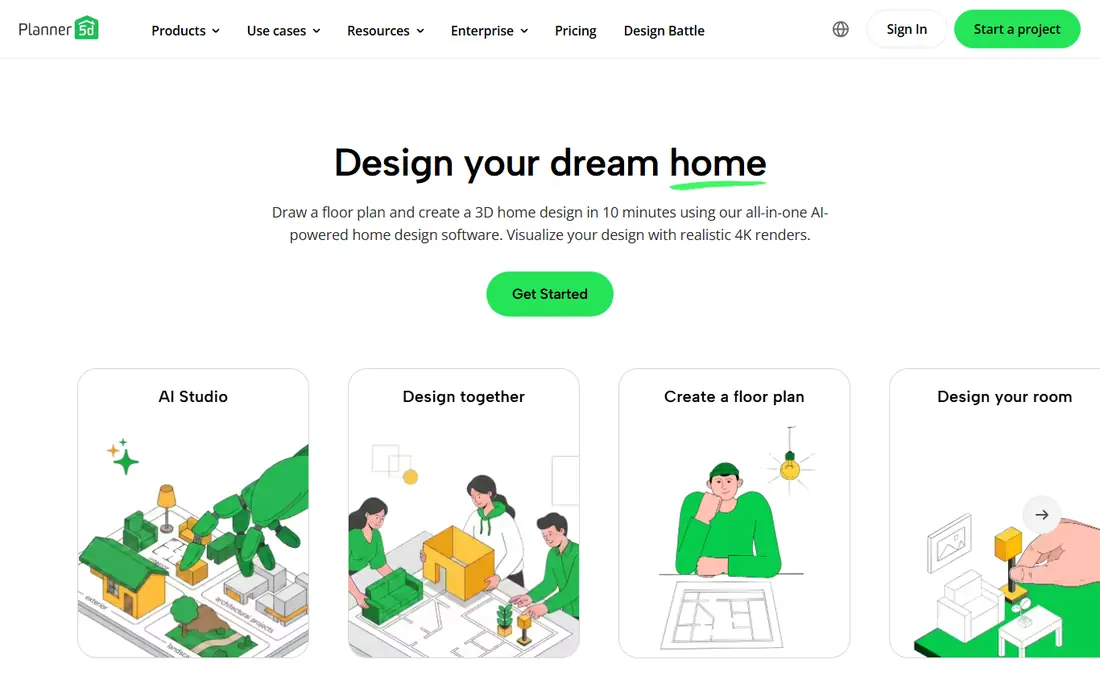
Planner 5D is our pick for most people because it covers the whole planning job in one app. You can draw a floor plan, place furniture, switch between 2D and 3D views, and walk through the room virtually. The interface is approachable for beginners, yet detailed enough for a serious room redesign.
The free plan limits part of the furniture catalog and higher-quality renders, so a paid plan is worth considering for a large project. For testing layouts, checking whether a sofa fits, or planning a single room, the free version is usually enough to start.
- Easy 2D and 3D room planning
- Large furniture catalog
- Works on web, mobile, and desktop
- Full catalog and high-quality renders need a paid plan
- Free version limits some items and exports

Homestyler stands out for renders. Its free tier includes unlimited 1K renders, which is enough to compare layouts and share ideas, while paid plans add higher resolutions and more features. The 3D model library is large, and drag-and-drop placement makes it easy to try different furniture and finishes quickly.
Phone editing works, but larger projects are more comfortable on a desktop or tablet. If realistic pictures matter for convincing a partner, landlord, or contractor, Homestyler is the strongest free starting point on this list.
- Free 1K renders and large 3D model library
- Easy drag-and-drop design
- Web and mobile versions
- Higher-resolution renders and advanced features need a paid plan
- Some tools are easier on desktop than on a phone

Houzz is best for the inspiration stage. Its photo library covers almost every style, room, and budget, and you can save ideas, shop for similar furniture, and find local designers and contractors. The app also includes room visualization tools for previewing products in your space.
For precise floor plans and measurements, Houzz is weaker than Planner 5D or magicplan. Use it to settle on a style and a shopping list, then move to a planner app to test the layout to scale before you buy.
- Huge photo library for inspiration
- Shopping for furniture and decor
- Tools to find local professionals
- Planning tools are thinner than dedicated planners
- Shopping prices and availability vary by retailer
IKEA Kreativ answers a specific question: will this IKEA piece actually look right in my room. You scan your room with the IKEA app, remove existing furniture in the digital view, and place real IKEA items to scale. That preview is more useful than a catalog photo, especially for large pieces such as sofas and wardrobes.
The limit is obvious: it only shows IKEA products. If you shop across many retailers, pair Kreativ with Houzz for ideas and Planner 5D for a layout that mixes brands. For an IKEA-heavy room, though, Kreativ is free and hard to beat.
- Places real IKEA furniture in a scan of your room
- Free to use
- Direct shopping for IKEA products
- Limited to IKEA products
- Scan quality depends on your phone and room lighting
magicplan is the pick when measurements matter. It uses your phone camera to scan a room and build a floor plan with dimensions, which you can then edit, annotate, and share. That accuracy helps with renovations, furniture orders, and contractor quotes, where guessing sizes leads to costly mistakes.
The free plan includes a limited number of projects, so occasional users may need a paid plan for a whole house. For a single renovation or a property listing, the free projects are often enough to test whether the workflow suits you.
- Creates measured floor plans from a phone scan
- Useful for renovations and contractor quotes
- Exports plans and reports
- Free plan limits the number of projects
- Paid plans are subscription-based and add up for occasional users
RoomGPT is best for quick ideas. Upload a photo of your room, pick a style, and the AI returns restyled versions that show how the space could look with different furniture, colors, and finishes. That speed helps when you feel stuck on a style direction or want to show a partner several options at once.
The results are inspiration, not a plan. Dimensions, furniture placement, and product links are not precise, so you will still need a planner app to test the idea to scale and a shopping app to buy the pieces. Use RoomGPT at the start of a project, not as the final design.
- Generates restyled room ideas from a photo in minutes
- Many style options
- Very low learning curve
- Results are concepts, not measured plans
- Control over specific items and colors is limited
Live Home 3D suits people who want a detailed model of a whole home, not just one room. It supports multi-story plans, roof and terrain tools, and detailed room modeling, which helps with renovations and new builds. The 3D walkthrough gives a clear sense of how rooms connect and how light moves through the space.
Beginners may find it more complex than Planner 5D, and some features sit behind a paid version. If your project is a single room refresh, start with Planner 5D or Homestyler. If it is a renovation or a full home plan, Live Home 3D is worth the extra learning time.
- Detailed 2D and 3D home modeling
- Good for multi-room and renovation projects
- Works on Mac, Windows, and iOS
- Learning curve is steeper than Planner 5D
- Full features need a paid version
Floorplanner is a good browser-only option for quick plans. You can draw a floor plan, furnish it from a large library, and view it in 3D without installing anything, which suits renters and anyone working on a shared computer. Sharing a plan link with a partner or contractor is also simple.
Free projects are limited, and higher-quality renders use credits or a paid plan. For a quick layout test or a rental move-in plan, the free tier is enough. For a large renovation with many revisions, compare its credit costs with Planner 5D or Homestyler paid plans.
- Fast browser-based floor plans
- Large furniture library
- Easy sharing and 3D walkthroughs
- Free plan limits the number of projects
- Advanced rendering and exports need credits or a paid plan
How we picked these
We compared official feature pages, pricing pages, app store listings, and public reviews for interior design apps available in October 2026. We favored apps with a free tier, a clear strength in planning, inspiration, shopping, measurement, or AI restyling, and a track record of regular updates. We did not claim hands-on testing, and we checked that each homepage listed here belongs to the named product.
How to choose an interior design app
Start with the job, not the app with the most features. A renovation needs measured plans, which points to magicplan or Live Home 3D. A room refresh needs layout testing and renders, which points to Planner 5D or Homestyler. A style search needs inspiration and shopping, which points to Houzz, and an IKEA room needs Kreativ.
Next, measure before you fall in love with a render. AI restyling and inspiration photos can mislead on scale, so test any layout in a planner app with your real room dimensions. A sofa that looks right in a photo may block a door or walkway in a scaled plan.
Finally, check export and project limits before you invest hours. Free plans often limit renders, projects, or save options, and those limits appear only when you try to share or print a finished design. Pick a plan that lets you export the design in the format your contractor, partner, or landlord needs.
FAQ
What is the best free interior design app?
Planner 5D and Homestyler are the best free all-round choices, with 2D and 3D planning and renders. Houzz is free for inspiration and shopping, and IKEA Kreativ is free for previewing IKEA furniture in your own room.
Can interior design apps create accurate floor plans?
magicplan creates measured floor plans from a phone scan, and Planner 5D, Live Home 3D, and Floorplanner let you draw plans to scale with your own measurements. AI restyling tools such as RoomGPT do not produce accurate plans and should be used for ideas only.
Which app is best for small rooms?
Planner 5D and Homestyler are both strong for small rooms, since you can test furniture sizes to scale before buying. IKEA Kreativ is also useful for small rooms when you shop at IKEA, since it shows pieces in your actual space.
Do I need to pay for realistic renders?
Not always. Homestyler offers free 1K renders, and Planner 5D includes basic renders on its free plan. Higher-resolution renders for presentations or contractor use usually need a paid plan or credits.
Can I use these apps without design experience?
Yes. Planner 5D, Homestyler, Houzz, and RoomGPT are all built for non-designers, with templates, drag-and-drop tools, and photo-based workflows. Live Home 3D and magicplan need more learning time but remain usable with their guides.
Are AI interior design apps accurate?
AI restyling apps generate concepts, not measured designs. They are useful for exploring styles, but furniture sizes, colors, and placement may not match real products. Always verify an AI idea in a scaled planner before buying.