Best AI Tools for Video Content Creation in 2026: 8 Tools Compared
We compared the best ai tools for video content creation for training, marketing, and social clips, checking avatars, voices, credits, and real monthly prices.

- Editor's choice
 Synthesia
Training and onboarding videos
Starts at$18 per monthVisit synthesia.ioFull review - Great alternative
 HeyGen
Avatar marketing videos
Starts at$24 per monthVisit heygen.comFull review - Also consider
 Pictory
Repurposing blogs and recordings
Starts at$25 per monthVisit pictory.aiFull review
TL;DR:
- Synthesia is the strongest pick for training and internal communication, with avatar presenters and broad language support.
- HeyGen suits marketing teams that need lifelike avatars and fast translation, while Pictory suits teams turning blogs and webinars into clips.
- Runway is the choice for original generative footage, not for scripted presenter videos, and its credit costs rise fast with longer clips.
- Entry prices hide the real cost, because minutes, credits, and model choices decide how many finished videos a plan actually buys.
Quick comparison
| Tool | Best for | Starts at | Free plan? | |
|---|---|---|---|---|
| Synthesia | Training and onboarding videos | $18 per month | Yes | Visit |
| HeyGen | Avatar marketing videos | $24 per month | Yes | Visit |
| Pictory | Repurposing blogs and recordings | $25 per month | Free trial | Visit |
 Runway | Original generative footage | $12 per month | Yes | Visit |
 InVideo | All round marketing videos | $20 per month | Yes | Visit |
 Descript | Editing video by editing text | $16 per month | Yes | Visit |
 CapCut | Fast social editing | $19.99 per month | Yes | Visit |
 Lumen5 | Quick blog to video | $19 per month | Yes | Visit |
The best ai tools for video content creation
AI video tools now cover very different jobs, from a presenter reading a training script to a short generative clip for social media. Picking by headline price alone leads to trouble, because one tool sells minutes, another sells credits, and a third sells seats. We compared official pricing pages, feature pages, and public documentation to group these tools by the job they actually do well, so you can match the tool to your content instead of forcing one tool to do everything.
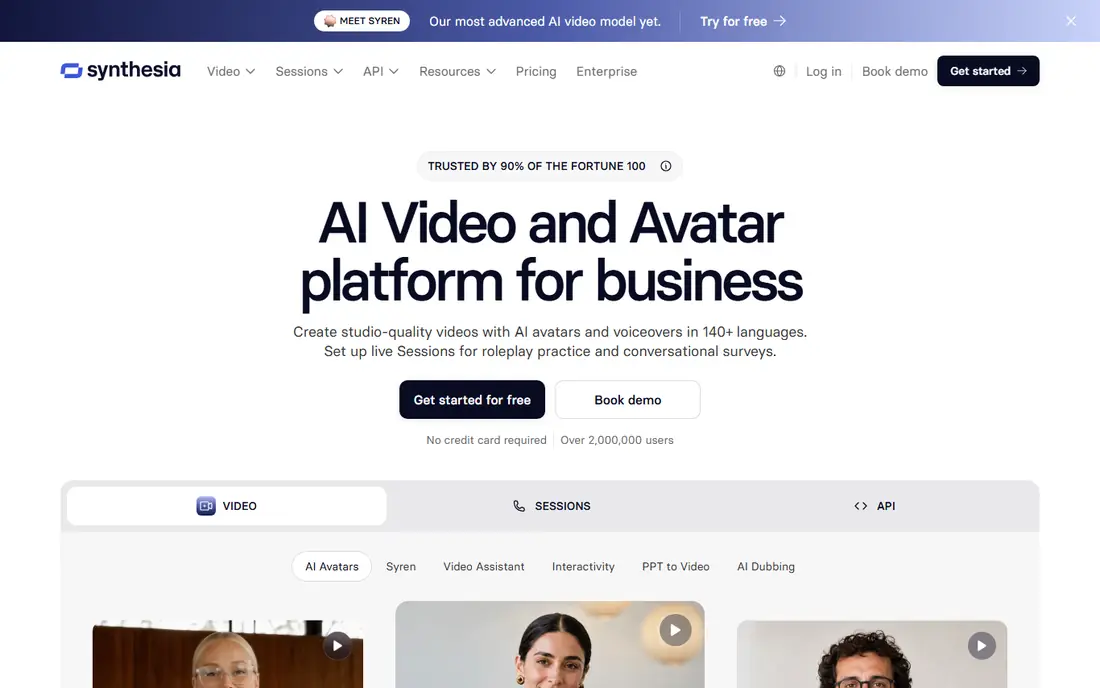
Synthesia is our pick for most business video work. You type a script, pick an avatar, and generate a presenter video that can be updated by editing text, which is a major advantage for training material that changes often. Translation into many languages, consistent branding, and sharing by link or SCORM export make it practical for onboarding, compliance, and internal updates.
The honest limit is style. Avatar presenters suit explainers and courses, but they rarely match the energy of a real person on camera for a brand film or a social ad. Check the acceptable use terms before using a stock avatar in paid advertising, since some uses are restricted. For steady, repeatable training output, Synthesia is the most dependable tool on this list.
- Large avatar and language range for training
- Script editing without filming
- Brand controls and LMS friendly exports
- Avatar videos can feel formal for social content
- Stock avatars carry usage limits for paid advertising

HeyGen stands out when the video needs to feel like a person talking to the viewer. Its avatars, lip sync, and voice options work well for product explainers, testimonial style clips, and localized marketing videos. Teams that publish the same message in several markets will value translation and consistent voice across versions.
Cost control needs attention. Credits cover generation, translation, and higher quality renders, so a plan that looks generous can shrink fast if you regenerate often. Start with the free tier, test one full campaign, and track credits per finished minute before committing to a larger plan. For marketing teams that need polish and speed, HeyGen earns its place near the top.
- Lifelike avatars and voice cloning options
- Fast translation and dubbing
- API and bulk creation for larger teams
- Credits run down quickly on longer or higher quality videos
- Real person cloning needs consent and higher tier controls

Pictory is built for repurposing, not for inventing footage from a prompt. Give it a blog post, a webinar recording, or a script, and it builds a captioned video with stock visuals, voiceover, and scene breaks. That workflow suits content teams with a backlog of written material and little time for manual editing.
The trade off is creative control. You will get a clean, professional clip, but you will not get the same level of shot by shot direction as a generative model tool. The trial is useful for testing the full workflow, including how many minutes your typical article actually uses. If your main job is turning existing content into video, Pictory is a strong, focused choice.
- Turns scripts, blogs, and long recordings into short videos
- Large stock library
- Clear minute based plans
- No lasting free plan, only a trial
- Less control over generative footage than Runway
Runway is the creative tool in this group. It generates original footage from text or images, edits video, and lets you try different models for different looks. Filmmakers, advertisers, and social creators use it for shots that would be costly or impossible to film, such as stylized product scenes or abstract B roll.
It is not a script to presenter tool, and it is not cheap for long output. Credits are spent per second or per image, so a minute of polished footage can cost far more than a minute of avatar video. Use Runway for short, high value shots, and pair it with an editor such as Descript or CapCut for the final assembly. Judged on that job, it is excellent.
- Strong generative models and editing tools
- Good for B roll, product shots, and creative concepts
- Flexible model choice
- Short clips and credit costs make long videos expensive
- Results need review and often several generations
InVideo tries to be the one tool for marketing video, and it comes close for small teams. You can start from a prompt, add stock footage, use generative models on higher plans, and export in social formats without learning a full editor. That breadth suits agencies and creators who publish across YouTube, Instagram, and TikTok.
The catch is the credit system. Different models cost different amounts, and a plan that covers short social clips may not cover a longer YouTube video with premium models. Free output carries a watermark, so treat the free plan as a test drive. If you want variety in one subscription and you track credits carefully, InVideo is a practical all rounder.
- Prompt to video plus stock and generative models
- Large media library
- Useful for YouTube and social formats
- Credit use varies by model and quality
- Free output is watermarked and limited
Descript solves a different problem from the avatar tools. It is for people who already record video or audio and want to edit fast. Delete a sentence in the transcript, and the matching video is cut. That makes it ideal for course creators, podcasters, and teams that publish talking head content every week.
It will not generate a presenter from text in the way Synthesia does, and its strength depends on having good source recordings. The free plan gives you a real taste of the workflow, with limited transcription time. If your content starts with a camera or a microphone, Descript will save more editing time than any generative tool here.
- Edit recorded video by editing the transcript
- Good transcription and filler removal
- Useful for podcasts and courses
- Not a generative video creator
- AI features and higher quality exports sit on paid plans
CapCut is the speed tool for social video. Templates, auto captions, trending effects, and mobile editing help a solo creator turn a raw clip into a finished short in minutes. It also works well as the finishing tool after an AI generator creates the raw footage, since you can cut, caption, and format for each platform in one place.
The free plan is genuinely useful, but the best effects, higher quality exports, and some AI features sit behind Pro. Pricing also varies by app store and region, so check the price in your own account before budgeting. For short form content at volume, CapCut is hard to beat for pace, even if it is not a full replacement for a scripted training platform.
- Fast templates, captions, and effects for short video
- Works on web and mobile
- Large creator community
- Pro features and some AI tools need a paid plan
- Pricing varies by platform and region
Lumen5 is the simplest route from a written article to a social video. Paste a link or text, pick a style, and the tool builds scenes with stock visuals and captions. Marketing teams without a dedicated editor can publish steady video content from blog posts, announcements, and case studies.
Simplicity has a cost. You get less control over timing, transitions, and custom animation than in Descript or CapCut, and the free Community output carries branding limits. Use Lumen5 when speed and consistency matter more than a bespoke look. For a small team that needs video every week without hiring an editor, it remains a sensible, low friction choice.
- Simple blog to video workflow
- Good for teams without editing experience
- Useful templates and stock media
- Less flexible than a full editor
- Higher quality branding and resolution need paid plans
How we picked these
We compared official pricing pages, feature pages, and public documentation for tools live in October 2026, and we grouped them by job: avatar training, marketing, repurposing, generative footage, and editing. A tool made the list when it had a working official homepage, a clear video output, and a free plan or trial a normal reader could test. We weighed credit and minute allowances, language support, export quality, and ease of updating a video after publication.
We did not claim hands-on lab testing. Prices shown are the entry paid figures vendors publish, often on annual billing, and monthly billing usually costs more. Where a vendor prices by credits, the starting price alone does not tell you how many finished minutes you get, so we flagged that in each write-up. Check the current pricing page and credit calculator before you buy, since AI video pricing changes often.
How to choose without wasting credits
Start from the source material
If you have a script and need a presenter, start with Synthesia or HeyGen. If you have a blog or a recording and need clips, start with Pictory or Lumen5. If you have an idea for a shot that does not exist yet, start with Runway. If you already record yourself, start with Descript or CapCut. Matching the tool to the source material saves more money than chasing the lowest monthly price.
Test one real video, not a demo clip
Free tiers often look generous until you build a full video with captions, branding, and a second language. Build one video that matches your real length and format, count the minutes or credits it used, and multiply by your monthly output. That simple test reveals the true plan you need, and it often changes the ranking. Also check export resolution, watermark rules, and commercial use terms before you publish client work.
Watch rights, voices, and likeness
AI avatars and cloned voices raise consent and licensing questions. Only clone a real person with clear permission, and read the terms for stock avatars in paid ads. For client work, keep a record of the license for each avatar, voice, and stock clip you use. A tool with clear enterprise controls is worth more than a cheaper tool with vague terms when a brand reputation is on the line.
FAQ
What are the best ai video tools for content creation for beginners?
Pictory and Lumen5 are the easiest starting points for turning text into video, while CapCut is easiest for editing short social clips. Synthesia is also beginner friendly for training videos, because you edit text rather than footage. Start with a free plan or trial and build one real video before paying.
What is the best ai video tool for content creation on a small budget?
CapCut and Descript offer useful free plans, and Runway offers a small one time credit allowance for testing generative footage. For scripted video, Synthesia and HeyGen free tiers let you test avatar quality, but paid plans are needed for regular output. Compare credits per finished minute, not just the monthly price.
Can AI video tools replace a human presenter?
For training, onboarding, and routine updates, avatar video is often good enough and far faster to revise. For brand films, interviews, and high trust sales content, a real presenter still reads as more credible to most viewers. Many teams use both: avatars for scale, and real people for flagship content.
Do AI video tools include commercial use rights?
Most paid plans allow commercial use, but stock avatars, voices, and music can carry limits, especially for paid advertising and resale. Read the license terms for the exact plan you buy, and keep the terms on file for client projects. When in doubt, ask the vendor in writing before a campaign launches.
How much video does a typical plan actually produce?
It depends on the unit. Minute based plans are easiest to judge, while credit plans vary by model, length, and resolution. A short social clip may use far fewer credits than a long training video with translation. Build one typical video on a trial, note the usage, and use that figure to size the plan you need.