Best AI Tools for Marketing Content Creation in 2026: 8 Tools Compared
Compare the best ai tools for marketing content creation in 2026, with brand voice, SEO, social, video and email features, pricing and free plans today.

- Editor's choice
 Jasper
On brand long form marketing content
Starts at$69 per monthVisit jasper.aiFull review - Great alternative
 Copy.ai
Short copy and go to market workflows
Starts at$29 per monthVisit copy.aiFull review - Also consider
 Writesonic
SEO and AI search content
Starts at$79 per monthVisit writesonic.comFull review
TL;DR:
- Jasper is the strongest pick for a marketing team that needs consistent brand voice across many writers and campaigns.
- Copy.ai suits go to market teams that need short copy and repeatable workflows more than long blog posts.
- Rytr and Canva give small teams a low cost start, while Buffer and Descript cover publishing and video after drafting.
- No tool here replaces editing. Plan for a human review of facts, claims and tone before anything is published.
Quick comparison
| Tool | Best for | Starts at | Free plan? | |
|---|---|---|---|---|
| Jasper | On brand long form marketing content | $69 per month | Free trial | Visit |
| Copy.ai | Short copy and go to market workflows | $29 per month | Yes | Visit |
| Writesonic | SEO and AI search content | $79 per month | Free trial | Visit |
 Rytr | Budget short form drafting | $9 per month | Yes | Visit |
 Canva | Visual marketing content | See website | Yes | Visit |
 Buffer | Social publishing | $5 per channel per month | Yes | Visit |
 HubSpot Marketing Hub | Email, CRM and automation in one place | See website | Yes | Visit |
 Descript | Video and audio marketing content | $24 per month | Yes | Visit |
The best ai tools for marketing content creation
We compared drafting quality, brand controls, SEO help, visual and video support, publishing and pricing. The best ai content creation tools for marketing are not all writers, because a campaign needs text, images, video and distribution.
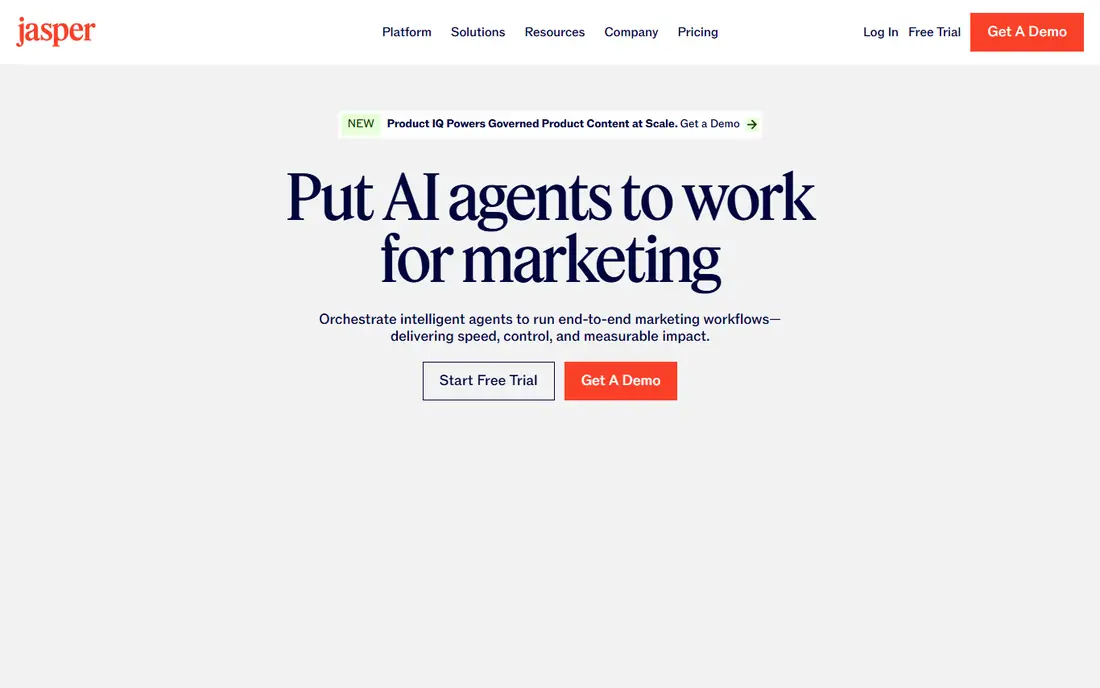
Jasper is built for marketing teams rather than solo note taking. You train a brand voice from your own samples, set knowledge assets for products and style, and then generate blog posts, landing pages, emails and ads that stay close to that voice. For an agency handling several clients, that consistency is the main value, because it cuts the rewrite time that comes from off brand drafts.
The price is the main barrier. At $69 per month for one seat on monthly billing, with a lower annual rate, a small team can quickly spend several hundred dollars a month. Business plans are custom priced. If you write daily and need that control, the cost can pay for itself. If you write a few posts a month, a cheaper writer plus a careful edit may be enough.
- Strong brand voice training
- Campaign templates and workflows
- Useful for teams with many writers
- Priced per seat, so team costs rise fast
- No permanent free plan

Copy.ai has shifted toward go to market work, including outbound sequences, prospect research and sales enablement, alongside general writing. That makes it a good fit for a team that needs many short pieces, such as ads, subject lines, social captions and outreach emails, produced in a repeatable way. The free plan lets a small team test the basics before paying.
Long blog posts need more editing here than in Jasper or Writesonic, and the jump to the Growth workflow tier is steep. Treat Copy.ai as a speed tool for short copy and workflows, not as a one click blog writer. When you need a long, well sourced article, pair it with a human outline and a separate fact check.
- Low entry price for up to five seats on Chat
- Workflow automation for sales and outreach
- Fast short copy
- Long form quality trails dedicated long form tools
- Higher workflow tier is much more expensive

Writesonic is now positioned around content that must rank in search and show up in AI answers, not just read well. It adds SEO guidance, content scoring and tracking for brand visibility in AI generated answers, which matters for teams that depend on organic traffic. A fact checker helps catch errors before publication, though it does not remove the need for a human editor.
Pricing starts around $79 per month on annual billing for the plan most content teams use, with higher tiers for deeper AI search tracking. That is a lot for a solo writer, but it can make sense for a content team that publishes weekly and measures search performance. Check how many articles your plan includes, because article limits, not word counts, often decide the real cost.
- SEO scoring and AI search visibility tracking
- Built in fact checking on some plans
- Multi model access
- Entry price has risen from its early budget positioning
- Brand voice polish trails Jasper
Rytr is the honest budget option in this list. It drafts short copy, captions, emails and product descriptions quickly, and the free tier covers a small monthly amount for testing. For a freelancer or a small shop that needs a first draft fast and plans to edit it, $9 per month for unlimited use on the paid plan is hard to beat.
Do not expect it to carry a long SEO article on its own. Longer pieces tend to repeat ideas and drift from the brief, so you will spend more time editing. Use Rytr where speed and price matter most, and save a premium tool or a human writer for flagship posts that represent your brand.
- Very low price
- Simple interface
- Usable free tier for short content
- Output quality lags premium tools on long form
- Fewer brand and SEO controls
Canva covers the visual half of marketing content creation. Magic Studio can draft copy, design social posts, resize a design for each channel and help with short video, all inside the same editor. A team can keep fonts, colors and logos in a brand kit, so a social post made by a junior designer still looks like the brand.
For long form writing, Canva is a companion, not a replacement. Draft the article in Jasper, Writesonic or another writer, then use Canva for the images, carousels and video clips that promote it. The free plan is useful for basic design, while Pro adds brand controls and the full Magic Studio set.
- Brand kits, templates and Magic Studio tools in one place
- Easy social and video formats
- Large asset library
- Text drafting is lighter than a dedicated writer
- Best features need a paid plan
Buffer solves the step after creation, which is getting content out on time. You can draft, schedule and publish across social channels from one dashboard, and see which posts perform. The Essentials price of $5 per channel per month keeps costs predictable for a small team with a few channels.
Buffer does include AI help for captions and ideas, but it is not a long form writer. Pair it with Jasper, Copy.ai or Canva, then use Buffer to plan the calendar and keep posting consistent. If you only need scheduling, the free plan may be enough for a very small presence.
- Simple scheduling across channels
- Low per channel price
- Useful analytics on paid plans
- Not a writing tool on its own
- AI help is limited to short social copy
HubSpot Marketing Hub is the platform choice when content must connect to leads, email and sales. You can write with AI help, build landing pages, send email, automate follow ups and track which content brings in contacts, without stitching five tools together. The free tier is a real starting point for a small business that needs a CRM first.
The trade off is scale pricing. As your contact list and team grow, the monthly cost rises, and some AI and automation features sit on higher tiers. HubSpot fits best when you already use, or plan to use, HubSpot as your CRM. If you only need writing help, a dedicated writer will be cheaper.
- Free CRM tier
- Email, landing pages and automation in one system
- Strong reporting as you grow
- Costs rise as contacts and seats grow
- AI features vary by plan
Descript turns video and audio into editable text, so you can cut a recording by deleting words in the transcript. That makes it a strong tool for marketing teams that repurpose webinars, podcasts and product demos into social clips, captions and short videos. AI features can remove filler words, clean audio and help with voiceover work.
It does not belong in the same slot as Jasper for written articles. Its value is in repurposing: one webinar becomes five clips, a blog summary and a set of captions. At $24 per month for the Hobbyist plan on monthly billing, it is affordable for a team that publishes video weekly. Teams that rarely make video can skip it.
- Transcript based video and audio editing
- Good for podcasts, demos and social clips
- AI voices and filler removal
- Not a blog writer
- Higher video features need a paid plan
How we picked these
We compared official pricing and feature pages in October 2026, plus public reviews of drafting quality and workflow fit. We included writers, a visual tool, a publisher, a CRM platform and a video editor, because marketing content creation covers all of those jobs. We left out general chatbots that lack marketing templates, brand controls or publishing, even though they can draft text. Prices quoted here are entry paid plans; annual billing is usually lower per month.
How to build a marketing content workflow that works
Start with one clear owner for each stage: brief, draft, edit, design, publish and measure. AI speeds up drafting and design, but it does not set the message, check the facts or approve a claim. Give the AI a brief with audience, goal, key points and words to avoid, then edit the draft against that brief before it goes anywhere.
Next, match the tool to the job. Use Jasper or Writesonic for long form and SEO posts, Copy.ai or Rytr for short copy, Canva for visuals, Descript for video, Buffer for social scheduling and HubSpot when the content must feed a CRM. Using one tool for every job usually means a weak result in at least one channel.
Finally, set a simple quality bar. Check every claim, link and price, read the draft aloud for tone, and keep a human sign off for anything that makes a promise about results, health, money or safety. AI output that is fast but wrong costs more in trust than it saves in time.
A note on claims and disclosure
Marketing copy must not promise results you cannot support, and AI tools can invent testimonials, statistics and awards. Remove any claim you cannot verify, and disclose AI help where your industry or client requires it. For regulated topics, keep a compliance review in the workflow, even if that slows publication.
FAQ
What is the best ai tool for marketing content creation?
Jasper is our pick for a marketing team that needs brand voice at scale, while Copy.ai suits short copy and go to market workflows. For a solo marketer on a budget, Rytr plus Canva covers drafting and visuals at a low cost. The best tool depends on how much you publish and how strict your brand rules are.
What are the best ai content creation tools for marketing on a budget?
Rytr at $9 per month, Canva on its free plan and Buffer at $5 per channel per month form a low cost stack. Add a free HubSpot CRM tier for email and contacts. That combination handles short copy, visuals and publishing without a large monthly bill.
Can AI tools write SEO blog posts that rank?
They can draft a structured post with SEO guidance, especially Writesonic, but ranking still needs original insight, accurate facts, internal links and a real editorial review. Treat AI as a drafting aid, and add your own examples, data and expert quotes before publishing.
Do I still need a human editor if I use AI for marketing content?
Yes. AI drafts need a check for facts, tone, legal claims and brand fit. A short edit pass catches invented statistics, repeated phrases and off brand wording. Teams that skip editing usually publish more, but with lower trust and more corrections later.
Which tool is best for social media marketing content?
Canva is best for the visuals, Buffer is best for scheduling, and Copy.ai is useful for short captions and ad variants. Most teams use at least two of these together: one to make the post, one to publish it on a schedule and track results.