Best AI Tool to Generate Video From Text in 2026: 8 Tools Compared
Searching for the best ai tool to generate video from text? We compared 8 legitimate generators on price, credits, quality, and safe, lawful use in 2026.

- Editor's choice
 Runway
Cinematic clips with fine editing control
Starts at$15 per monthVisit runwayml.comFull review - Great alternative
 Kling
Realistic motion on a modest budget
Starts at$10 per monthVisit klingai.comFull review - Also consider
 Pika
Fun social clips and visual effects
Starts at$10 per monthVisit pika.artFull review
TL;DR:
- Runway and Kling lead for cinematic quality, while Pictory and InVideo suit script and stock based marketing videos.
- Almost every tool here charges by credits, so the headline monthly price is only part of the real cost per finished clip.
- Free plans are useful for testing, but commercial use and watermark free exports usually start on a paid plan.
- Only generate video of real people with their clear consent, and check each tool's rules on likeness, minors, and sensitive content before publishing.
Quick comparison
| Tool | Best for | Starts at | Free plan? | |
|---|---|---|---|---|
| Runway | Cinematic clips with fine editing control | $15 per month | Yes | Visit |
| Kling | Realistic motion on a modest budget | $10 per month | Yes | Visit |
| Pika | Fun social clips and visual effects | $10 per month | Yes | Visit |
 Luma | Fast creative generation across models | $30 per month | Yes | Visit |
 Hailuo | Affordable, physics strong short clips | $14.99 per month | Yes | Visit |
 Synthesia | Presenter led training videos from text | $29 per month | Yes | Visit |
 Pictory | Turning scripts and articles into video | $29 per month | Free trial | Visit |
 InVideo | Fast prompt to social video with stock and AI footage | $20 per month | Yes | Visit |
The best AI tools to generate video from text
Text to video tools turn a written prompt into a short clip, and the best choice depends on whether you need a cinematic shot, a presenter, or a finished marketing video. We compared official pricing pages, feature pages, and public reviews for the tools below.

Runway suits creators who want more than a single generated clip. Its Gen-4 family handles text to video and image to video, and the editor adds camera moves, inpainting, and upscaling, so a generated shot can be shaped rather than simply accepted as it comes out. Paid plans remove the watermark and add commercial licensing, which matters for client work.
The catch is credit math. Standard costs $15 per month billed monthly, or $12 per month billed annually, for 625 credits, and a few seconds of high quality video can use a large share of that allowance. Plan for several attempts per keeper clip, test at lower settings first, and only render final shots at full quality.
- Strong Gen-4 models
- Camera and editing controls
- 4K upscaling on paid plans
- Credits run out fast at high quality
- Free plan is watermarked and limited

Kling has become a favourite for lifelike movement, because limbs, faces, and camera moves tend to hold together better than on many cheaper tools. It supports text to video and image to video, plus video extension on paid plans, so a short clip can be stretched into a longer scene. Native audio on newer models also helps social and ad work feel finished.
Pricing changes often, so check the membership page before you pay. Standard was listed at $10 per month for 660 credits, with Pro at $37 per month for 3,000 credits. Treat the first month discount as a one off, and budget per usable clip, not per generation, since retries cost credits too.
- Strong motion and physical consistency
- 1080p on paid plans
- Lower entry price than most rivals
- Credits expire and queues can slow on cheap plans
- Free output is watermarked and non-commercial
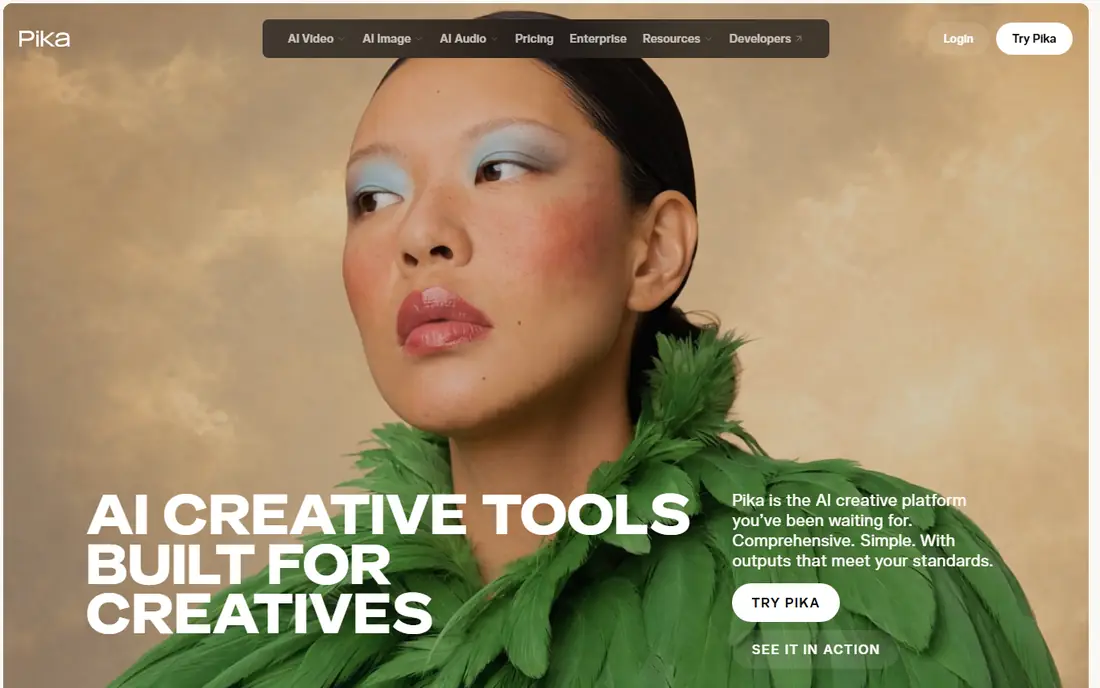
Pika is the quickest tool on this list to learn. Type a prompt, pick a style or effect, and you get a short clip that works well for Shorts, Reels, and TikTok. Pikaffects such as crush, melt, and inflate give social posts a distinct look without extra editing software, and lip sync helps simple character clips.
The trade off is depth. Pika lacks the timeline editing and brand controls of a full studio tool, and its free and low tiers carry watermarks with non-commercial terms in places. Standard was listed at $10 per month, with Pro at $35 per month for commercial use and watermark free downloads. Use Pika for short, playful output, not for long form production.
- Easy prompt to clip workflow
- Signature Pikaffects effects
- Fast renders for short clips
- No timeline editor
- Commercial use and watermark free downloads need a higher plan
Luma, formerly known for Dream Machine, now sells a creative app built around its Ray video model, with access to other image and video models through the same credit balance. That breadth is useful when one model handles a product shot well and another handles a stylised scene better. Draft mode lets you prototype cheaply before spending credits on a final render.
Plus costs $30 per month, or $25 per month billed annually, for 10,000 credits, with commercial use and no watermark. Pro costs $90 per month for 40,000 credits. The free entry point is best treated as a trial, since commercial rights start on Plus. Check the current pricing page, because Luma has renamed and reshaped its plans during 2026.
- Fast Ray model generation
- Access to several third party models in one app
- Clear credit tables
- High entry price for paid plans
- Credits do not roll over on most plans
Hailuo, from MiniMax, is a good value pick when you need many short clips and do not need long scenes. Its models handle body movement and stylised looks, including anime and illustration styles, with a clarity that punches above its price. Standard was listed at $14.99 per month for 1,000 credits, with Pro at $54.99 per month for 4,500 credits, and paid plans remove the watermark and allow commercial use.
The main limit is length. Most clips top out at about 10 seconds, so longer videos mean stitching several generations together in an editor. Use Hailuo for ads, social B-roll, and concept shots, and confirm the current credit cost for your chosen model and resolution before you commit to a volume plan.
- Low cost per clip on many models
- Strong physics and stylised styles
- Failed generations may not cost credits in some cases
- Clips are capped at about 10 seconds
- Pricing and plan names change often
Synthesia works differently from the cinematic tools above. Instead of generating a scene from a prompt, you write a script and pick an avatar presenter, which makes it a strong fit for training modules, product explainers, and internal updates. The Basic plan is free with 10 minutes of video per month and a watermark, while Starter costs $29 per month, or $18 per month billed annually, with more avatars, downloads, and logo removal.
The honest catch is the minute allowance. If you produce a full training course in one month, you may need Pro at $89 per month, or $64 per month billed annually. Synthesia also requires lawful use of likeness: only create avatars of yourself or of people who have given clear consent, and never use the tool to impersonate someone.
- Large avatar library
- Many languages
- Useful for training, onboarding, and help videos
- Video minutes are capped
- Avatar videos can feel formal for social content
Pictory suits marketers who start with words, not a camera. Paste a blog post or script, and Pictory builds scenes with stock footage, captions, and voiceover, which you can then edit like text. Starter costs $29 per month, or $25 per month billed annually, for 200 video minutes, while Professional costs $59 per month, or $35 per month billed annually, for 600 minutes and more voice and brand options.
Pictory is less of a pure text to cinematic video tool than Runway or Kling, and that is the point. Its strength is volume: turning one article into several short videos for different channels. Check how many AI Studio credits your plan includes, because fully generated clips use that pool separately from video minutes.
- Strong script to video workflow
- Stock media and AI voices included
- Brand kits on paid plans
- AI generated clips draw on a separate credit pool
- No permanent free plan
InVideo turns a prompt into a draft video with scenes, voiceover, captions, and music, which you can edit in its editor. Plus costs $20 per month for 75 credits, while Max costs $100 per month for 390 credits, and higher Generative and Elite tiers serve heavy users. The free plan gives a limited weekly quota with watermarked exports.
The system rewards careful use. Credits are spent per generation and by model, resolution, and duration, so an agent workflow that calls several models can burn credits faster than a simple prompt suggests. Keep approvals tight, reuse approved scenes, and only move up a tier when your monthly credit use proves you need it.
- Prompt based workflow with templates
- Large stock library
- Watermark free exports on paid plans
- Credit rules are complex and balances do not roll over
- High volume work gets expensive fast
How we picked these
We compared official pricing pages, feature pages, and help centres, plus recent independent pricing checks from October 2026, and we only kept tools that are live for consumers or small teams today. We left out Sora as a standalone consumer product because OpenAI shut down its consumer app and API during 2026, so recommending it as a current buy would mislead readers. We also left out any tool whose main use is undressing people or creating non-consensual imagery, since those products fail basic safety and consent tests.
What to check before you pay
Start with the job, not the model name. A cinematic ad needs a different tool from a training video, and a tool that makes beautiful five second shots may be a poor fit for a ten minute course. Write down how many finished minutes or clips you need each month, then work backwards from credits, not from the monthly price alone.
Check three terms on every plan: whether commercial use is included, whether exports are watermark free, and whether unused credits roll over. Many free plans block all three, which is fine for testing but not for client or ad work. Also check likeness rules. Only use your own face, voice, or likeness, or that of someone who has consented in writing, and never generate sexual or deceptive content involving real people.
Finally, test with your own prompts before subscribing for a year. Generate the same scene on two tools, check hands, faces, text in the scene, and brand colours, and count how many attempts it took to get a keeper. That small test tells you more about real cost than any feature list.
FAQ
What is the best ai tool to generate video from text for beginners?
Pika and InVideo are the easiest starts, because both turn a short prompt into a clip with little setup. Runway and Kling give better cinematic quality, but they need more prompt skill and credit budgeting. Start free, test the same prompt on two tools, and pick the one whose keepers you like most.
What are the best ai tools to generate videos from text for marketing?
Pictory and InVideo suit marketing volume, since they build finished videos with captions, voiceover, and stock footage from a script. Runway, Kling, and Hailuo suit hero shots and ads where visual quality matters more than volume. Many teams pair one of each: a cinematic tool for hero clips and a script tool for daily posts.
How much does text to video cost per month?
Entry paid plans on this list run from $10 to $30 per month, but the real cost depends on credits per clip, resolution, and retries. A plan that looks cheap can cost more per keeper than a pricier plan with a larger credit pool. Always check the credit cost shown on the generation screen before you render at full quality.
Can I use AI generated video commercially?
Yes, on most paid plans listed here, provided you follow the plan terms and do not misuse likeness or copyrighted material. Free plans often block commercial use or add a watermark, so read the terms for your exact tier. Keep records of your plan and exports if you use clips for client work.
Is it legal to generate video of a real person?
Only with that person's consent, and only for lawful purposes. Do not create deceptive, sexual, or harassing video of real people, and do not use a tool to impersonate someone. Reputable tools block some of this content, but the legal and ethical responsibility still sits with the person who prompts and publishes it.
How long can AI generated clips be?
Most cinematic tools here produce clips of about 5 to 10 seconds, with extension features on some paid plans. Presenter tools such as Synthesia and script tools such as Pictory can produce much longer finished videos by combining scenes. For long form work, plan to edit several clips together rather than expecting one long generation.