Best AI Tool for Image Creation in 2026: 9 Tools Compared
Compare the best AI tool for image creation, from photoreal art to logos and graphics, with pricing, styles, and honest limits for each pick and creative work.

- Editor's choice
 Midjourney
Artistic and cinematic image quality
Starts atSee websiteVisit midjourney.comFull review - Great alternative
 ChatGPT
Easy creation and image editing in chat
Starts atFreeVisit chatgpt.comFull review - Also consider
 Adobe Firefly
Commercial work inside Adobe tools
Starts atFreeVisit adobe.comFull review
TL;DR:
- Midjourney leads on artistic style and image quality for creative work, while ChatGPT with image generation leads on ease and editing.
- Adobe Firefly suits commercial work, with training and licensing claims designed for business use.
- Ideogram and Recraft lead on readable text in images, which matters for posters, logos, and ads.
- Leonardo and Stable Diffusion suit creators who want control, custom models, and varied styles.
- Canva and Microsoft Designer suit non-designers who need social graphics fast, not fine art.
Quick comparison
| Tool | Best for | Starts at | Free plan? | |
|---|---|---|---|---|
| Midjourney | Artistic and cinematic image quality | See website | Free trial | Visit |
| ChatGPT | Easy creation and image editing in chat | Free | Yes | Visit |
| Adobe Firefly | Commercial work inside Adobe tools | Free | Yes | Visit |
 Ideogram | Posters and images with readable text | Free | Yes | Visit |
 Leonardo AI | Game art, styles, and controlled creation | Free | Yes | Visit |
 Stable Diffusion | Open models and custom workflows | Free | Yes | Visit |
 Canva | Social graphics and marketing designs | Free | Yes | Visit |
 Microsoft Designer | Fast social images for Microsoft users | Free | Yes | Visit |
 Recraft | Logos, icons, and vector-style graphics | Free | Yes | Visit |
The best ai tool for image creation
We compared image quality, style control, text rendering, editing options, and commercial terms across tools available in October 2026. The best AI image generator app depends on whether you need art, marketing graphics, product mockups, or readable text in a poster.

Midjourney remains the benchmark for pure image beauty. Portraits, scenery, and concept art come out with rich light, texture, and mood that many rivals struggle to match. That makes it a favorite for book covers, game art, album visuals, and creative projects where style matters more than precise editing.
The workflow is less direct than ChatGPT or Firefly, since editing often means generating new variations rather than painting a change. Pricing is subscription-based, with no lasting free tier for most new users. For a best AI art generator app focused on look and feel, Midjourney is still our top artistic pick.
- Strong artistic style and lighting
- Good for portraits, scenes, and concept art
- Active community styles
- No permanent free plan for most users
- Works mainly through its own app and Discord history
- Editing is less direct
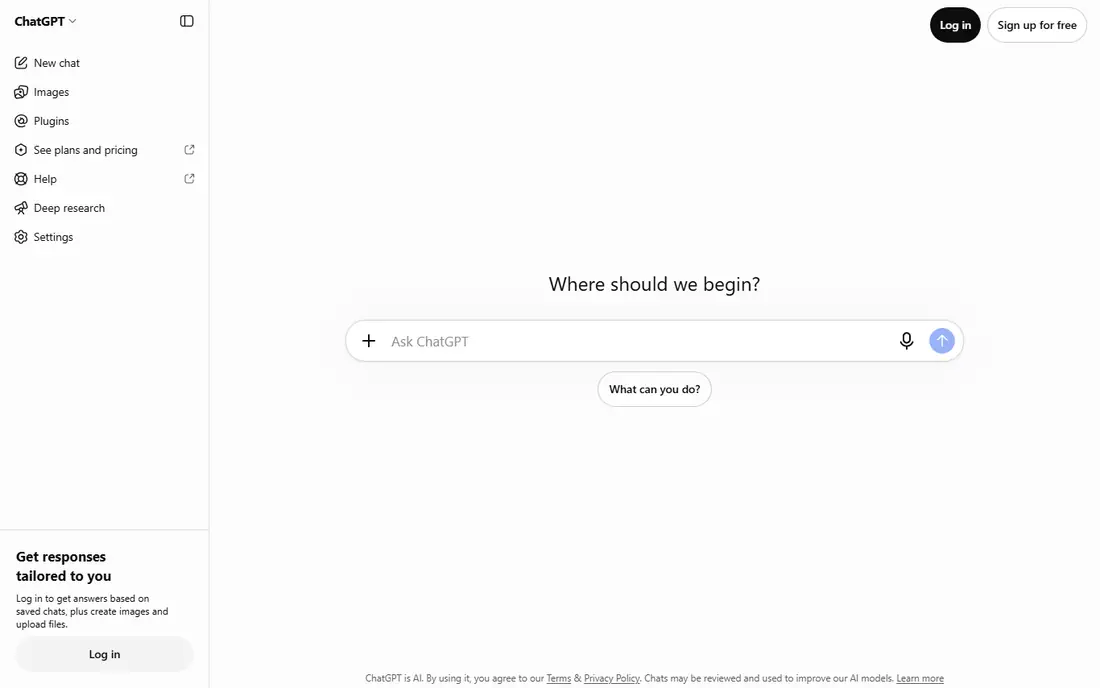
ChatGPT, with its image generation model, is the easiest way for most people to start. Describe an image in plain words, upload a photo to edit, and ask for changes in follow-up messages. That conversational editing suits social posts, blog images, and quick mockups, where you want to iterate without learning a new interface.
Free use has limits on image generation, and the style can feel polished but generic unless you give detailed prompts. Check the current plan terms for commercial use before using images in client work. For a best AI image generator app that anyone can use in minutes, ChatGPT is the most accessible pick.
- Simple chat prompts
- Can edit an uploaded image
- Good text rendering in many cases
- Free use has limits
- Style can feel generic
- Commercial terms depend on plan

Adobe Firefly is built for business and brand work, with Adobe stating that its models are trained in ways intended for commercial use. That matters for marketers, agencies, and publishers who need to explain image sources to clients. Integration with Photoshop, Illustrator, and Express also helps, since you can generate, then refine in a familiar editor.
The artistic range can feel more restrained than Midjourney, and free credits run out quickly for heavy use. Paid plans through Adobe add more credits and features. For a best AI tool for image generation in a professional workflow, Firefly offers a strong balance of safety, control, and Adobe integration.
- Designed for commercial use
- Integrates with Photoshop and Express
- Good style controls
- Free credits are limited
- Artistic range can feel safer than Midjourney
- Paid plans vary
Ideogram earned attention because it handles text better than most early image tools. Posters, logos, greeting cards, and social graphics with short phrases often come out readable, which is a real advantage for marketing work. Style presets help you pick a look without writing a long prompt, and the interface is simple.
Realistic people and complex scenes are less consistent than in Midjourney or ChatGPT, and editing tools are thinner. Free credits also limit testing. For a best AI app to create images with words in them, Ideogram is a top choice, especially for posters, ads, and event graphics.
- Strong text rendering
- Good poster and typography styles
- Simple prompt flow
- Realistic portraits trail Midjourney
- Free credits are limited
- Fewer editing tools
Leonardo AI suits creators who want control over style. You can pick models for anime, illustration, photography, game art, and more, then refine results with canvas tools and upscaling. That flexibility helps game developers, illustrators, and content creators who need a consistent look across many images.
The interface takes time to learn, and free daily credits limit how many images you can make without paying. Commercial terms also depend on your plan, so check them before client work. For a best AI art generator app with model choice and editing control, Leonardo is a strong mid-level pick.
- Many style models
- Canvas editing and upscaling
- Good for characters and environments
- Free credits limit daily use
- Interface has a learning curve
- Commercial terms vary by plan
Stable Diffusion is less a single app and more a family of open models that many apps and tools build on. That openness gives advanced users control over models, styles, and workflows that closed tools do not offer. You can run it locally, use community models, or access it through web apps that wrap the same core technology.
Setup is the hurdle. Local use needs a capable computer and some technical skill, and results vary widely with model choice and settings. For beginners, ChatGPT or Firefly will feel easier. For creators who want custom control, local privacy, or a specific style model, Stable Diffusion remains the most flexible foundation.
- Open model options
- Runs locally or in apps
- Huge community models and tools
- Setup can be technical
- Quality depends on model and settings
- Needs a good computer for local use
Canva is the best pick for non-designers who need finished graphics, not just raw images. Templates for posts, stories, presentations, and ads pair with AI image generation, text tools, and stock photos in one editor. That means you can generate an image, add a headline, and export a post without leaving the app.
AI image quality alone does not match Midjourney, and the best AI features sit behind Canva Pro. Designs can also feel templated unless you customize them. For a best app for AI art in a marketing workflow, Canva wins on speed and finished output, while specialist tools win on pure image craft.
- Templates for every social format
- Easy text and layout tools
- Huge stock library
- AI image quality trails specialist tools
- Advanced AI features need Pro
- Style can feel templated
Microsoft Designer offers a fast path from prompt to social graphic, with templates, text tools, and AI image generation in one place. It suits small businesses and social managers who already use Microsoft 365 and who need posts, ads, and invitations without a design team. The free tier covers basic creation well.
Depth is the limit. Style controls and image quality trail Midjourney and Firefly, and the tool feels best inside the Microsoft ecosystem. For quick, clean marketing images at no cost, Microsoft Designer is a practical pick. For fine art or detailed illustration, a specialist tool will serve better.
- Free to start
- Templates for social and ads
- Integrates with Microsoft tools
- AI image depth trails leaders
- Fewer style controls
- Best inside Microsoft ecosystem
Recraft stands out for vector-style work, including logos, icons, illustrations, and clean graphic art. That focus helps designers and small businesses that need scalable, editable-looking graphics rather than photographic scenes. Text handling is also solid for short phrases, which matters for branding work.
Photorealistic people and scenery are not its strength, and free credits limit heavy use. The community and template library are smaller than Canva or Midjourney. For a best AI image tool focused on logos and graphic styles, Recraft is a useful specialist, especially when paired with a general tool for photos.
- Strong vector and illustration styles
- Good text handling
- Useful for logos and icons
- Photorealism trails rivals
- Free credits are limited
- Smaller community than leaders
How we picked these
We compared official product pages, pricing, style options, text rendering, and commercial terms for image tools available in October 2026. We covered artistic, commercial, social, and vector use cases, and we favored tools with a real free plan or trial. We did not claim hands-on art direction tests, and we used See website where pricing varies by plan or region.
How to choose an image tool
Start with the output you need. Art and concept work point to Midjourney or Leonardo, marketing graphics point to Canva or Firefly, and posters with text point to Ideogram or Recraft. A tool that excels at one output may disappoint at another, so match the tool to the job.
Write prompts with subject, style, and light
Name the subject first, then the style, then light and mood in a few clear phrases. Short, specific prompts often beat long, vague ones, and adding a reference to a medium, such as watercolor or studio photo, helps the model aim. Generate several versions and pick the best, rather than expecting one perfect result.
Check rights before commercial use
Read the commercial terms for your plan, keep records of prompts and outputs for client work, and avoid using images of real people or trademarked characters without permission. Disclosure rules for AI images vary by platform and client, so label AI work where required. When in doubt, use Firefly or a tool with clear commercial terms for business projects.
Edit, do not just generate
The best results usually come from generation plus editing, whether that means cropping, color correction, or adding text in Canva or Photoshop. Treat AI output as a starting point, not a finished file, and review faces, hands, and text closely before publishing.
FAQ
What is the best AI image generator app overall?
Midjourney leads on artistic quality, while ChatGPT leads on ease and editing for most users. Adobe Firefly leads for commercial workflows inside Adobe tools. Try Midjourney for art, ChatGPT for quick edits, and Firefly for client work, then keep the one that fits your daily needs.
What is the best AI tool for image generation with text?
Ideogram and Recraft handle short text best among the tools here, with Ideogram leading for posters and Recraft leading for logos and icons. Keep text short, use a clear font style in the prompt, and check spelling in every result, since errors still happen.
What is the best free AI image tool?
ChatGPT, Adobe Firefly, Ideogram, Leonardo, Canva, Microsoft Designer, and Recraft all offer free tiers or credits for image creation. Free limits vary, so the best free tool depends on how many images you need per day. For occasional use, any of these free plans will cover a few projects.
Can I use AI images for commercial work?
Many tools allow commercial use on paid plans, but terms vary by tool and plan, so read the current terms before client work. Adobe Firefly is designed with commercial use in mind, while other tools may limit commercial use on free plans. Keep records and avoid trademarked or real-person likenesses without permission.
Why do AI images still get hands and text wrong?
Hands and text involve fine detail and structure that models still struggle with, especially at small sizes or in complex poses. Simpler poses, larger text, and fewer hands in frame reduce errors. Regenerating with a simpler prompt often helps more than adding detail.
Do I need design skills to use these tools?
No, most tools here work with plain-language prompts and templates, so beginners can start quickly. Design skills help for prompts, composition, and editing, but they are not required. Start with templates in Canva or Designer, then move to specialist tools as your needs grow.