Best AI Mode SEO Checking Software in 2026: 9 Tools Compared
We compared the best AI Mode SEO checking software for tracking brand visibility, citations, and rankings inside Google AI Mode and AI Overviews in 2026.

- Editor's choice
 Peec AI
Readable AI visibility reports for marketing teams
Starts at$95 per monthVisit peec.aiFull review - Great alternative
 Profound
Enterprise AI search intelligence
Starts atSee websiteVisit tryprofound.comFull review - Also consider
 Otterly.AI
Budget AI visibility tracking
Starts at$29 per monthVisit otterly.aiFull review
TL;DR:
- Peec AI is our pick for readable AI Mode reports, with a choice of models that includes AI Mode and AI Overviews.
- ZipTie is strong value for AI Mode tracking, with seven engines and usage-based pricing.
- Otterly.AI covers AI Mode as a paid add-on, so check the total price if AI Mode is your main goal.
- Profound suits enterprises that need AI Mode alongside many other engines in one dashboard.
- Always confirm AI Mode is included on your exact plan, since some tools list it only on higher tiers.
Quick comparison
| Tool | Best for | Starts at | Free plan? | |
|---|---|---|---|---|
| Peec AI | Readable AI visibility reports for marketing teams | $95 per month | Free trial | Visit |
| Profound | Enterprise AI search intelligence | See website | Free trial | Visit |
| Otterly.AI | Budget AI visibility tracking | $29 per month | No | Visit |
 ZipTie | Usage-based AI visibility checks | $42.75 per month | Free trial | Visit |
 Scrunch AI | AI visibility plus site and crawler insight | $250 per month | No | Visit |
 AthenaHQ | Broad model coverage with an action layer | $295 per month | Yes | Visit |
 Rankscale | Low-cost AI tracking for agencies | $20 per month | Free trial | Visit |
 Semrush | AI visibility inside an existing SEO toolkit | $99 per month | No | Visit |
 Ahrefs | AI brand tracking for existing Ahrefs users | $199 per month | No | Visit |
The best AI Mode SEO checking software
Google AI Mode and AI Overviews now answer many questions directly, which means a page can lose clicks even when it still ranks. Checking AI Mode specifically matters because it behaves differently from classic search results and from ChatGPT. The tools below track whether your brand appears in AI Mode answers, which pages get cited, and how competitors compare.

Peec AI is a strong mid-market choice because its reports are easy to read and share with non-technical stakeholders. It tracks brand mentions, citations, and sentiment across several AI engines.
The distinction between citation rate and retrieval rate helps teams diagnose problems. If you are retrieved but not cited, your content may need clearer facts or better structure, and Peec AI makes that gap visible.
Starter limits matter. The entry plan covers 50 prompts and three models of your choice, so larger brands will need a higher tier. Confirm the dollar price, since some pages show euros.
- Separates citation rate from retrieval rate
- Multi-country reporting
- Looker Studio connector
- Starter plan limits prompts and models
- Prices shown in euros on some pages
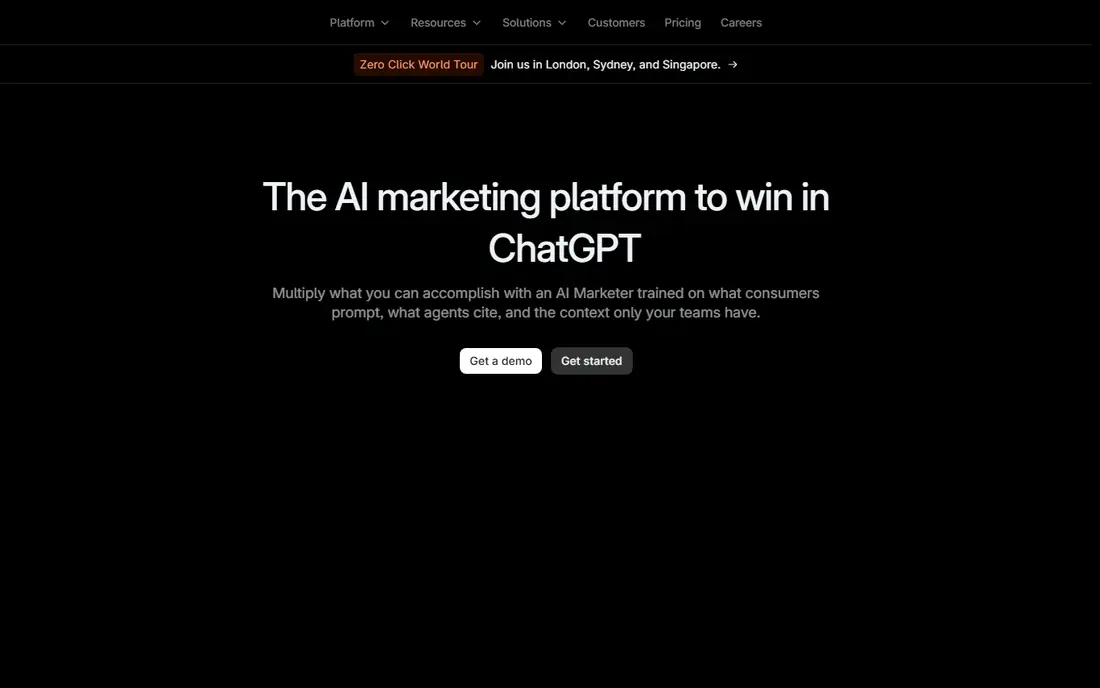
Profound is the enterprise name in AI visibility, built for brands that need large prompt libraries and stakeholder-ready reporting. It tracks how answers mention and cite your brand across major AI engines.
Depth is the strength. Prompt-level analytics, citation tracking, and agent analytics show not just whether you appear, but which pages get cited and how AI crawlers read your site.
Cost and complexity are the catches. Pricing is custom on enterprise plans, and small teams may find the platform more than they need. Start with the trial and confirm which engines your plan covers.
- Tracks up to nine answer engines on enterprise plans
- Deep citation and prompt analytics
- SOC 2 controls
- Enterprise pricing is custom and high for small teams
- Entry trial limits prompts and exports
Otterly.AI is the budget entry point for small teams that want to know whether AI engines mention them at all. The Lite plan tracks ChatGPT, Google AI Overviews, Perplexity, and Copilot for a low monthly price.
Simplicity helps here. Daily checks, unlimited team members, and a readiness audit give a small team a clear baseline without enterprise setup. It is easy to run alongside traditional SEO tools.
Engine coverage is the limit. Gemini, AI Mode, and Claude cost extra on Lite, so if Google AI Mode is your priority, check the add-on total before you compare prices.
- Lowest entry price in this list
- Daily tracking on core engines
- GEO readiness audit
- Gemini, AI Mode, and Claude are paid add-ons on Lite
- No API on the entry plan
ZipTie is the value pick for teams that want occasional AI checks without a large fixed subscription. Its usage-based pricing charges for the prompts you run, which suits agencies with uneven workloads.
Engine coverage is broad for the price. ZipTie covers ChatGPT, AI Overviews, AI Mode, Gemini, Perplexity, Copilot, and Bing AI Overview, so you are not limited to two or three engines on the entry plan.
Update frequency is the trade-off. Some plans update weekly rather than daily, so teams that need daily alerts should confirm the cadence. Daily tracking of many prompts can also raise the usage bill.
- Seven engines including AI Mode and AI Overviews
- Pay for checks you run
- Unlimited users and projects
- Reports update weekly on some plans
- Usage costs rise with daily prompt volume
Scrunch AI suits teams that care how AI systems read their site, not just whether they appear in answers. It combines visibility tracking with insight into crawler behavior and content gaps.
Persona tracking is a useful extra. You can see how answers differ for different audience types, which helps content teams write pages that serve real buyer questions rather than generic keywords.
The price puts it out of reach for solo marketers. Scrunch makes sense when you have a content team ready to act on the findings, not when you only need a weekly mention count.
- Shows how AI crawlers parse your site
- Persona tracking
- Content guidance alongside monitoring
- Entry price is high for small teams
- Some features sit on higher tiers
AthenaHQ is worth a look if you want broad model coverage and recommendations, not just charts. It tracks many AI models and pairs visibility data with actions your team can take next.
The action layer is the draw. Instead of leaving you with a score, AthenaHQ points to pages and topics that need work, which helps smaller SEO teams prioritize without hiring a specialist.
Budget is the barrier. The paid plan starts around $295 a month, and the free tier caps monthly answers. Try the free tier to test coverage, then judge whether the action layer justifies the price.
- Covers many models on paid plans
- Action recommendations
- Unlimited team members
- Paid price is high
- Free tier limits answers per month
Rankscale is an agency-friendly option with a low entry price and credit-based tracking. You pick prompts and models, and credits cover the answers you check, which keeps small projects affordable.
White-label reporting is a practical plus for agencies. You can share client reports under your own branding without paying enterprise prices, which helps smaller agencies look polished.
Credit planning takes care. Daily checks across many models use credits faster than weekly checks, so model your monthly prompt volume before you compare the headline price with a flat-rate tool.
- Credit-based pricing across many models
- White-label reports for agencies
- Low entry price
- Credit math needs care for daily tracking
- Newer tool with a smaller track record
Semrush suits teams that already use Semrush for SEO and want AI visibility in the same dashboard. The toolkit tracks prompts, surfaces real AI search queries, and audits pages for AI readiness.
Workflow is the benefit. You can move from a traditional ranking report to an AI visibility report without learning a new platform, and the conversation explorer shows the actual questions people ask AI tools.
Cost stacking is the caution. The toolkit price sits on top of a Semrush subscription and is charged per domain, so multi-domain teams should total both costs before comparing with a dedicated tool.
- Adds AI tracking to familiar SEO workflows
- Conversation explorer for real AI queries
- Site audit for AI readiness
- Price is per domain on top of a Semrush plan
- Engine coverage is narrower than dedicated tools
Ahrefs Brand Radar fits SEO teams that already pay for Ahrefs and want AI data next to backlinks and rankings. It offers a database of pre-collected prompts plus custom tracking for your brand.
Research depth is the plus. You can explore how AI engines treat a whole category, not just your own prompts, which helps with content planning and competitor analysis in one place.
Pricing is layered. The index add-on and custom prompt packages add to the base Ahrefs cost, so the total can climb quickly. Check which platforms your add-on covers before you sign up.
- Large prompt database for brand research
- Tracks AI Overviews, AI Mode, ChatGPT, and more
- Strong SEO data alongside
- Add-on pricing varies by platform
- Custom prompts cost extra
- Needs an Ahrefs base plan
How we picked these
We compared vendor pricing pages and product docs, with a focus on whether AI Mode and AI Overviews are included on the entry plan or only as add-ons. We also checked prompt limits, check frequency, citation data, competitor tracking, and whether tools separate AI Mode results from general AI Overview results. Independent 2026 comparisons helped confirm which tools genuinely track AI Mode rather than only claiming to.
How to check SEO for Google AI Mode
Start by listing the questions your buyers ask in AI Mode, including comparison and recommendation questions. Track those exact prompts, not just your brand name, since AI Mode answers often recommend a brand the user never typed. Record whether you are mentioned, cited, or missing, and note which competitor pages win the citation.
Fix pages for AI Mode answers
AI Mode favors pages that answer a question directly and back it with clear facts. Put a concise answer near the top, use descriptive headings, and keep product facts, prices, and comparisons current. Add structured data where it fits, and make sure key pages load fast and read well on mobile, since AI systems draw on pages users can actually open.
Separate AI Mode from AI Overviews
AI Mode and AI Overviews are related but not identical, and a tool that lumps them together can hide a problem. Check both surfaces separately, compare citation sources, and prioritize the surface that drives more of your traffic. If a tool only tracks one, pair it with a second check rather than assuming coverage.
FAQ
What is Google AI Mode SEO checking software?
It is software that tracks how your brand appears in Google AI Mode answers. It runs prompts, records whether you are mentioned or cited, and compares you with competitors. Some tools also track AI Overviews, ChatGPT, and other engines in the same dashboard.
Is AI Mode different from AI Overviews?
Yes. AI Overviews appear at the top of classic search results with a summary and links. AI Mode is a more conversational search experience that can handle follow-up questions and deeper research. Both can cite your pages, but the prompts and answers differ, so track them separately.
What is the best AI Mode checking tool for small teams?
ZipTie and Peec AI are strong options for small teams, with AI Mode included in their engine lists. Otterly.AI can work too, but AI Mode is a paid add-on on its Lite plan, so total the cost first. Start with a small prompt set and expand as needed.
Can I check AI Mode visibility for free?
Some tools offer free trials that include AI Mode or AI Overviews for a short period, and AthenaHQ offers a limited free tier. Free trials help you test coverage, but ongoing AI Mode tracking usually needs a paid plan. Check trial prompt limits before you rely on the results.
How do I improve my brand in AI Mode answers?
Publish clear, factual pages that answer buyer questions directly, keep facts current, and earn citations from trusted sources. Use clear headings, concise summaries, and structured data where it fits. Then track the same prompts over time to see whether page changes move your AI Mode visibility.