8 Best AI Content Detectors Software Tools for Editors and Teachers in 2026
Compare the best AI content detectors software for editors, teachers, and publishers, including accuracy limits, fair use, and current prices for US users.
- Editor's choice
 GPTZero
Teachers and quick triage
Starts atFreeVisit gptzero.meFull review - Great alternative
 Originality.ai
Publishers and content teams
Starts at$14.95 per monthVisit originality.aiFull review - Also consider
 Copyleaks
Enterprise and multilingual checks
Starts at$16.99 per monthVisit copyleaks.comFull review
TL;DR:
- No detector is a final verdict: use detectors for triage, then confirm with human review, drafts, and source checks.
- False positives are a real risk, especially for formal, formulaic, or second-language writing, so never punish on a single score alone.
- Pricing is usually per word, per credit, or per document, so compare cost at your actual monthly volume.
- Sentence-level highlighting, reports, and integrations matter more than a single headline accuracy claim.
- Choose tools with clear privacy policies, especially when checking student work, client drafts, or unpublished manuscripts.
Quick comparison
| Tool | Best for | Starts at | Free plan? | |
|---|---|---|---|---|
| GPTZero | Teachers and quick triage | Free | Yes | Visit |
| Originality.ai | Publishers and content teams | $14.95 per month | Yes | Visit |
| Copyleaks | Enterprise and multilingual checks | $16.99 per month | Yes | Visit |
 Pangram | Low false positive checks | $20 per month | Yes | Visit |
 Winston AI | Agencies needing shareable reports | $18 per month | Yes | Visit |
 ZeroGPT | Quick free checks | Free | Yes | Visit |
 Sapling | Detection inside writing apps | Free | Yes | Visit |
 QuillBot AI Detector | Students already using QuillBot | Free | Yes | Visit |
The best ai content detectors software
The best ai content detectors software helps editors and teachers spot likely AI-written text, while making clear that results need human judgment.
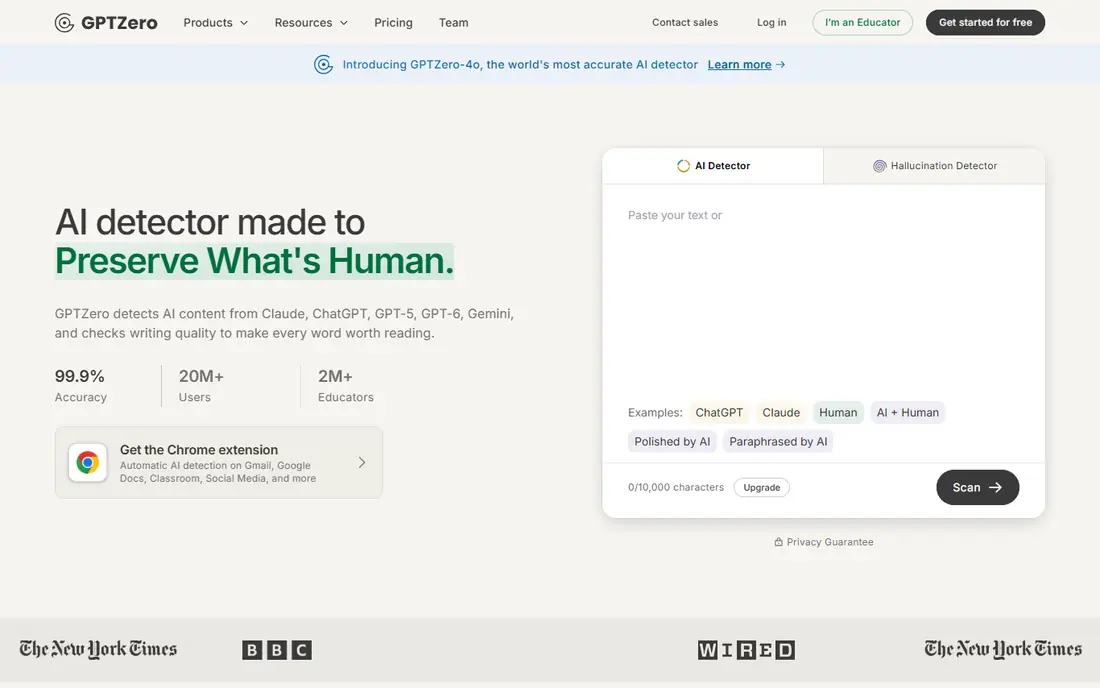
GPTZero is the best-known detector in education, and its free plan makes it easy to test. It offers 10,000 words per month for free, with paid plans starting at $14.99 per month for 150,000 words. Sentence-level highlighting helps teachers see which parts of a document look AI-like, rather than relying on a single overall score. The limit is the same for every detector: paraphrasing, heavy editing, and mixed human and AI text reduce accuracy. GPTZero also offers plagiarism checking and writing replay features on higher tiers, which help teachers see how a document was composed. Use it for triage and conversation, not as a sole basis for an academic decision.
- Free plan with 10,000 words per month
- Sentence-level highlighting
- Classroom integrations on higher tiers
- Paid plans start at $14.99 per month for higher word limits
- Accuracy drops on heavily edited or paraphrased text

Originality.ai suits publishers and content teams that need to check freelance work at scale. Its Pro plan starts at $14.95 per month, with credits that cover AI detection, plagiarism, readability, and fact checks. Full-site scans help publishers review many pages without checking each one manually, and team features help agencies manage writers and clients. Credit pricing needs attention, since different checks use different amounts of credits. A team that runs AI plus plagiarism on every document will use credits faster than a team that runs AI checks alone. For publishers that need a combined integrity report, Originality.ai is a practical choice.
- AI, plagiarism, readability, and fact checks in one report
- Full-site scans for publishers
- Team management for agencies
- Credit-based pricing can be confusing
- AI plus plagiarism checks use more credits
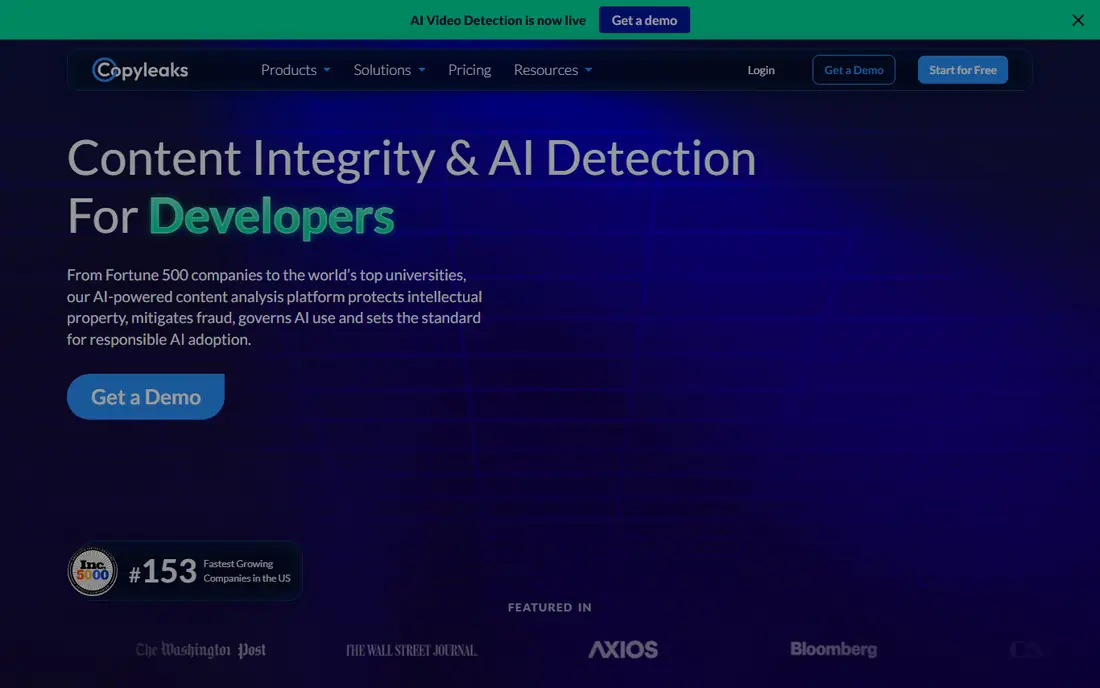
Copyleaks is built for schools, enterprises, and publishers that need detection across languages and systems. Its Personal plan starts at $16.99 per month for 25,000 words, with higher plans for larger volumes. It supports AI detection in many languages and plagiarism detection in over 100 languages, plus integrations with learning management systems and Google Docs. The Personal plan word limit is modest for heavy users, so teams should compare volume tiers before buying. Enterprise pricing is quoted, which makes budgeting harder without a sales conversation. For multilingual teams and institutions that need LMS integration, Copyleaks is a strong fit.
- AI detection in many languages
- Plagiarism detection in over 100 languages
- LMS and Google Docs integrations
- Personal plan includes only 25,000 words per month
- Enterprise pricing is quoted
Pangram positions itself around accuracy and low false positives, which matters when a wrong flag can harm a student or writer. Its free tier covers a daily word limit, and its Individual plan starts at $20 per month. API access and Google Docs support help teams check documents inside existing workflows, rather than copying text into a separate tool. The trade-off is price. Pangram costs more at entry than some free-first tools, and heavy users will need higher tiers. For editors and teachers who prioritize avoiding false accusations, and who are willing to pay for that focus, Pangram is worth testing with real documents from their own workflow.
- Free tier with daily word limits
- Focus on low false positive rates
- API and Google Docs support
- Higher starting price than some rivals
- Professional tiers cost more for heavy use
Winston AI suits agencies that need to share results with clients in a clear report. Its Essential plan starts at $18 per month on monthly billing, or $10 per month when billed annually, with credits for AI detection. Shareable PDF reports help agencies show findings without sharing raw dashboard access, and OCR support helps with scanned documents and handwriting. Plagiarism checking and team seats require higher plans, so small agencies should check the full tier before buying. Winston AI also offers AI image checks, which may help teams reviewing visual content beside text. For client-facing work, the report format is a real benefit.
- Shareable PDF reports for clients
- OCR for handwriting and PDFs
- AI image and deepfake checks on some plans
- Plagiarism and team seats start on higher plans
- Monthly pricing is higher on monthly billing than annual billing
ZeroGPT is useful for a quick check when a full subscription is not needed. Its free tier allows basic checks without a card, and its Pro plan starts at $13.99 per month for higher limits. Results show document, paragraph, and sentence-level detail, which helps users see where a text looks AI-like. The weakness is evidence and polish. ZeroGPT publishes less independent accuracy data than GPTZero or Originality.ai, and the free tier includes ads. For casual checks and first-pass triage, it is convenient. For high-stakes decisions, pair it with a second detector and human review.
- Free checks without an account for basic use
- Document, paragraph, and sentence-level results
- Pro plan starts at $13.99 per month
- Ads on the free tier
- Less public accuracy data than larger rivals
Sapling suits support teams, recruiters, and editors who want detection inside the apps they already use. Its free tier covers checks up to 2,000 characters, and its Pro plan costs $25 per month for larger queries. Browser, Google Docs, Outlook, and Word integrations mean users can check text without switching tools constantly. The reporting is narrower than dedicated integrity platforms, so Sapling is less suited to formal academic investigations. Its API helps developers add detection to hiring or support workflows, which is a different use case from classroom grading. For in-app checks and API use, Sapling is a practical option.
- Free checks up to 2,000 characters
- Detector plus writing assistant in browser, Docs, Outlook, and Word
- Developer API available
- Pro plan costs $25 per month
- Reporting is narrower than dedicated integrity tools
QuillBot AI Detector suits students and writers who already use QuillBot for paraphrasing, grammar, and plagiarism checks. Its free tier allows checks up to 1,200 words, with up to 10 scans per day, and Premium adds full access. That bundle makes sense for a student who needs several writing tools in one subscription. The limit is depth. QuillBot detection is one feature among many, so institutions that need detailed reports, LMS integration, and audit trails should choose a dedicated detector. For individual students doing a self-check before submission, QuillBot is convenient and affordable on annual billing.
- Free checks up to 1,200 words per check
- Bundled with paraphraser and plagiarism checker
- Premium starts at $19.95 per month, or $8.33 per month billed annually
- Detection is one feature in a broader writing suite
- Less depth than dedicated detectors for institutional use
How we picked these
We compared official feature pages, published pricing pages, app store listings, privacy policies, and public reviews for each product. We kept only tools that detect AI-generated text today, and we marked pricing as See website where a vendor quotes rather than publishes a price. We favored tools with clear free tiers or trials, sentence-level results, and privacy practices suitable for student and client work, and we noted accuracy limits rather than repeating vendor claims as fact.
What to check before you buy
A detector score should start a conversation, not end one, so build a fair workflow around the tool.
Accuracy, false positives, and fairness
Test any detector with known human text, known AI text, and edited or paraphrased text from your own workflow. Pay attention to false positives on formal and second-language writing, since research has found higher flag rates for those texts. Never base a grade, job decision, or publication rejection on a single detector score.
Privacy, reports, and integrations
Check what happens to text you submit, how long it is stored, and whether it is used for training. For schools, confirm LMS integration, student privacy rules, and who can see reports. For publishers, check API access, team seats, and whether reports can be shared with writers without exposing internal notes.
Cost at real volume
Compare cost per 10,000 or 100,000 words, since credit and word limits differ across tools. A cheap monthly plan with a low word limit can cost more than a higher plan once a team checks many documents. Track monthly usage for a month before committing to an annual plan.
FAQ
What is the best AI content detector tool?
The best AI content detector tool depends on use case. GPTZero suits teachers and quick triage, Originality.ai suits publishers, Copyleaks suits multilingual and enterprise teams, and Pangram suits users who prioritize low false positives. No single tool is reliable enough alone for high-stakes decisions, so use two tools plus human review when it matters.
What are the best AI content detector tools for teachers?
Teachers often start with GPTZero for its free tier and classroom features, and add Copyleaks or Turnitin where an institution already licenses those platforms. Sentence-level highlighting and writing history help teachers talk with students about process, rather than accusing based on a score. Schools should set a clear policy on detector use before using scores in grading.
Can AI detectors be wrong?
Yes, AI detectors can be wrong in both directions: they can flag human text as AI, and they can miss AI text that has been edited or paraphrased. Formal writing, short texts, and second-language writing are more likely to be flagged incorrectly. That is why detectors should support human review, not replace it.
Is Turnitin an AI detector?
Turnitin offers AI detection as part of its academic integrity platform, but it is sold to institutions, not to individual users, and pricing is quoted rather than published. Schools that already use Turnitin can use its AI reports inside their LMS. Individual teachers and editors should choose a consumer or publisher tool from this list instead.
How accurate are AI content detectors?
Vendor accuracy claims are often high, but independent tests show lower and more variable results, especially on edited, paraphrased, or short texts. Accuracy also changes as AI models change, so a tool that performed well last year may perform differently today. Treat accuracy claims as vendor marketing, and test tools with your own documents before trusting them.
Do AI detectors store my text?
Storage policies vary by vendor, so check the privacy policy before submitting student work, client drafts, or unpublished manuscripts. Some tools store text for a limited time for processing, while others offer enterprise controls for retention and training. When privacy matters, choose a tool with clear retention terms and avoid submitting sensitive personal data.