8 AgencyAnalytics Alternatives for Client Reporting in 2026
Compare 8 AgencyAnalytics alternatives for client reporting, dashboards, and white-label reports, with pricing notes and honest trade-offs for agencies.
- Editor's choice
 DashThis
Fast client reports for small agencies
Starts at$44 per monthVisit dashthis.comFull review - Great alternative
 Databox
Live KPI dashboards and goal tracking
Starts atSee websiteVisit databox.comFull review - Also consider
 Whatagraph
Polished cross-channel reports for larger agencies
Starts atSee websiteVisit whatagraph.comFull review
TL;DR:
- DashThis and Swydo suit small agencies that want client reports ready fast, with less setup time than a full business intelligence build.
- Databox and Klipfolio suit teams that want live dashboards and goals beside scheduled client reports.
- Looker Studio and Supermetrics suit teams that already work in Google tools and want control over how data is combined.
- Whatagraph and ReportGarden suit agencies that want polished, branded reports and a clear client portal.
- Check connector coverage for your exact ad and SEO tools before you pay, since one missing source can change the whole choice.
Quick comparison
| Tool | Best for | Starts at | Free plan? | |
|---|---|---|---|---|
| DashThis | Fast client reports for small agencies | $44 per month | Free trial | Visit |
| Databox | Live KPI dashboards and goal tracking | See website | Yes | Visit |
| Whatagraph | Polished cross-channel reports for larger agencies | See website | Free trial | Visit |
 Swydo | PPC-focused reporting for mid-size agencies | See website | Free trial | Visit |
 ReportGarden | Budget tracking beside client reports | $75 per month | Free trial | Visit |
 Klipfolio | Custom dashboards for analyst-led teams | See website | Free trial | Visit |
 Looker Studio | Free Google-based reporting for hands-on teams | Free | Yes | Visit |
 Supermetrics | Moving marketing data into Sheets and dashboards | See website | Free trial | Visit |
The best AgencyAnalytics alternatives
For most agencies, the right choice is the one your team will maintain. If AgencyAnalytics no longer fits your client mix, budget, or reporting style, these options cover the main paths forward. Some focus on speed, some on deep dashboards, and some on moving data into tools you already use.
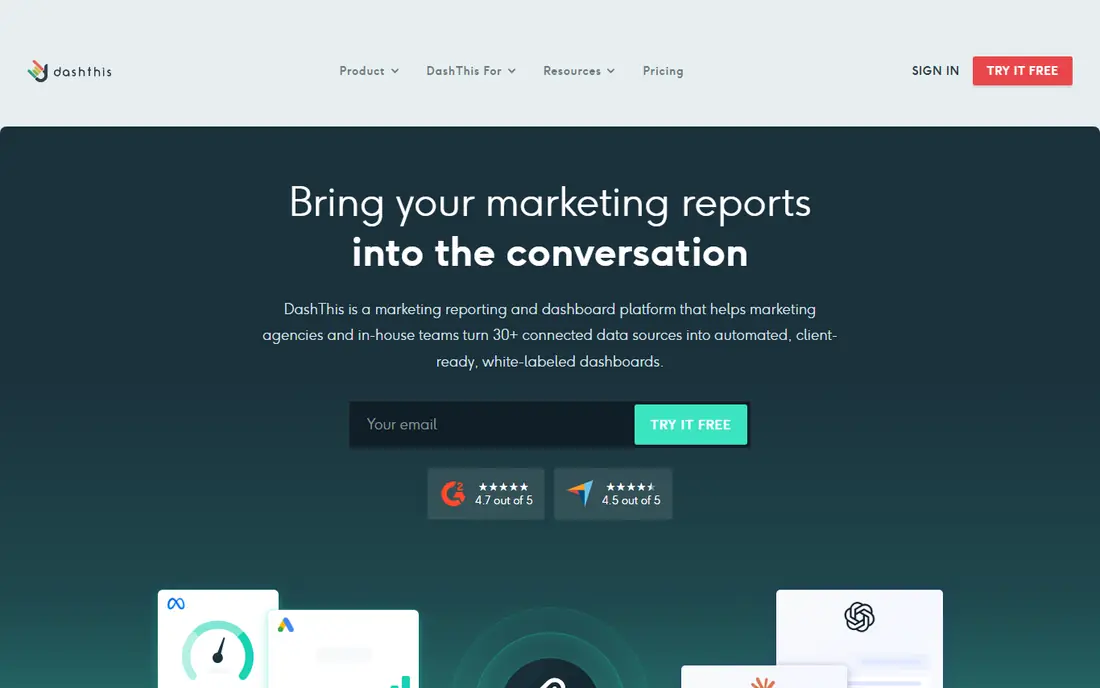
If you need fast client reports for small agencies, DashThis deserves attention. DashThis stands out for speed. You pick a template, connect a source, and send a clean report without building charts from scratch, which matters when a small team serves many clients.
The reporting style is practical rather than flashy. Clients see the headline numbers, the trend, and the source, and your team spends less time formatting each month. That fit is why DashThis stays on our shortlist for this use case, even when other tools offer more features in other areas.
The main trade-off is depth. If you need complex calculations or highly custom visuals, you may outgrow the template approach as client needs get more specific. Before you choose DashThis, check the plan that includes the features you need, and confirm pricing on the official site.
- Simple dashboard templates
- Scheduled PDF and email reports
- Connects common ad and analytics sources
- Fewer deep customization options than a full dashboard platform
- Costs rise with more dashboards

Databox takes a different angle on live kpi dashboards and goal tracking. Databox is a strong fit when clients want to see performance between monthly reports. Live dashboards, goals, and alerts give both sides a shared view of progress.
The platform covers a broad set of marketing, sales, and analytics sources. That breadth helps agencies with mixed client stacks avoid juggling several reporting tools. That fit is why Databox stays on our shortlist for this use case, even when other tools offer more features in other areas.
The catch is polish and price structure. Branding and some advanced features sit on higher tiers, so confirm the plan that includes the client-facing look you want. Before you choose Databox, check the plan that includes the features you need, and confirm pricing on the official site.
- Wide integration list
- Goal tracking and alerts
- Mobile dashboards for quick checks
- White-label options can cost extra on lower plans
- Report design takes time to learn
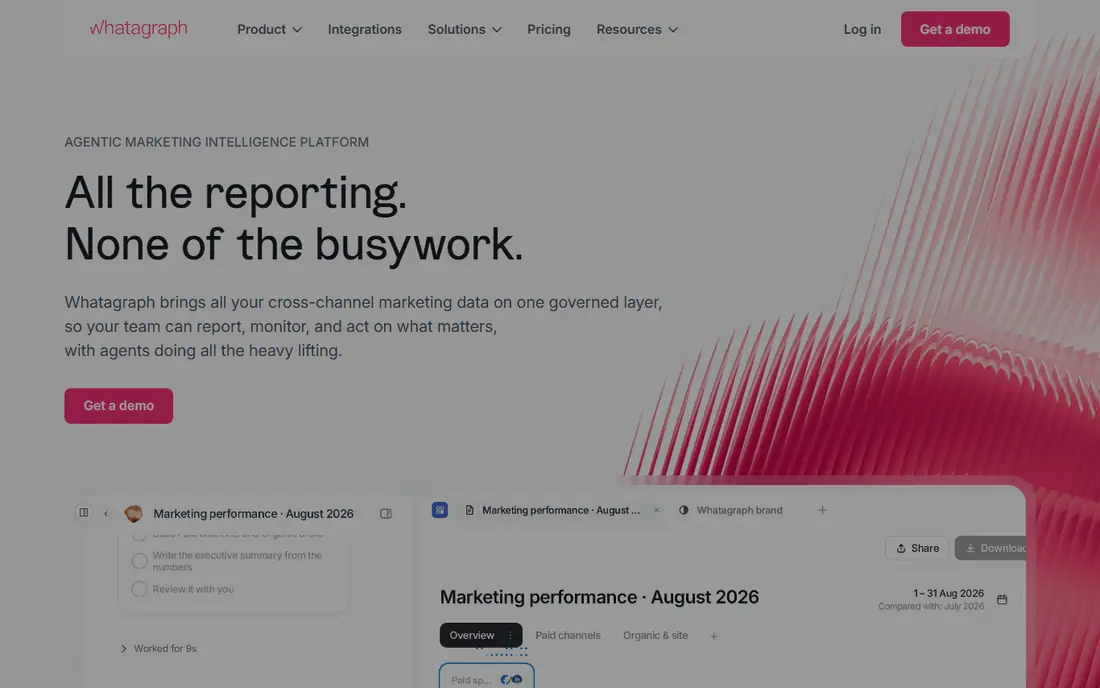
For polished cross-channel reports for larger agencies, Whatagraph is a practical option to compare. Whatagraph is built for agencies where the report itself is part of the service. Templates look finished, data from several channels sits in one view, and clients get a branded link.
That presentation helps in reviews and renewals. A client who can read the story in a report is more likely to trust the work behind it, even when results are mixed. That fit is why Whatagraph stays on our shortlist for this use case, even when other tools offer more features in other areas.
The catch is cost. Smaller agencies may find the entry price hard to justify for a handful of clients, so it fits best once reporting volume is steady. Before you choose Whatagraph, check the plan that includes the features you need, and confirm pricing on the official site.
- Attractive report templates
- Cross-channel data blending
- Branded client links and portals
- Higher starting cost than simpler tools
- Best value for agencies with many clients
Swydo is worth a close look for ppc-focused reporting for mid-size agencies. Swydo keeps paid media reporting straightforward. Campaigns, spend, and results sit in templates that need little editing, which suits PPC teams with repeatable monthly work.
White-label reports help a smaller agency look larger and more consistent. Clients see your brand, not a third-party tool, and delivery can run on a set schedule. That fit is why Swydo stays on our shortlist for this use case, even when other tools offer more features in other areas.
The catch is scope. If a client also needs deep SEO, social, and email reporting in the same document, check whether Swydo covers every source before you commit. Before you choose Swydo, check the plan that includes the features you need, and confirm pricing on the official site.
- Clear PPC and paid media templates
- White-label reports
- Scheduled delivery to clients
- Narrower focus than all-in-one SEO and social suites
- Some sources need checking
If you need budget tracking beside client reports, ReportGarden deserves attention. ReportGarden pairs performance reporting with budget awareness. Teams can show what was spent, what remains, and how pacing compares with the plan, which clients often ask about first.
That budget view is useful for ad agencies that manage spend across several accounts. It turns a results report into a planning conversation about next month. That fit is why ReportGarden stays on our shortlist for this use case, even when other tools offer more features in other areas.
The catch is breadth. The integration list is solid for common ad platforms, but niche tools may need a workaround, so list your must-have sources early. Before you choose ReportGarden, check the plan that includes the features you need, and confirm pricing on the official site.
- Budget pacing and spend tracking
- Client dashboards
- Templates for ad agencies
- Fewer integrations than the largest platforms
- Interface feels dated in places
Klipfolio takes a different angle on custom dashboards for analyst-led teams. Klipfolio suits teams with someone who enjoys building metrics. You can shape dashboards around the exact definitions your clients use, rather than accepting a preset view.
That control pays off for agencies with unusual KPIs or blended data. Once a dashboard is built well, it can be reused across similar clients with small changes. That fit is why Klipfolio stays on our shortlist for this use case, even when other tools offer more features in other areas.
The catch is effort. The first build takes longer than a template tool, and teams without an analyst may find the flexibility more work than they need. Before you choose Klipfolio, check the plan that includes the features you need, and confirm pricing on the official site.
- Flexible dashboard building
- Many data sources
- Good control over metrics and formulas
- Steeper learning curve than template tools
- Setup time is higher for new teams
Looker Studio
Best for: Free Google-based reporting for hands-on teams
For free google-based reporting for hands-on teams, Looker Studio is a practical option to compare. Looker Studio is the budget pick for teams comfortable building reports. It connects well to Google Analytics, Google Ads, and Sheets, and sharing is simple.
The free price changes the math for freelancers and small agencies. You can serve several clients without a monthly reporting fee, as long as your time is counted. That fit is why Looker Studio stays on our shortlist for this use case, even when other tools offer more features in other areas.
The catch is effort and connectors. Meta, LinkedIn, and other non-Google sources often need a paid connector, and there is no ready-made agency template library. Before you choose Looker Studio, check the plan that includes the features you need, and confirm pricing on the official site.
- Free to use
- Strong Google data connections
- Flexible charts and sharing controls
- Non-Google sources often need paid connectors
- You build every report yourself
Supermetrics is worth a close look for moving marketing data into sheets and dashboards. Supermetrics is a different kind of alternative. Instead of giving clients a dashboard, it moves clean marketing data into Sheets, Looker Studio, or a warehouse.
That approach suits teams that already have a reporting style they like. Analysts can blend sources, build custom tables, and keep full control over calculations. That fit is why Supermetrics stays on our shortlist for this use case, even when other tools offer more features in other areas.
The catch is that it does not finish the job on its own. You still need to design the client-facing report, so budget time for that step or pair it with a dashboard tool. Before you choose Supermetrics, check the plan that includes the features you need, and confirm pricing on the official site.
- Broad source coverage
- Moves data into Sheets, Looker Studio, and warehouses
- Scheduled refreshes
- It is a data pipeline, not a finished client report
- You still need a presentation layer
How we picked these
We compared official feature pages, pricing pages, and integration lists for each tool, plus public reviews about setup time and client-facing output. We favored tools that still serve agencies in October 2026, cover common ad and analytics sources, and offer a clear path from connected data to a report a client can read. We did not claim hands-on testing. Instead, we weighed template speed, dashboard depth, white-label options, and total cost for a small agency roster.
What to check before you switch reporting tools
Start with your source list
Write down every platform each client uses, from Google Ads and Meta to SEO tools and email. Then check each candidate against that exact list. A tool that covers most sources but misses one key channel will force manual work every month, and that work tends to grow.
Decide how much building you want to do
Template tools save time but limit design. Dashboard builders give control but need setup. Pipeline tools give data freedom but need a presentation layer. Pick the level of building your team will actually maintain, not the level that looks best in a demo.
Test the client view early
Send a sample report to a colleague who has not seen the tool. Ask what the headline result was and what should happen next. If the answer is unclear, the tool may need more editing time than you planned. Also check white-label rules, scheduled delivery, and whether clients can view live data or only a static PDF.
FAQ
What are the best alternatives to AgencyAnalytics?
DashThis, Databox, and Whatagraph are common choices for agencies that want ready-made client reports. Swydo suits PPC-focused teams, while Klipfolio suits analyst-led teams. The right pick depends on your source list, client count, and how much custom building you want to do.
Are there free alternatives to AgencyAnalytics?
Looker Studio is free for Google-based reporting, and Databox offers a free plan with limits. Free options work well for small rosters, but paid connectors or higher tiers are often needed for non-Google sources or full white-label reports.
Which alternative is best for white-label client reports?
DashThis, Swydo, and Whatagraph all support branded reports, though the exact features vary by plan. Check whether your plan includes a custom domain, logo removal, and a client portal before you choose.
Do these tools replace a business intelligence platform?
Template and dashboard reporting tools cover most agency needs, but they are not a full warehouse or advanced analytics platform. Teams with complex blending, large data volumes, or strict governance may still need a separate data tool.
How long does it take to switch reporting tools?
A template tool can be running in days for a few clients, while a custom dashboard build can take weeks. Allow time to rebuild templates, check numbers against old reports, and confirm scheduled delivery before you cancel the old tool.